语法速查表
以下表格列出了 Agent Script 文件中的关键符号和关键字。如需查看通用模式和示例,请参见 Agent Script Patterns 指南。
注意:从 2026 年 4 月开始,Agent 的 topics 现已更名为 subagents(子代理),功能上没有变化。
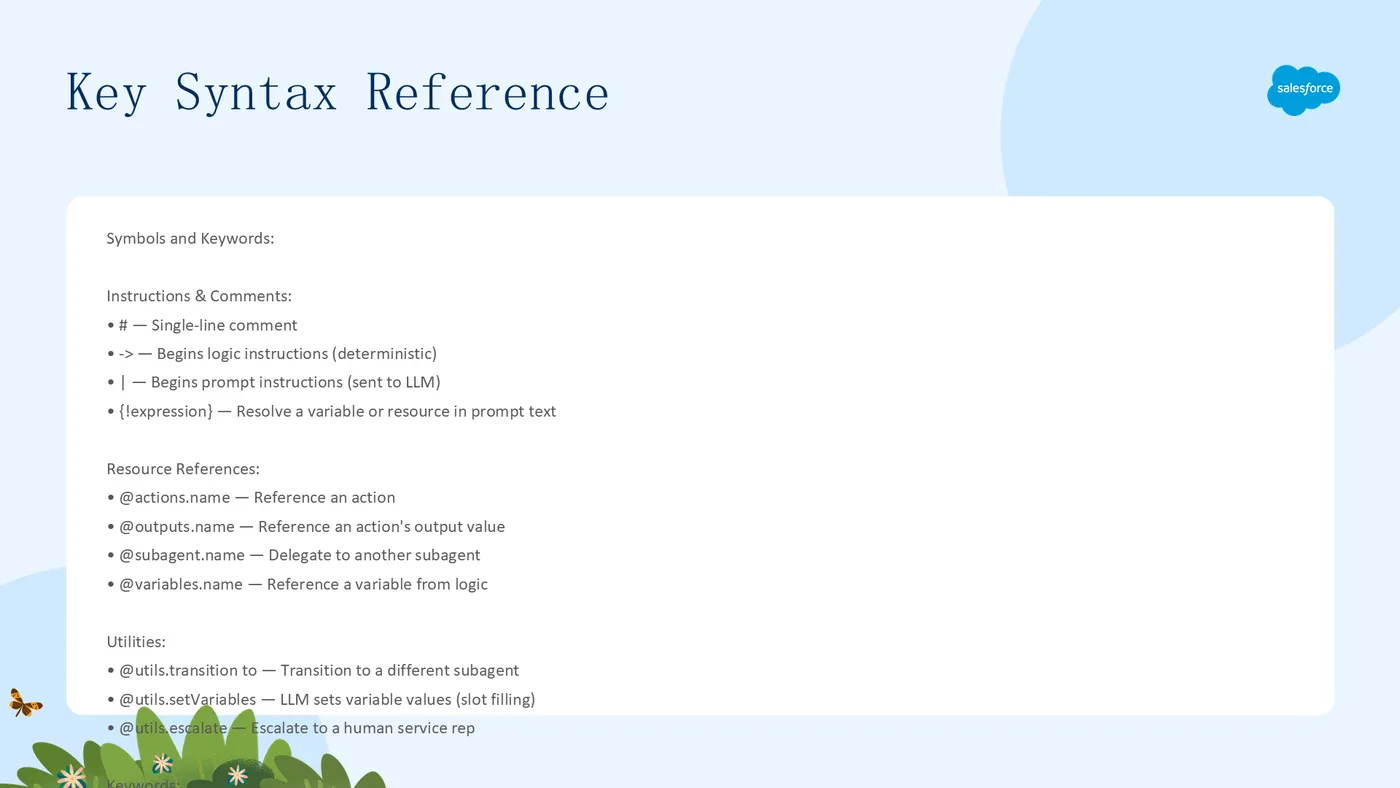
符号/关键字描述#单行注释。例如:# This is a comment...槽位填充令牌,指示 LLM 设置值。例如:with order_id = ...->开始逻辑指令(确定性执行)。例如:instructions: -> if @variables.verified:|开始提示指令(发送给 LLM)。例如:| Help the customer with their order.{!expression}在提示指令中解析变量或资源。例如:{!@variables.promotion_product}@actions.name引用动作。例如:run @actions.get_order@outputs.name引用动作的输出值。例如:set @variables.status = @outputs.status@subagent.name委托到另一个子代理。例如:consult: @subagent.specialist@variables.name从逻辑指令中引用变量。例如:@variables.order_id@utils.transition to定义转换到不同子代理的工具。例如:@utils.transition to @subagent.Order_Management@utils.setVariables定义指示 LLM 设置变量值的工具(槽位填充)@utils.escalate定义升级到人工客服的工具available when有条件地显示或隐藏工具。例如:available when @variables.verified == Trueif / else条件分支。例如:if @variables.is_member == True:run确定性地执行动作。例如:run @actions.get_orderset将值存储到变量中。例如:set @variables.status = @outputs.statuswith绑定输入参数。例如:with order_id = @variables.order_idtransition to从逻辑指令中移动到不同的子代理。例如:transition to @subagent.wrap_upmutable允许变量的值被更改。例如:order_id: mutable string = ""linked声明其值来自外部源的变量。例如:session_id: linked string
参考概念
以下参考主题涵盖了与 Agent Script 相关的关键概念:
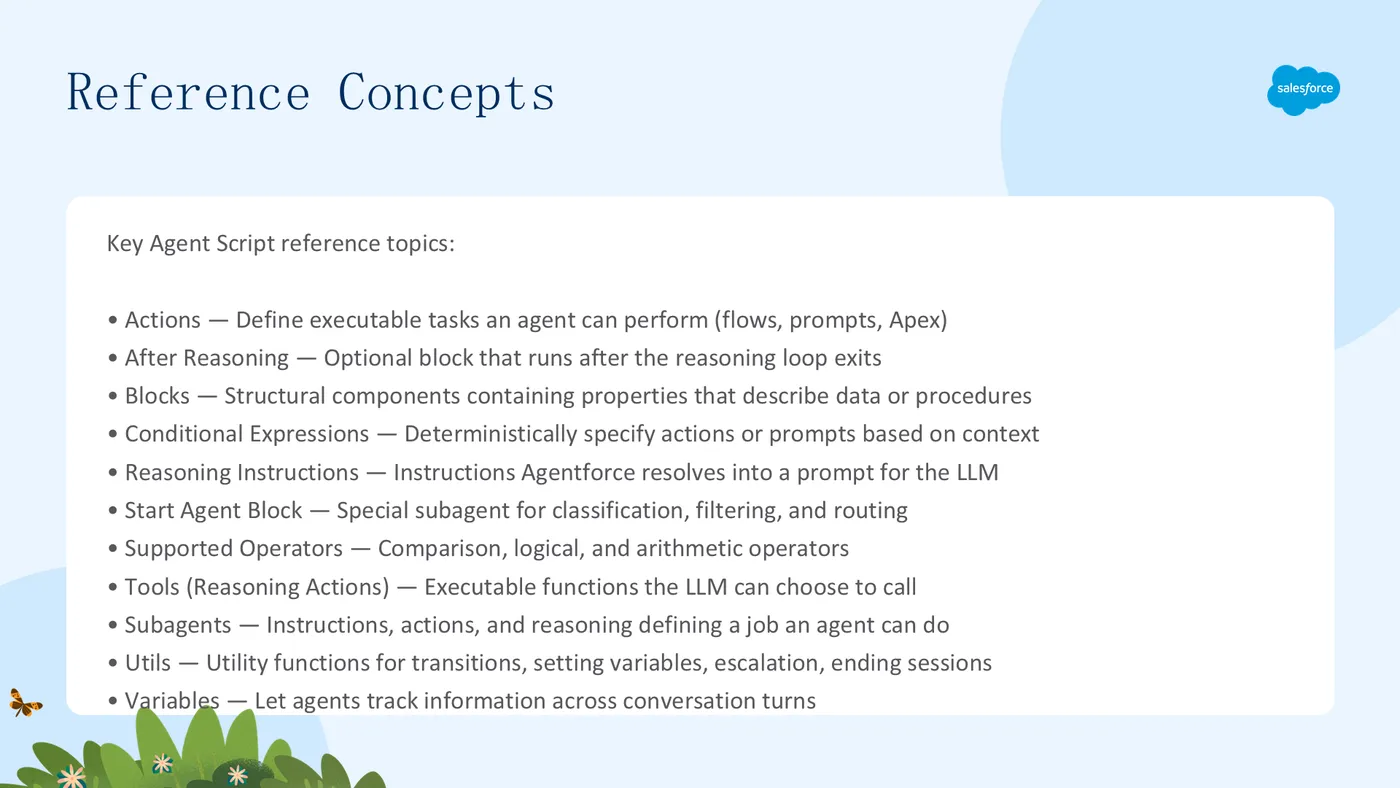
Actions —— 定义 Agent 可以执行的任务,如调用 Flow、提示模板或 Apex 类
After Reasoning —— 推理循环退出后运行的可选块
Blocks —— Agent Script 的结构组件,每个块包含描述数据或过程的一组属性
Conditional Expressions —— 根据当前上下文确定性地指定要采取的动作或包含的提示
Reasoning Instructions —— Agentforce 解析为 LLM 提示的指令
Supported Operators —— 可在 Agent Script 中使用的比较、逻辑和算术运算符
Tools (Reasoning Actions) —— LLM 可基于工具描述和当前上下文选择调用的可执行函数
Utils —— 用作工具的实用函数,如转换子代理或设置变量值
Variables —— 让 Agent 在对话轮次之间跟踪信息
参考:Actions(动作)
动作定义了子代理可以执行的任务,例如调用 Flow、提示模板或 Apex 类。你可以将动作的输出存储在变量中,使其对推理引擎可用,并选择 LLM 是否可以向客户显示输出。
动作属性
属性描述
action name必填。动作名称,遵循 Salesforce 开发者名称标准(字母开头、字母数字和下划线、最长 80 字符,推荐 snake_case)
description可选。描述动作的行为和用途。LLM 在决定是否调用动作时读取此描述
inputs可选。定义动作的输入参数,包括类型、标签、描述和 is_required
outputs可选。定义动作的输出参数。可设置 filter_from_agent: True 对 Agent 隐藏输出
target必填。引用可执行文件,格式:apex://、flow:// 或 prompt://
label可选。显示名称,从动作名称自动生成
参数类型
string、number、integer、long、boolean、object、date、datetime、time、currency、list[type](如 list[string]、list[number])。id 已弃用,请使用 string。
使用动作的三种方式
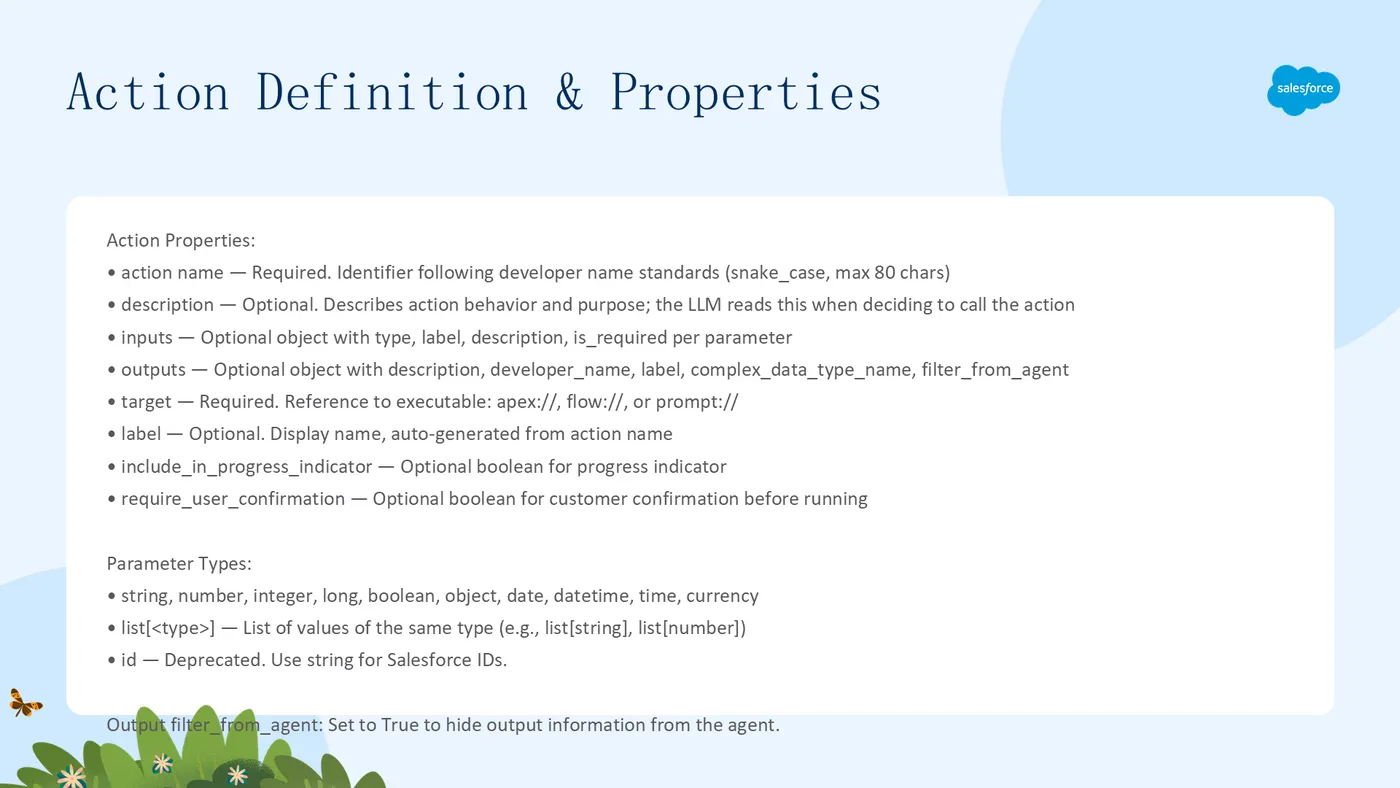
- 在推理逻辑中确定性调用(每次运行):
reasoning: instructions: -> run @actions.check_business_hours set @variables.is_business_hours=@outputs.is_business_hours
2. 作为工具暴露给 LLM(LLM 选择何时调用):

`reasoning:
  actions:
    load_order_details: @actions.Get_Order_Details
      with order_number=@variables.order_number
      with customer_id=@variables.customer_id`
- 链式动作(一个动作完成后自动运行另一个):
GetOrderByOrderNumber: @actions.GetOrderByOrderNumber with orderNumber = ... set @variables.orderDetails = @outputs.orderDetails run @actions.ScheduleOrder with orderDetails = @variables.orderDetails set @variables.DeliveryDate = @outputs.deliveryDate
在提示中明确引用工具:

`| verify it using {!@actions.send_verification_code_tool}.`
参考:After Reasoning
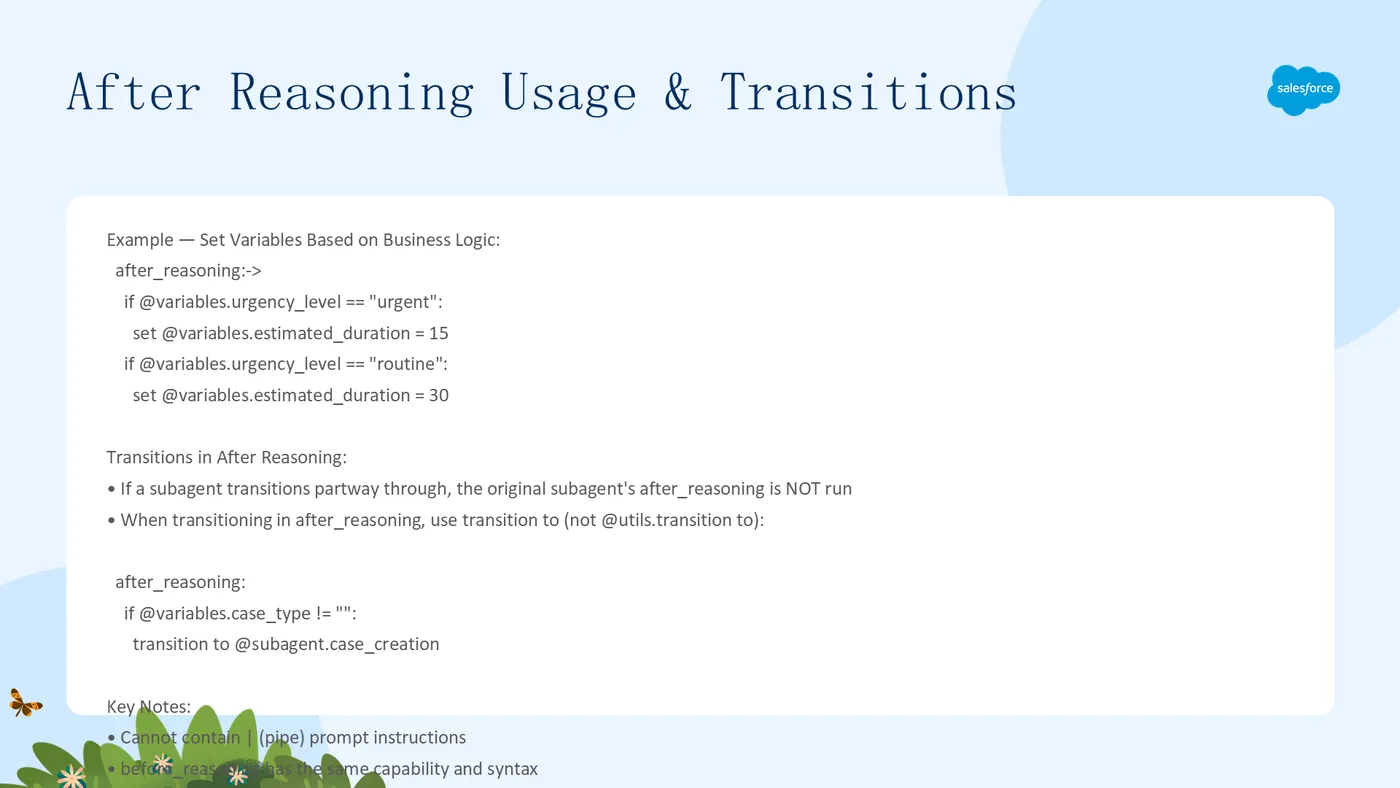
Agentforce 在每次请求时,推理循环退出后运行子代理的 after_reasoning 块。该块可以包含逻辑、动作、转换或其他指令,但不能包含 |(管道)提示指令。典型用例包括将客户输入信息设置到变量中、转换到不同的子代理或运行动作。
注意:在使用 EinsteinHyperClassifier 模型的子代理中,不能使用
before_reasoning或after_reasoning。
after_reasoning:-> if @variables.urgency_level == "urgent": set @variables.estimated_duration = 15 if @variables.urgency_level == "routine": set @variables.estimated_duration = 30
### After Reasoning 中的转换

如果子代理在执行过程中转换到新子代理,原始子代理的 `after_reasoning` 块不会运行。在 after_reasoning 中转换时使用 `transition to`(而非 `@utils.transition to`):

`after_reasoning:
  if @variables.case_type != "":
    transition to @subagent.case_creation`
参考:条件表达式(Conditional Expressions)
if 和 else 条件确定性地指定要采取的动作或要包含的提示。目前 Agent Script 支持 if 和 else 逻辑,但不支持 else if。
常用模式
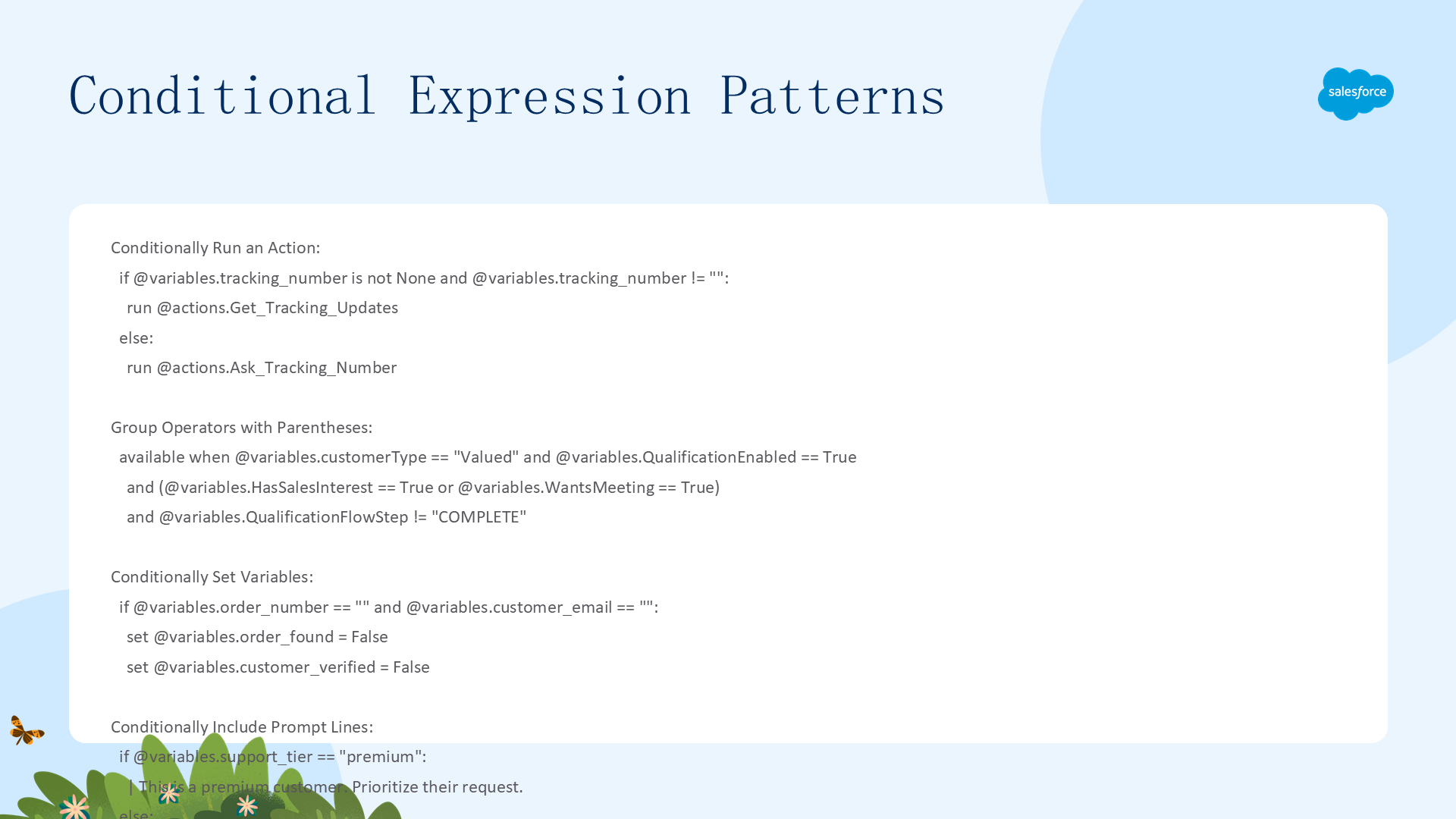
条件运行动作:
if @variables.tracking_number is not None and @variables.tracking_number != "": run @actions.Get_Tracking_Updates else: run @actions.Ask_Tracking_Number
用括号分组复杂条件:

`available when @variables.customerType == "Valued" and @variables.QualificationEnabled == True and (@variables.HasSalesInterest == True or @variables.WantsMeeting == True) and @variables.QualificationFlowStep != "COMPLETE"`
条件设置变量:
if @variables.order_number == "" and @variables.customer_email == "": set @variables.order_found = False set @variables.customer_verified = False
条件包含提示行:

`if @variables.support_tier == "premium":
  | This is a premium customer. Prioritize their request.
else:
  | This is a standard customer. Answer their questions helpfully.`
检查变量是否有值:使用 is None 检查任何类型的空值(与 == "" 检查空字符串不同):
if @variables.account_id is None: # 检查无值(任何类型) if @variables.is_premium_user is not None: # 检查有值 if @variables.order_lines != None: # 检查非 None(任何类型)
## 参考:推理指令(Reasoning Instructions)
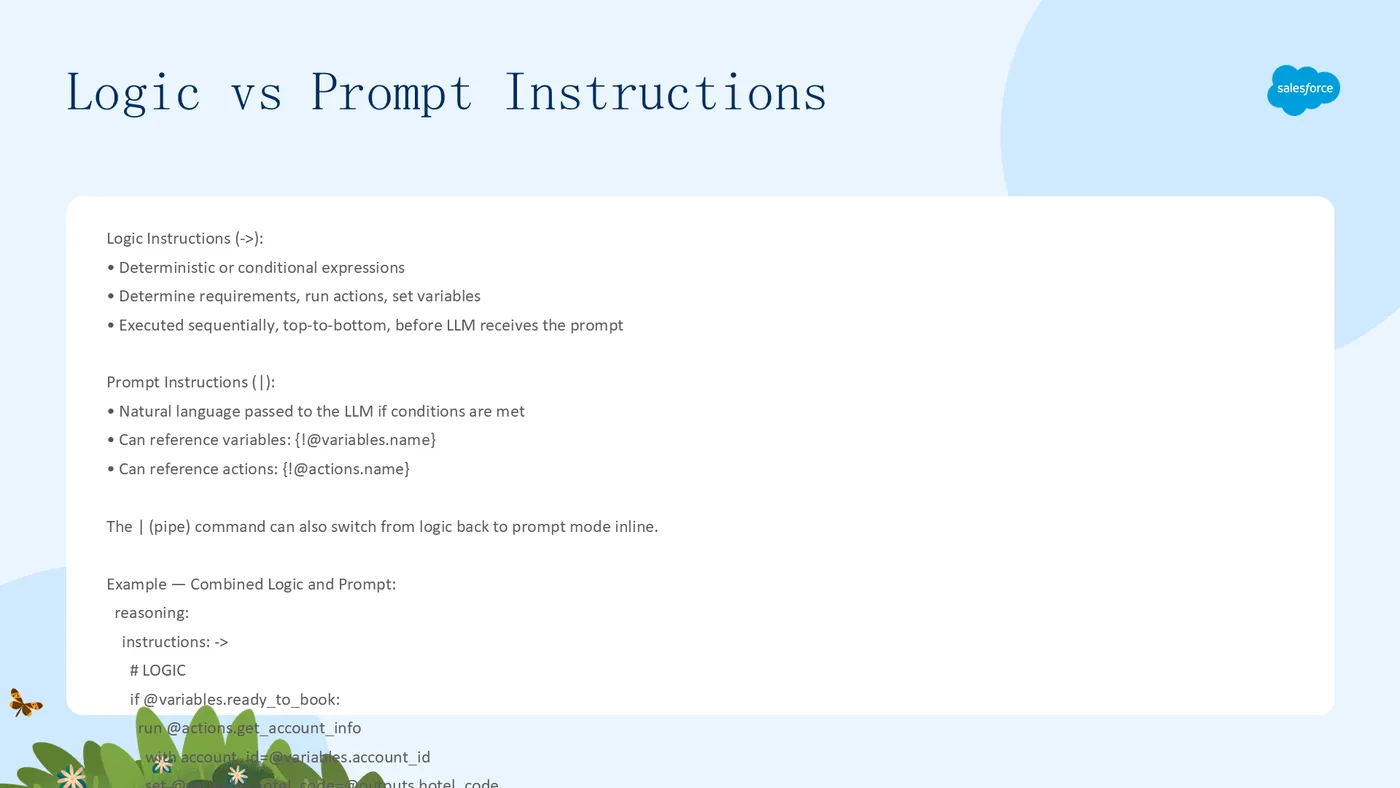
子代理的 `reasoning` 块包含 Agentforce 解析为 LLM 提示的指令。一般来说,更短的推理指令会产生更准确和可靠的结果。推理指令有两个部分:
- 逻辑指令(`->`)—— 确定性或条件表达式,确定需求、运行动作、设置变量,在 LLM 接收提示之前按从上到下的顺序执行
- 提示指令(`|`)—— 自然语言,在条件满足时传递给 LLM,可以引用变量 `{!@variables.name}` 和动作 `{!@actions.name}`
`reasoning:
instructions: ->
# 逻辑指令
if @variables.ready_to_book:
run @actions.get_account_info
with account_id=@variables.account_id
set @variables.hotel_code=@outputs.hotel_code
run @actions.get_hotel_info
with hotel_code=@variables.hotel_code
set @variables.hotel_info = @outputs.hotel_info
# 提示指令
| You are a helpful assistant. Here's the latest hotel information
{!@variables.hotel_info}. If they ask about availability, use
{!@actions.get_availability}. If they wish to book, use
{!@actions.transition_to_booking}.`
核心要点:逻辑先运行(确定性),然后将只包含通过条件的提示指令的已解析提示发送给 LLM。
参考:支持的运算符
Agent Script 支持以下运算符,用于条件表达式、available when 过滤器和变量赋值。
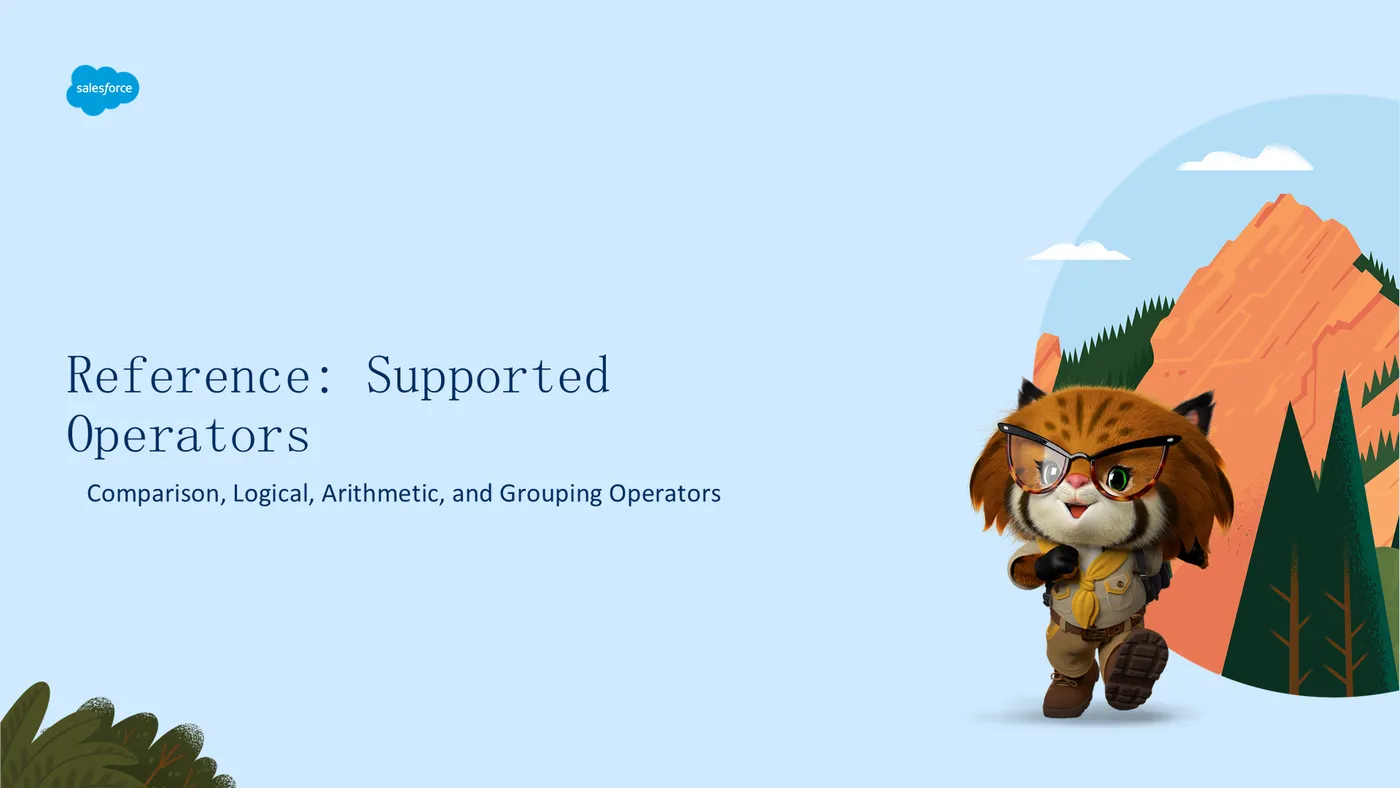
类别运算符描述示例
比较==等于@variables.count == 10!=不等于@variables.status != "done"<小于@variables.age < 18<=小于等于@variables.score <= 100>大于@variables.count > 0>=大于等于@variables.total >= 50is身份检查@variables.value is Noneis not否定身份检查@variables.data is not None
逻辑and逻辑与@variables.a and @variables.bor逻辑或@variables.x or @variables.ynot逻辑非not @variables.flag
算术+加法@variables.count + 1-减法@variables.total - 5
分组( )括号(@variables.x or @variables.y) and @variables.z
参考:Tools(推理动作)
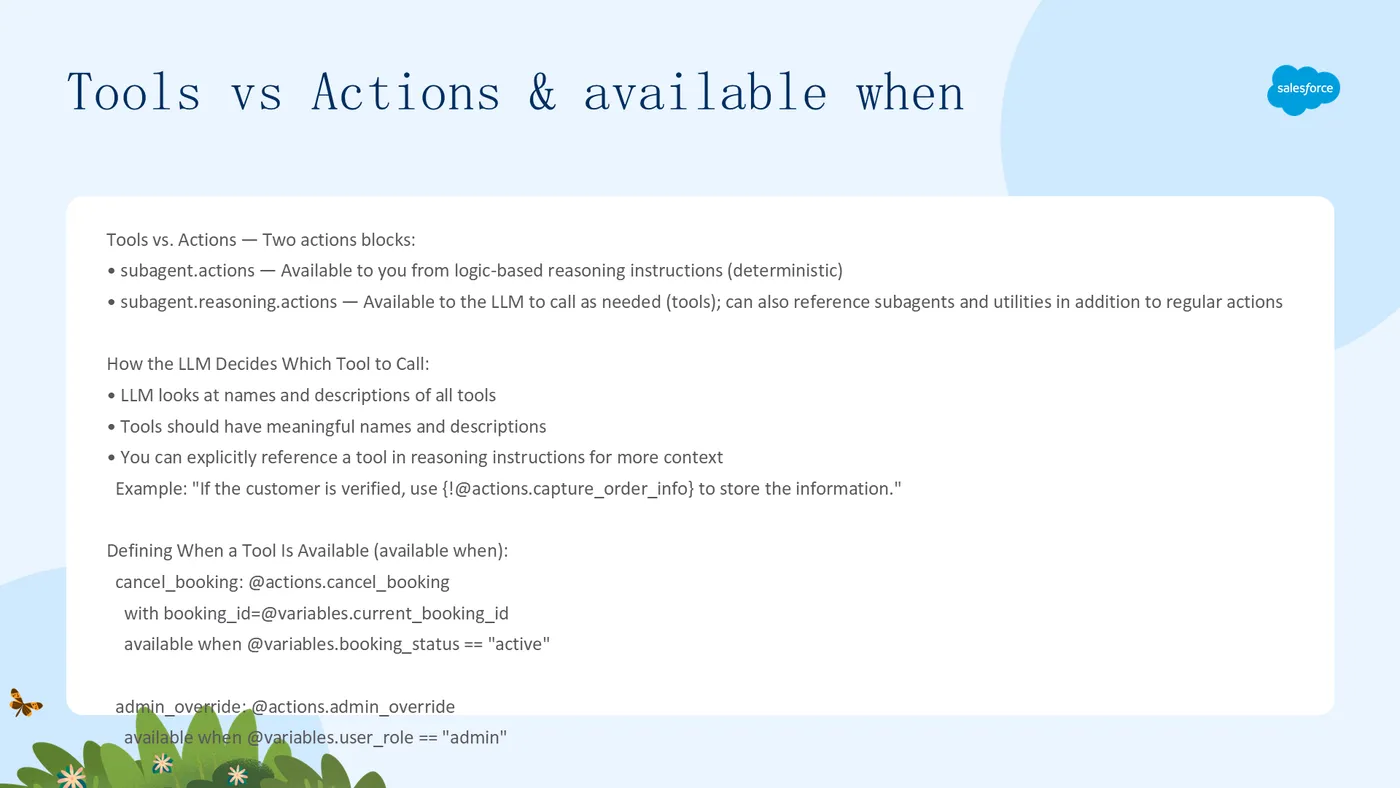
工具是 LLM 可以根据工具的描述和当前上下文选择调用的可执行函数。你在子代理的 reasoning.actions 块中定义工具。
重要区分:Tools vs. Actions。Agent Script 有两个
actions块:
subagent.actions —— 从基于逻辑的推理指令中供你使用(确定性调用)
subagent.reasoning.actions —— 供 LLM 根据需要调用(工具),还可以引用子代理和实用函数
LLM 如何选择调用哪个工具
LLM 在决定是否调用工具时会查看所有工具的名称和描述。工具应具有有意义的名称和描述。你可以在推理指令中显式引用工具以提供更多上下文:
| If the customer is verified, use {!@actions.capture_order_info} to store the information.
### 定义工具的可用时机(available when)

`reasoning:
  actions:
    cancel_booking: @actions.cancel_booking
      with booking_id=@variables.current_booking_id
      available when @variables.booking_status == "active"
    admin_override: @actions.admin_override
      available when @variables.user_role == "admin"
    go_to_identity: @utils.transition to @subagent.Identity
      available when @variables.verified == False`
将子代理作为工具引用
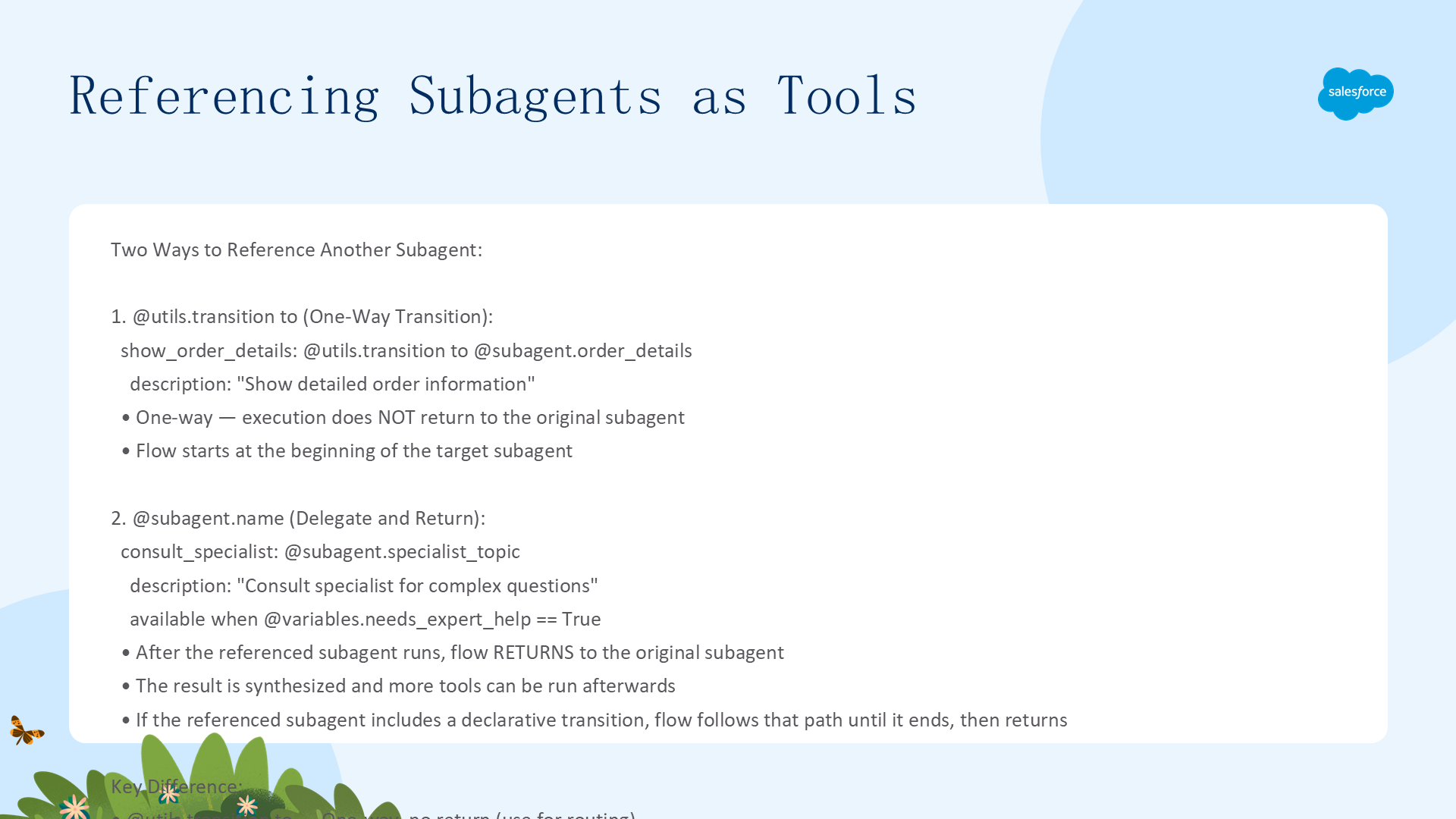
在推理动作中,有两种方式引用另一个子代理:
@utils.transition to(单向转换):执行不会返回原始子代理,流程从目标子代理的开头开始。适用于路由。直接引用
@subagent.name(委托并返回):引用的子代理运行完毕后,流程返回原始子代理,结果被综合处理,之后可以运行更多工具。适用于咨询/专家查询。
`reasoning:
actions:
# 单向转换,不返回
show_order_details: @utils.transition to @subagent.order_details
  description: "Show detailed order information"
# 委托并返回(往返调用)
consult_specialist: @subagent.specialist_topic
  description: "Consult specialist for complex questions"
  available when @variables.needs_expert_help == True`
## 参考:Utils(实用函数)

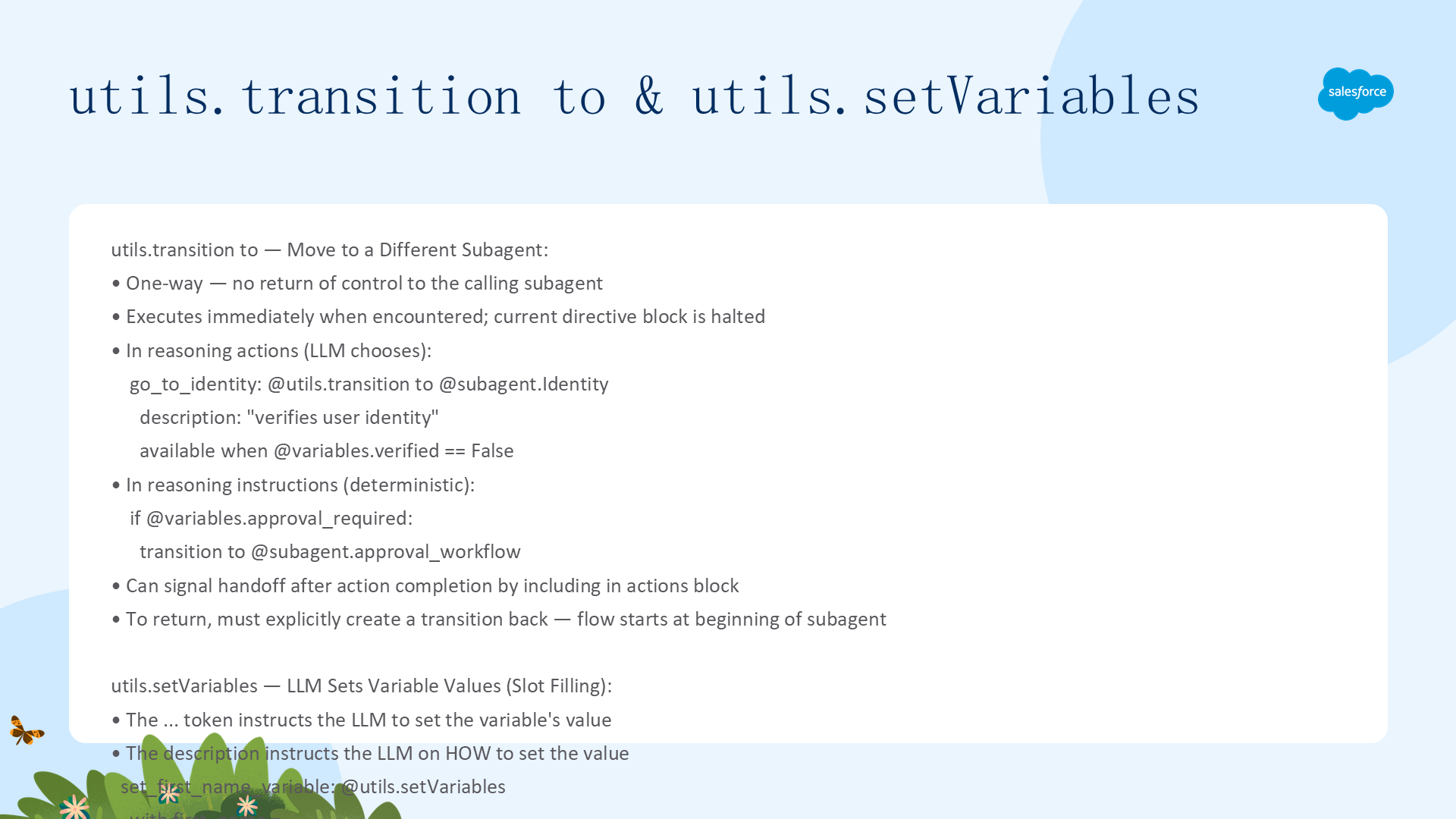
### utils.transition to — 转换到不同子代理
单向转换,控制在目标子代理完成后不会返回原始子代理。必须显式创建返回转换。在推理动作中(LLM 选择)使用 `@utils.transition to`,在推理指令中(确定性)使用 `transition to`(无 @utils. 前缀)。
`# 在推理动作中
go_to_identity: @utils.transition to @subagent.Identity
description: "verifies user identity"
available when @variables.verified == False
# 在推理指令中(确定性)
if @variables.approval_required:
transition to @subagent.approval_workflow`
utils.setVariables — LLM 通过槽位填充设置变量值
... 令牌指示 LLM 设置变量的值,description 指导 LLM 如何确定该值:
set_first_name_variable: @utils.setVariables with first_name = ... description: "Get the user's first name"
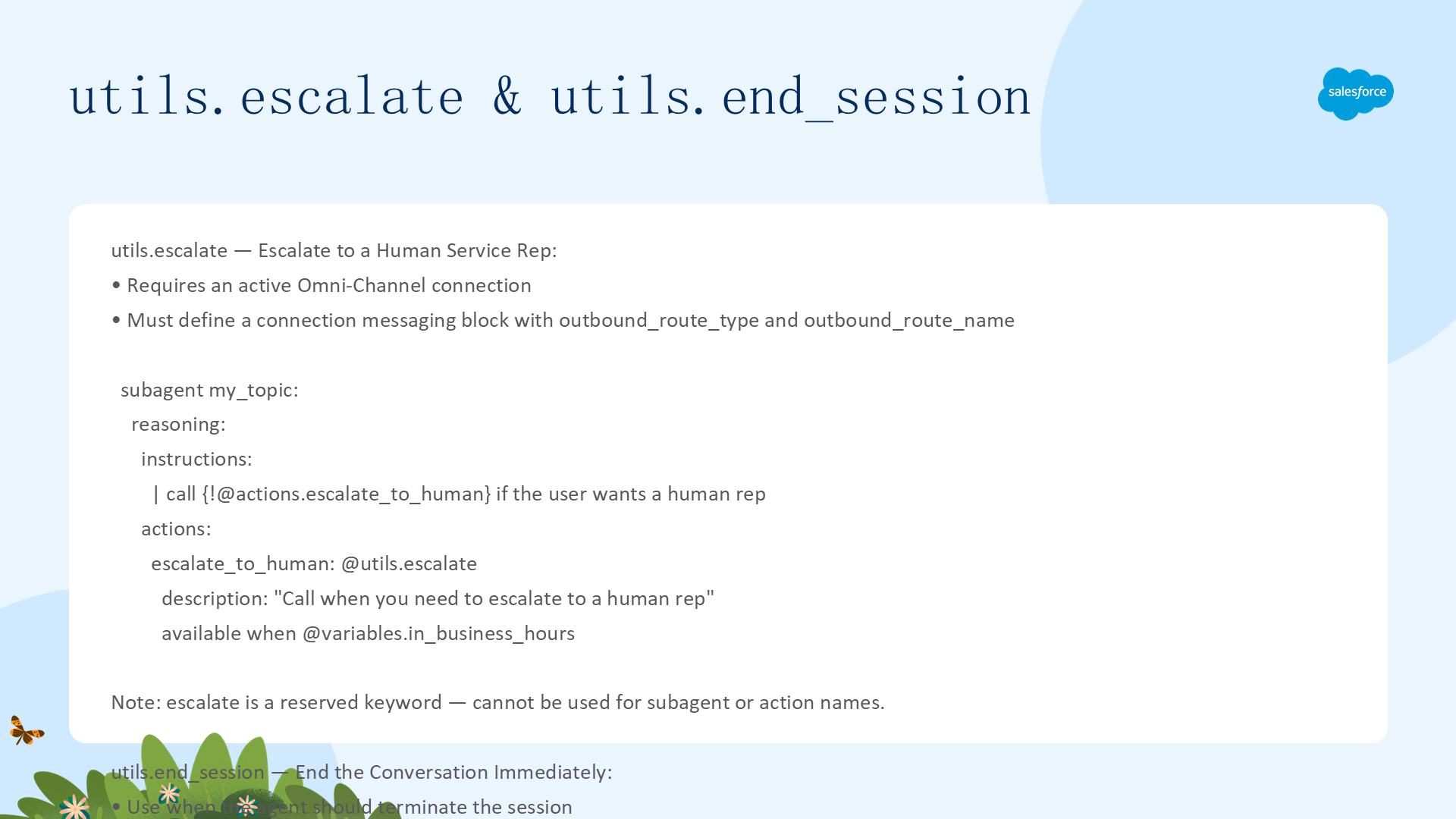
### utils.escalate — 升级到人工客服
需要一个活动的 Omni-Channel 连接和 `connection messaging` 块。注意:`escalate` 是保留关键字,不能用于子代理或动作名称。
`escalate_to_human: @utils.escalate
description: "Call when you need to escalate to a human rep"
available when @variables.in_business_hours`
utils.end_session — 立即结束对话
当 Agent 应终止会话时使用,例如完成任务后或特定条件满足时:
end_conversation: @utils.end_session
## 参考:Variables(变量)
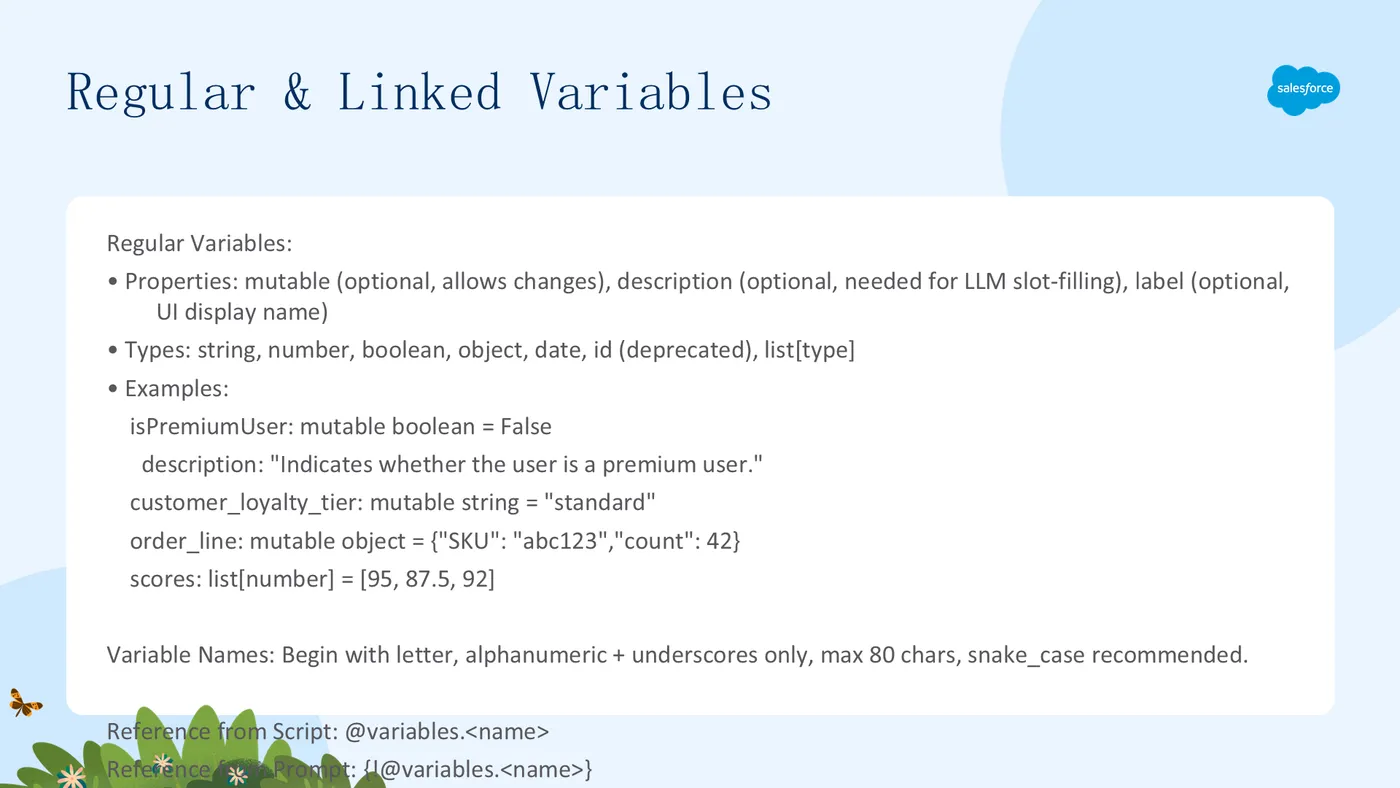
变量让 Agent 在对话轮次之间确定性地记住信息、跟踪进度并在整个会话中维护上下文。所有变量在 `variables` 块中定义,所有子代理都可以访问。有三种类型:

### 1. Regular Variables(常规变量)
可初始化默认值,Agent 可更改其值(如设置了 `mutable`)。类型:`string`、`number`、`boolean`、`object`、`date`、`list[type]`。
`variables:
isPremiumUser: mutable boolean = False
description: "Indicates whether the user is a premium user."
customer_loyalty_tier: mutable string = "standard"
order_line: mutable object = {"SKU": "abc123", "count": 42}
scores: list[number] = [95, 87.5, 92]`
2. Linked Variables(链接变量)
值绑定到外部源(如消息会话或语音通话)。不能有默认值、不能由 Agent 设置、不能是对象或列表。可用源:@MessagingSession(Id, EndUserLanguage)、@MessagingEndUser(ContactId)、@VoiceCall(Id)。
session_id: linked string source: @MessagingSession.Id description: "The messaging session ID"
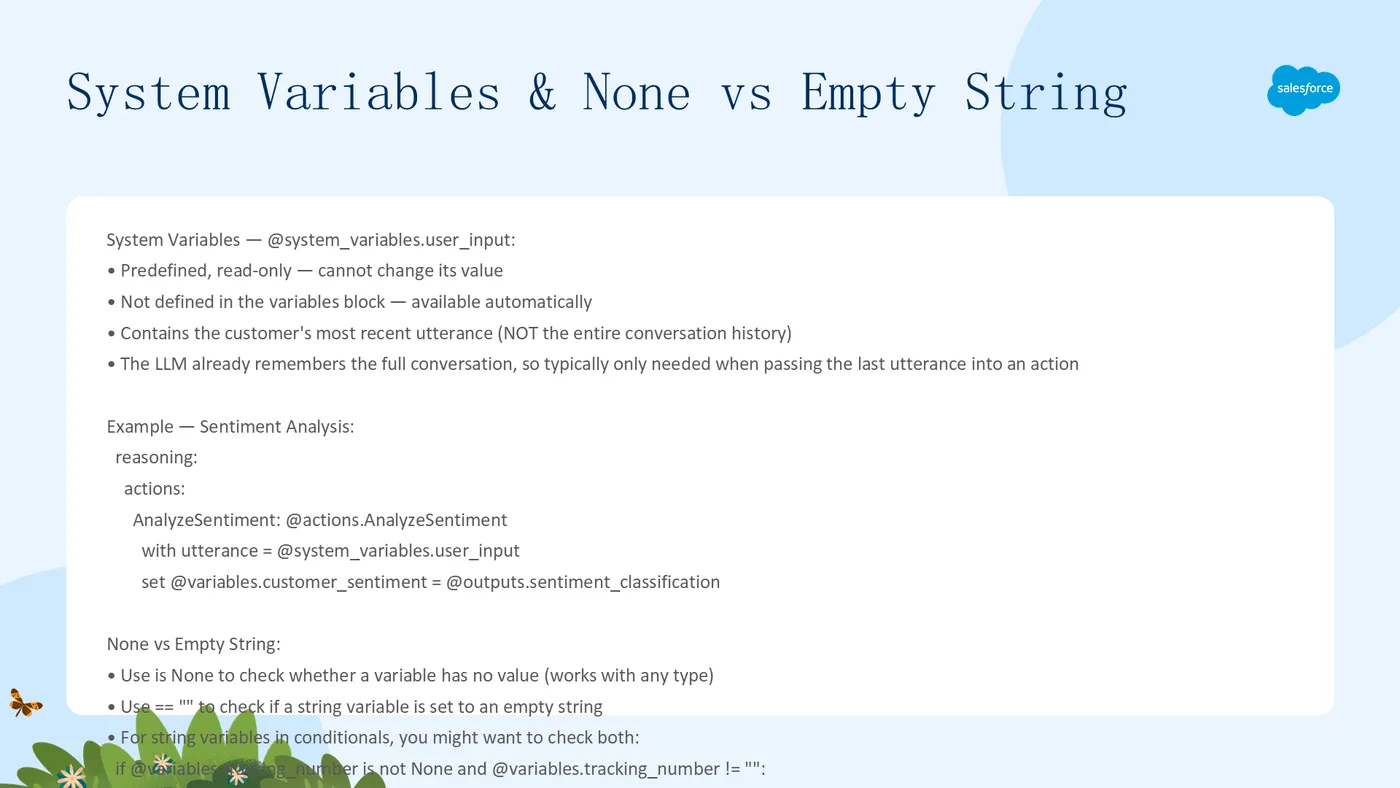
### 3. System Variables(系统变量)

预定义的只读变量,无需在 `variables` 块中定义。目前唯一的系统变量是 `@system_variables.user_input`,包含客户最近一次发言(而非整个对话历史)。

`AnalyzeSentiment: @actions.AnalyzeSentiment
  with utterance = @system_variables.user_input
  set @variables.customer_sentiment = @outputs.sentiment_classification`
引用变量
从脚本脚本逻辑中引用:
@variables.<name>从提示指令中引用:
{!@variables.<name>}
None vs Empty String
is None—— 检查变量是否有值(适用于任何类型)== ""—— 检查字符串变量是否设置为空字符串两者语义不同:
None表示未赋值,""表示已赋值但为空
if @variables.tracking_number is not None and @variables.tracking_number != "": run @actions.Get_Tracking_Updates
```
本参考手册涵盖了 Agent Script 的完整语法、关键字和概念。配合 Agent Script Patterns 指南使用,可以更高效地构建可靠的 Agentforce Agent。
发布来源:https://www.salesforcecrm.cn/article/agentforce/agent-script-reference.html