一、前言
在日常公众号、小红书内容运营中,大量时间消耗在素材搜集、选题整理、初稿撰写、格式排版等重复工作上。借助OpenClaw(Clawdbot)的Skill体系与任务调度能力,可搭建一套无人值守、每日自动运行的社媒内容流水线:AI自动抓取灵感、生成选题、撰写公众号长文草稿、输出小红书图文笔记,并按日期归档保存,人工仅需最后润色即可发布。本文基于2026年最新环境,完整提供阿里云服务器、本地MacOS/Linux/Windows11部署流程、阿里云百炼通义千问API配置、免费大模型Coding Plan对接、四大核心Skill开发、Python脚本保存草稿、定时任务设置及高频问题一站式解答,所有代码可直接复制,零基础可搭建可落地的自动化内容生产系统。目前阿里云部署 OpenClaw 只需两步,全网最简单,步骤流程 访问阿里云OpenClaw一键部署专题页面 了解。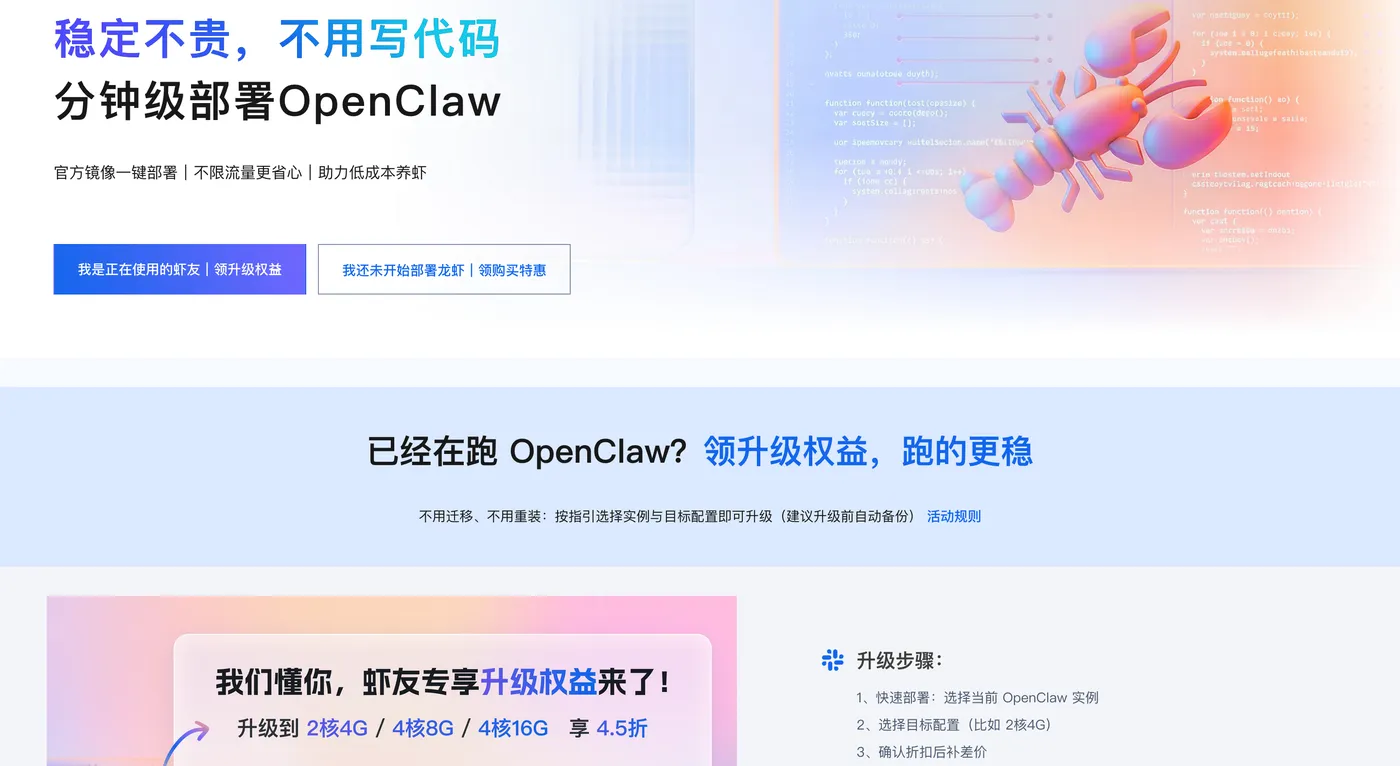
二、整体架构与分工设计
本套流水线采用最小可用闭环,不依赖平台开放API,兼顾合规性与自动化程度:
AI负责:
- 热点与灵感搜集
- 每日选题池生成
- 公众号文章初稿撰写
- 小红书图文笔记输出
- 文件保存与日志记录
人工负责:
- 最终20%内容润色、风格统一
- 合规与敏感信息校验
- 点击发布
- 定期优化Skill规则
目录结构:
/workspace
├── skills
│   └── wechat-xhs-automator
│       ├── topic-briefing/SKILL.md
│       ├── content-wechat-writer/SKILL.md
│       ├── content-xhs-writer/SKILL.md
│       └── autopilot-wechat-xhs/SKILL.md
├── scripts
│   └── save_drafts.py
├── logs
│   └── wechat_xhs_automation.log
└── drafts
    ├── wechat/日期/xxx.md
    └── xhs/日期/xxx.txt
三、2026年OpenClaw全平台标准化部署
(一)阿里云轻量服务器部署(7×24小时自动运行)
适用系统:Alibaba Cloud Linux 3
开放端口:18789
阿里云用户零基础部署 OpenClaw 喂饭级步骤流程
第一步:点击打开访问阿里云OpenClaw一键部署专题页面。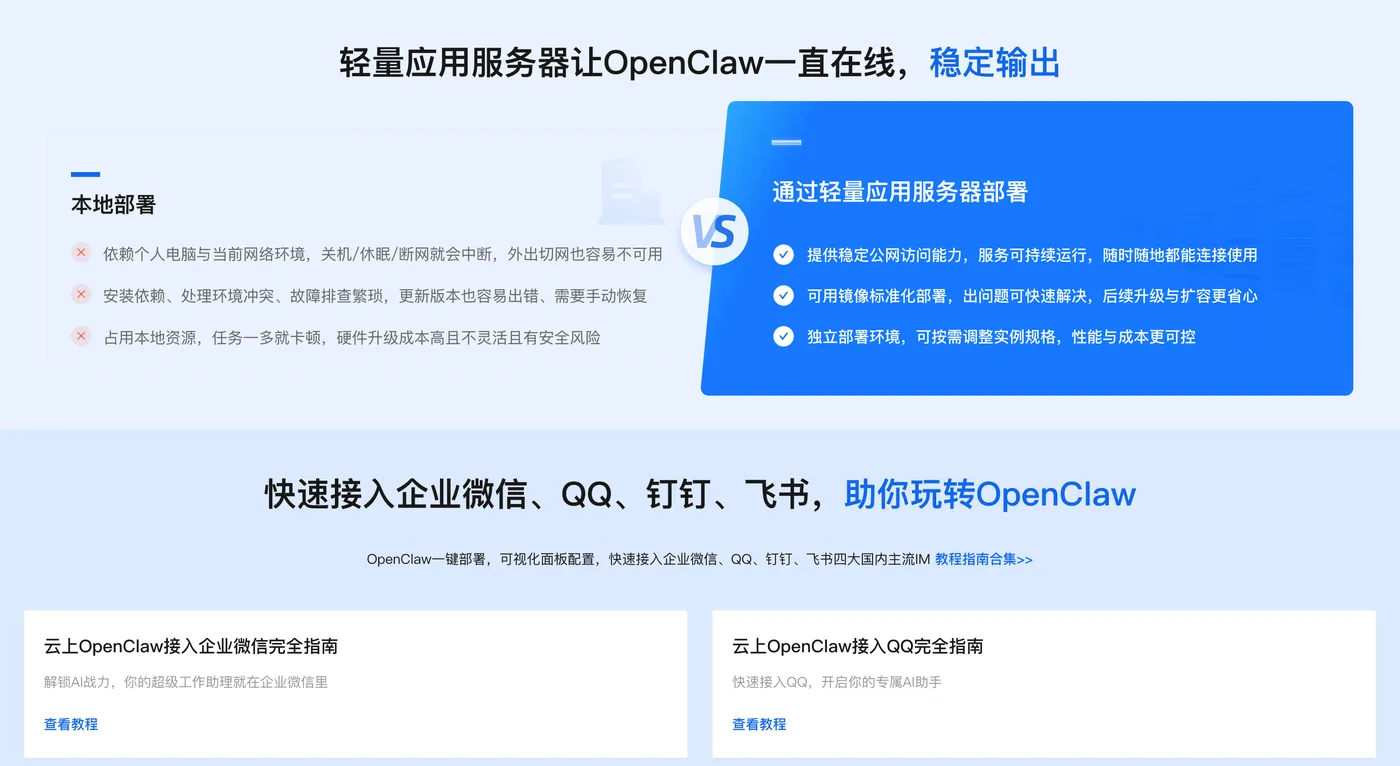
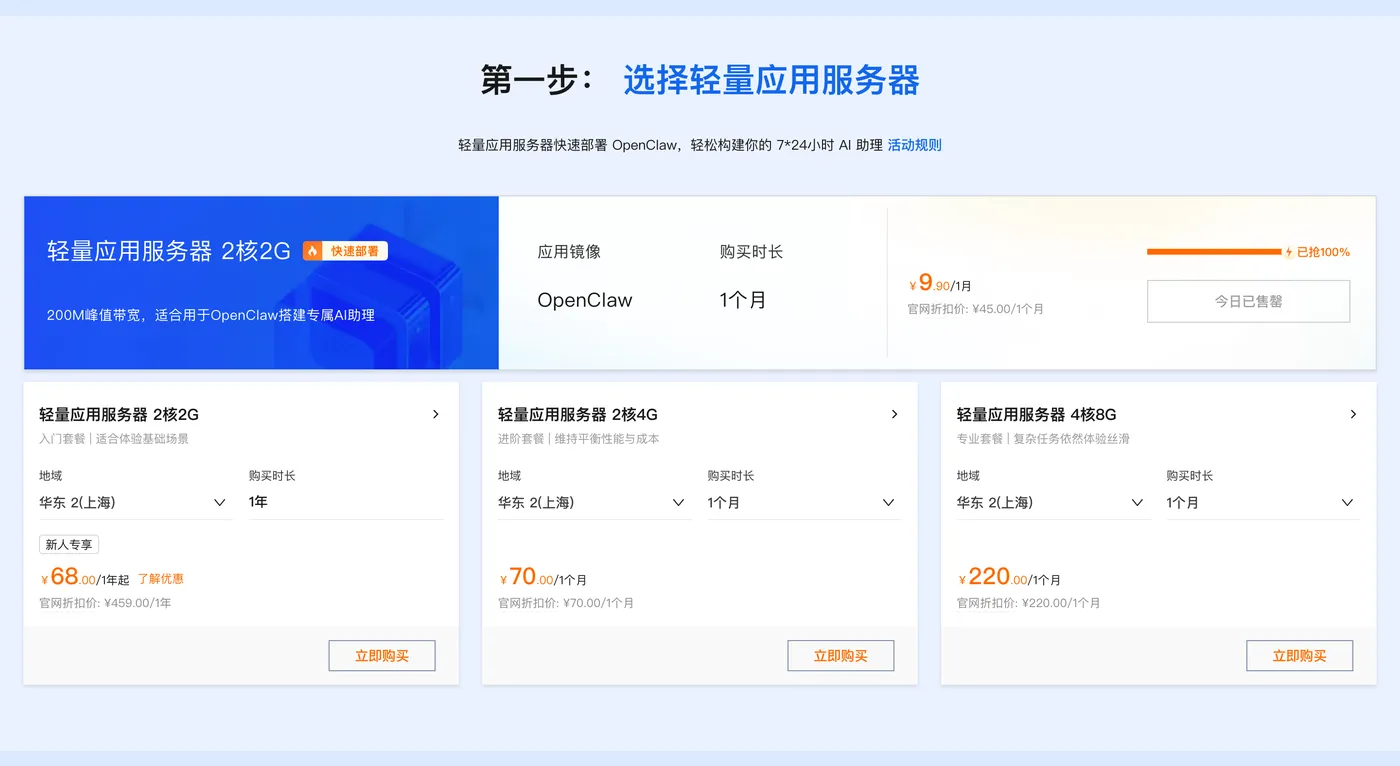
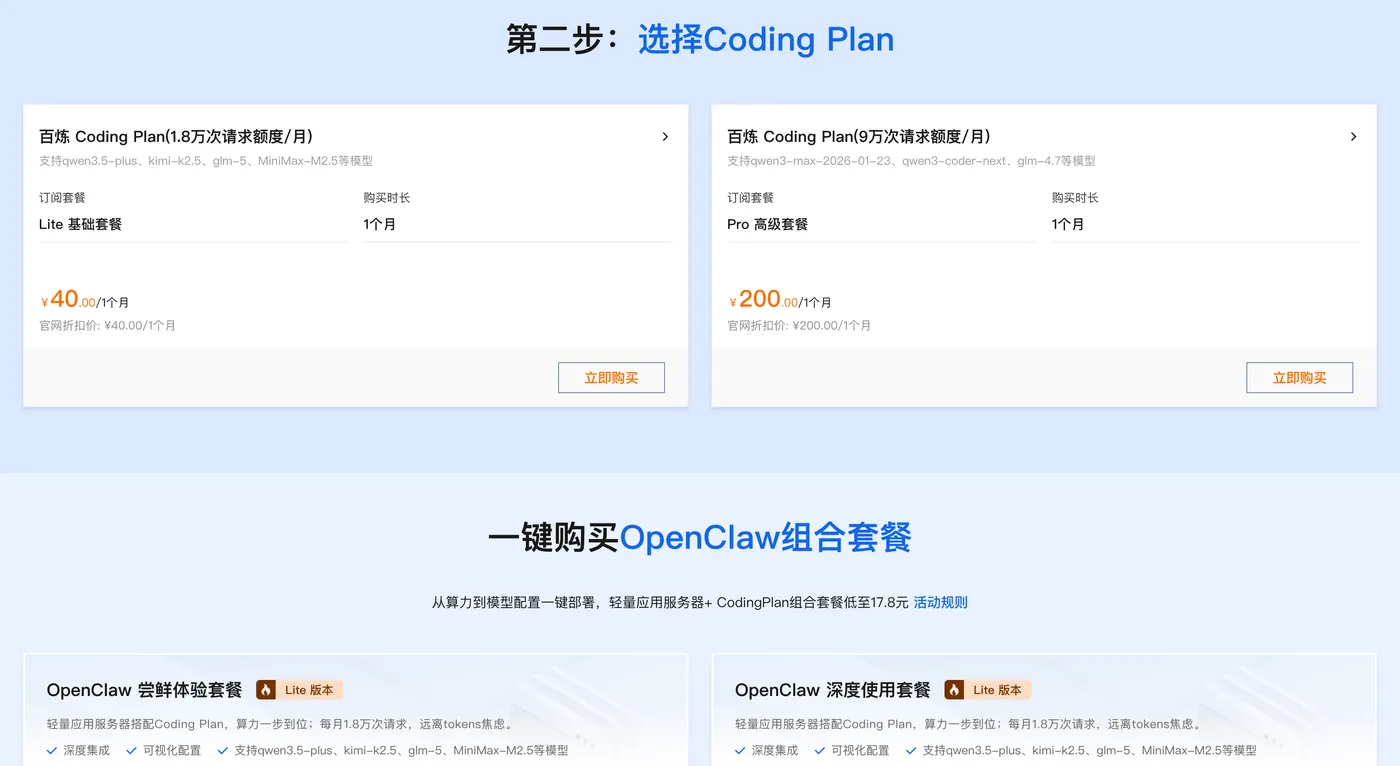
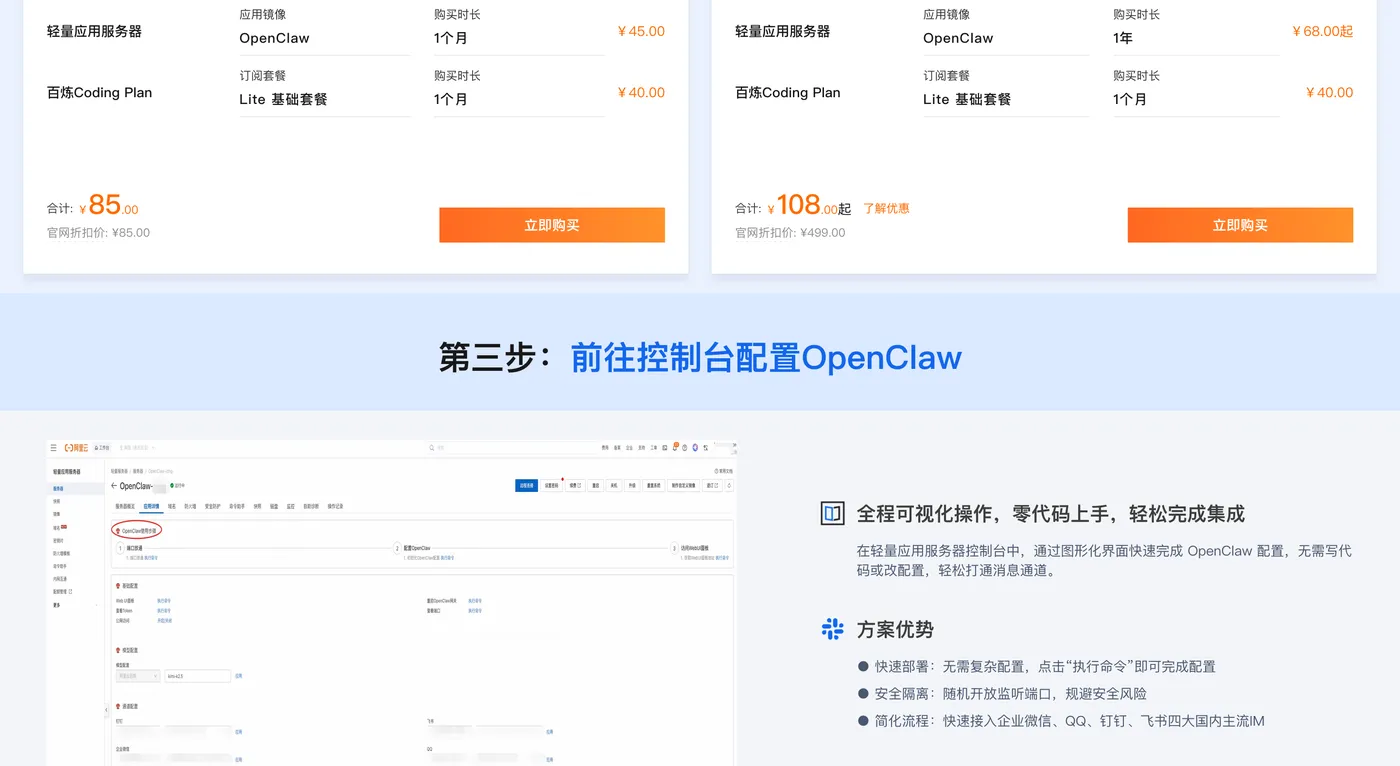
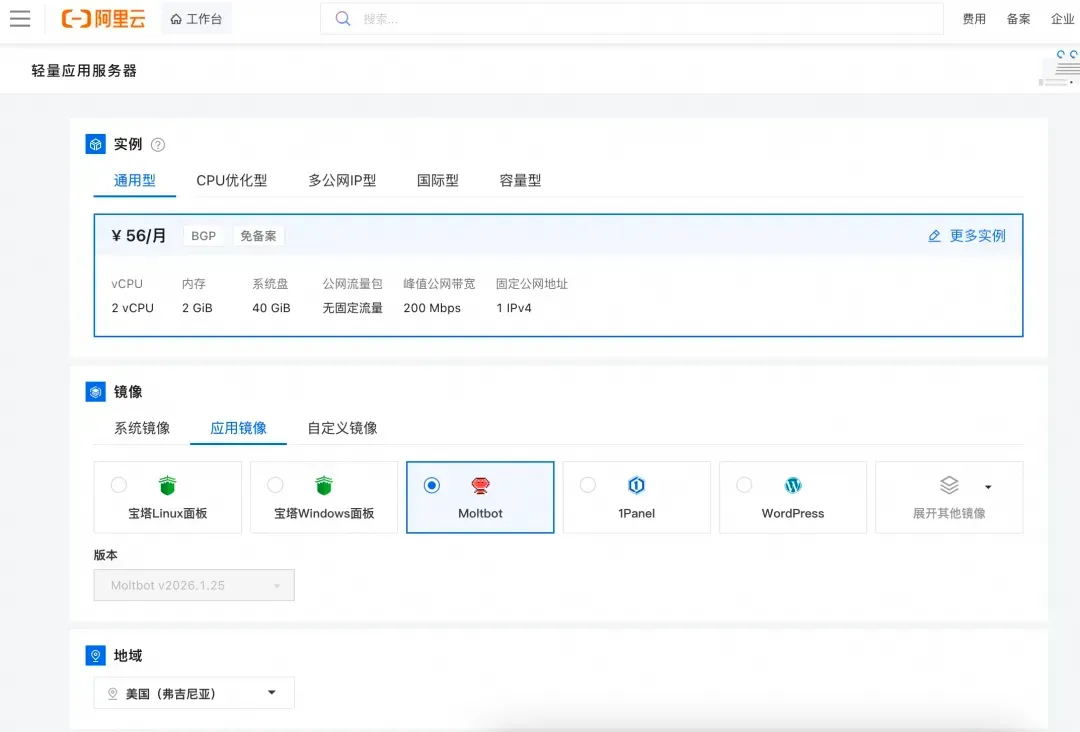
第二步:打开选购阿里云轻量应用服务器,配置参考如下:
- 镜像:OpenClaw(Moltbot)镜像(已经购买服务器的用户可以重置系统重新选择镜像)
- 实例:内存必须2GiB及以上。
- 地域:默认美国(弗吉尼亚),目前中国内地域(除香港)的轻量应用服务器,联网搜索功能受限。
- 时长:根据自己的需求及预算选择。
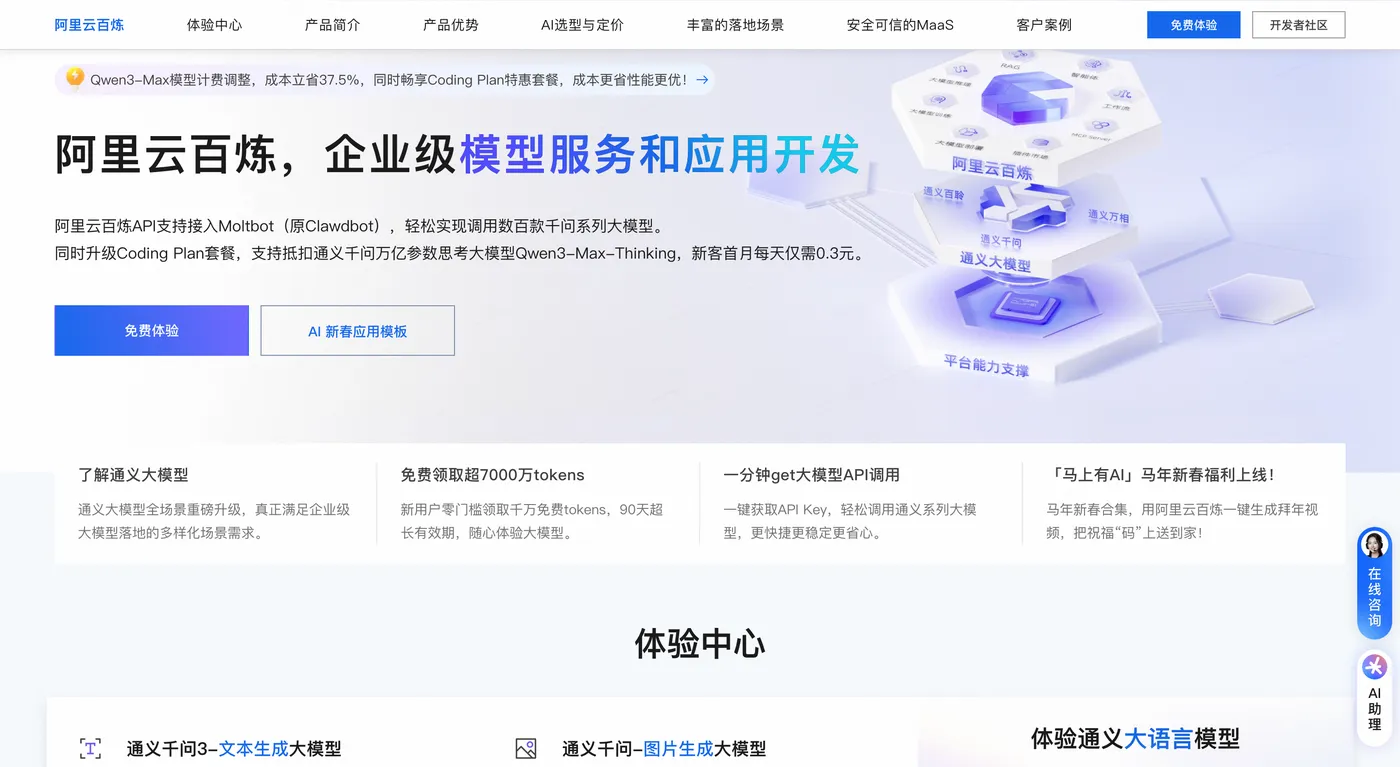
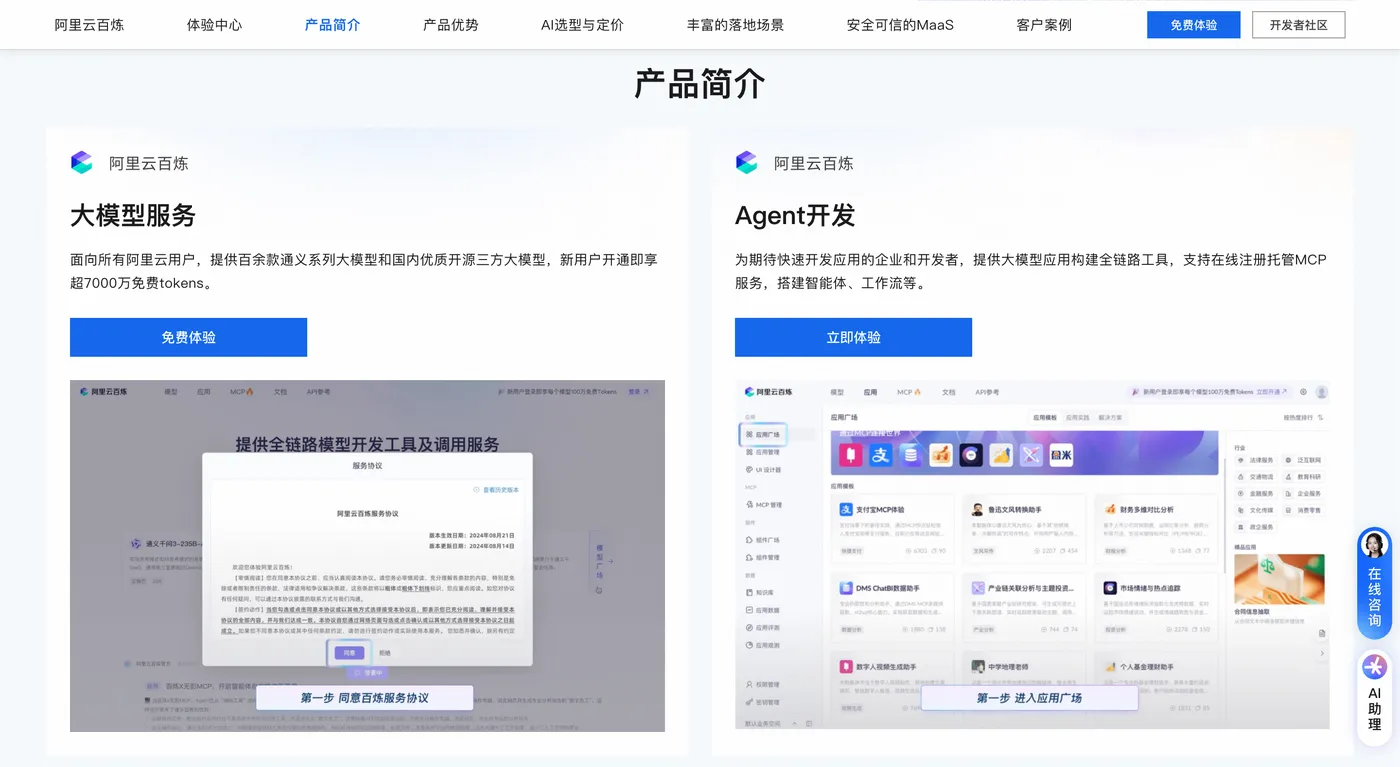
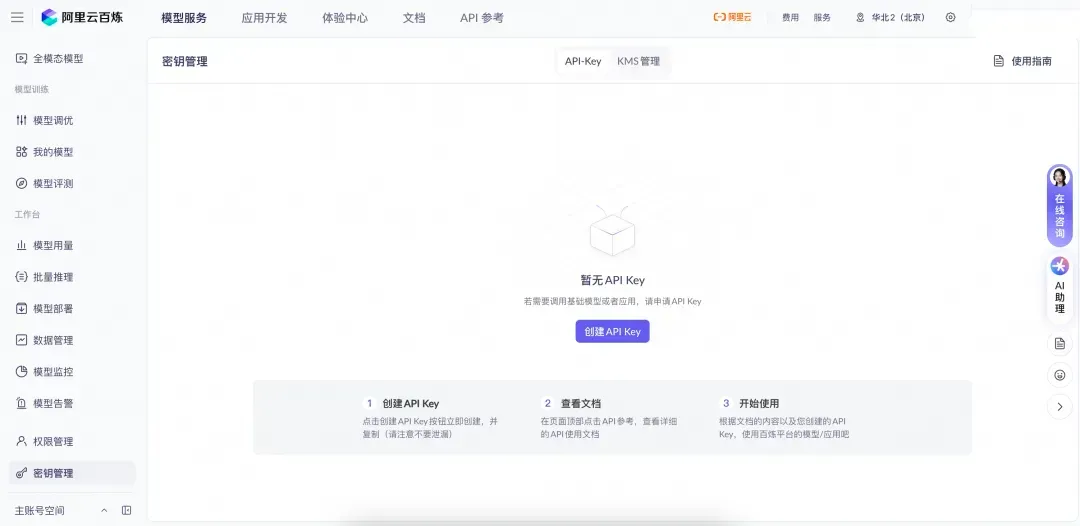
第三步:打开访问阿里云百炼大模型控制台,找到密钥管理,单击创建API-Key。
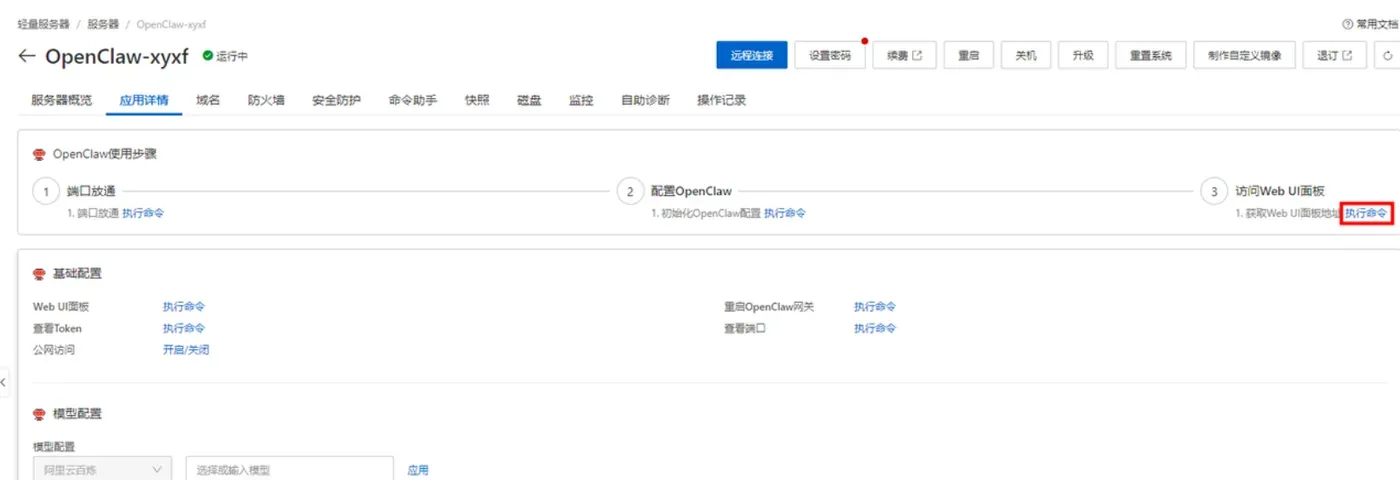
前往轻量应用服务器控制台,找到安装好OpenClaw的实例,进入「应用详情」放行18789端口、配置百炼API-Key、执行命令,生成访问OpenClaw的Token。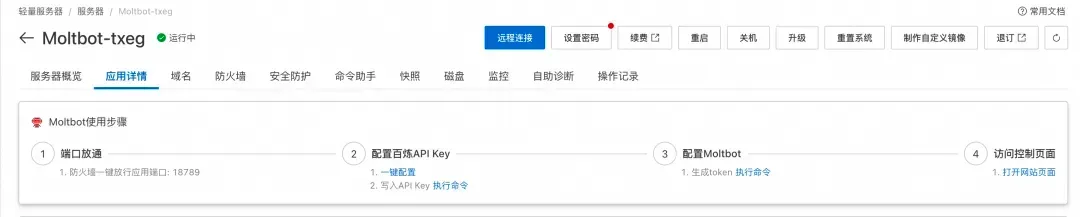
- 端口放通:需要放通对应端口的防火墙,单击一键放通即可。
- 配置百炼API-Key,单击一键配置,输入百炼的API-Key。单击执行命令,写入API-Key。
- 配置OpenClaw:单击执行命令,生成访问OpenClaw的Token。
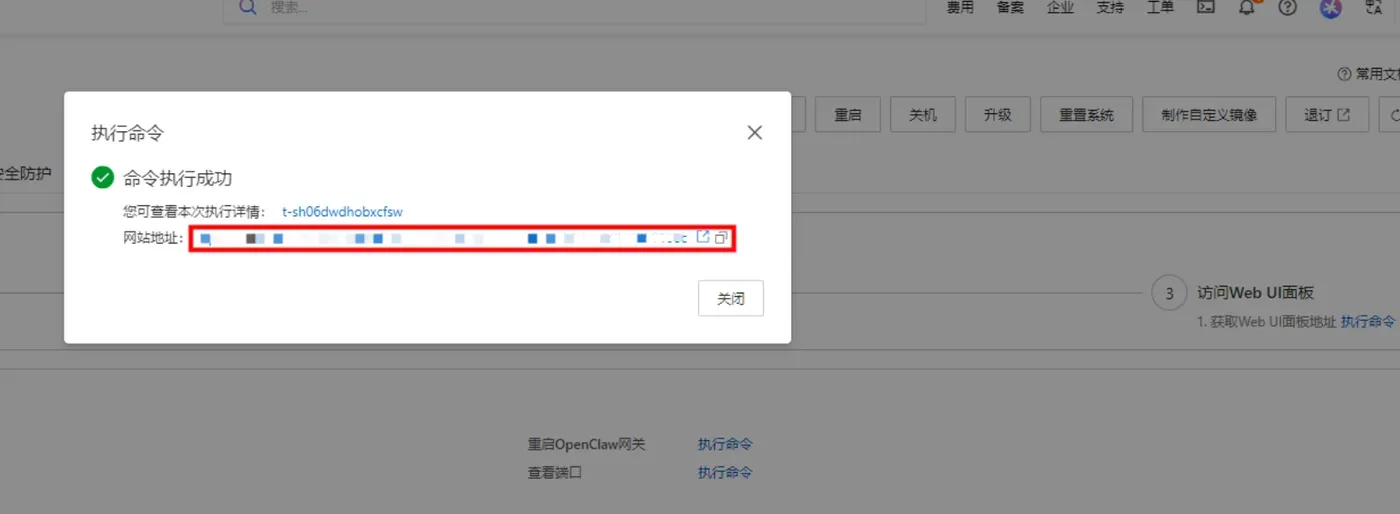
- 访问控制页面:单击打开网站页面可进入OpenClaw对话页面。
阿里云百炼Coding Plan API-Key 获取、配置保姆级教程:
创建API-Key,推荐访问订阅阿里云百炼Coding Plan,阿里云百炼Coding Plan每天两场抢购活动,从按tokens计费升级为按次收费,可以进一步节省费用!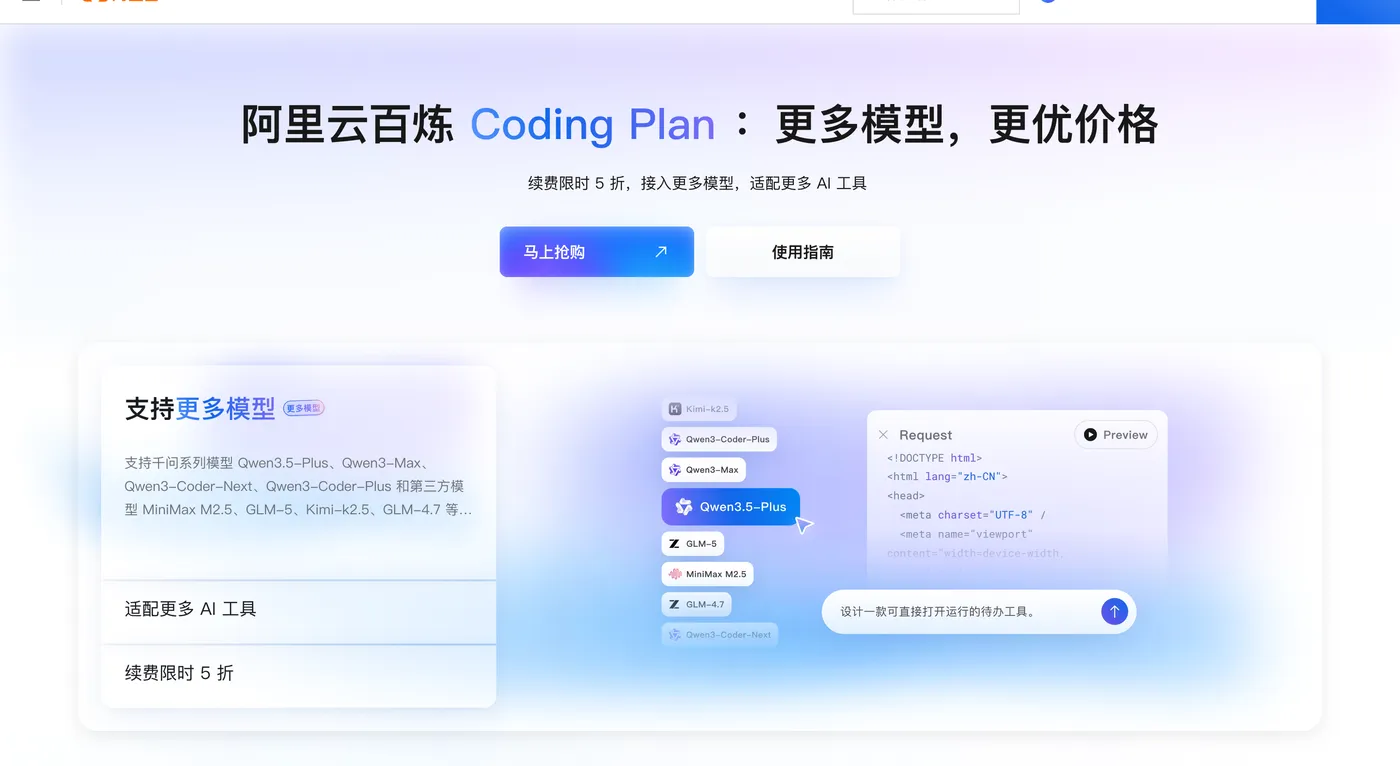
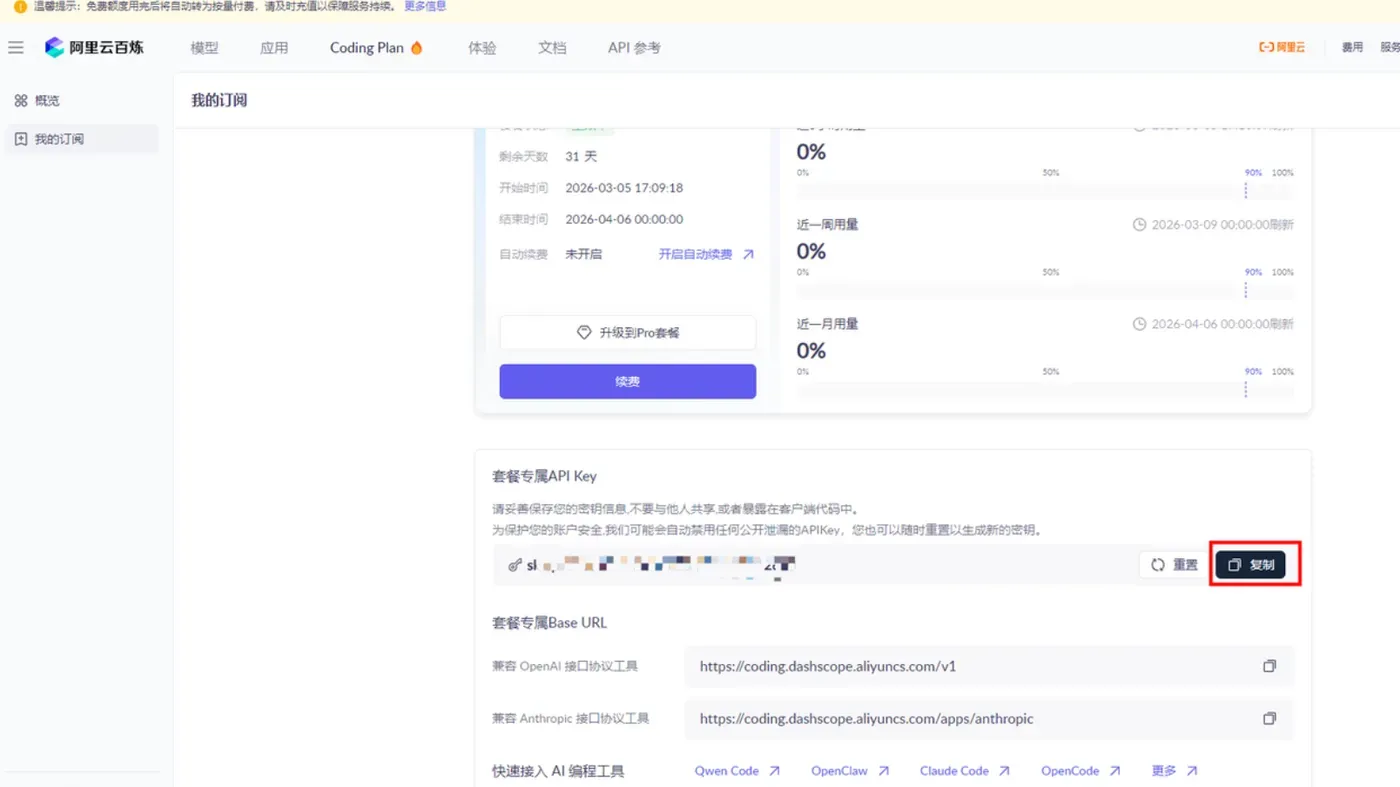
- 购买后,在控制台生成API Key。注:这里复制并保存好你的API Key,后面要用。
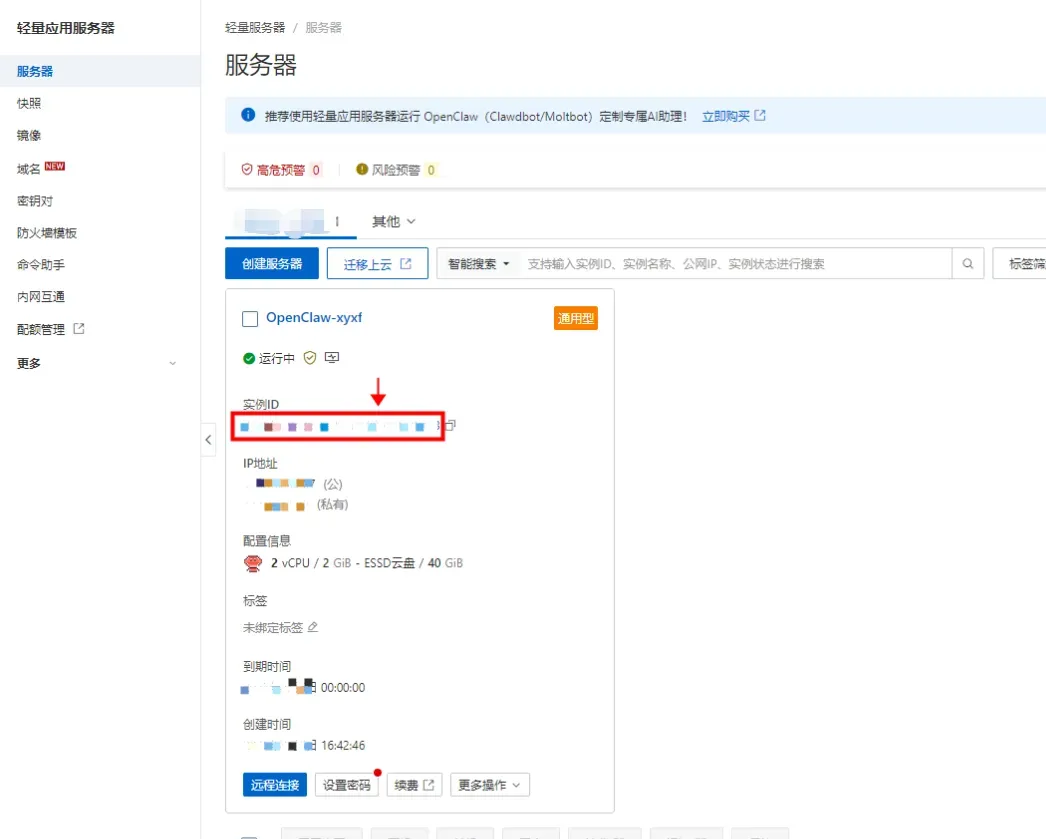
- 回到轻量应用服务器-控制台,单击服务器卡片中的实例 ID,进入服务器概览页。
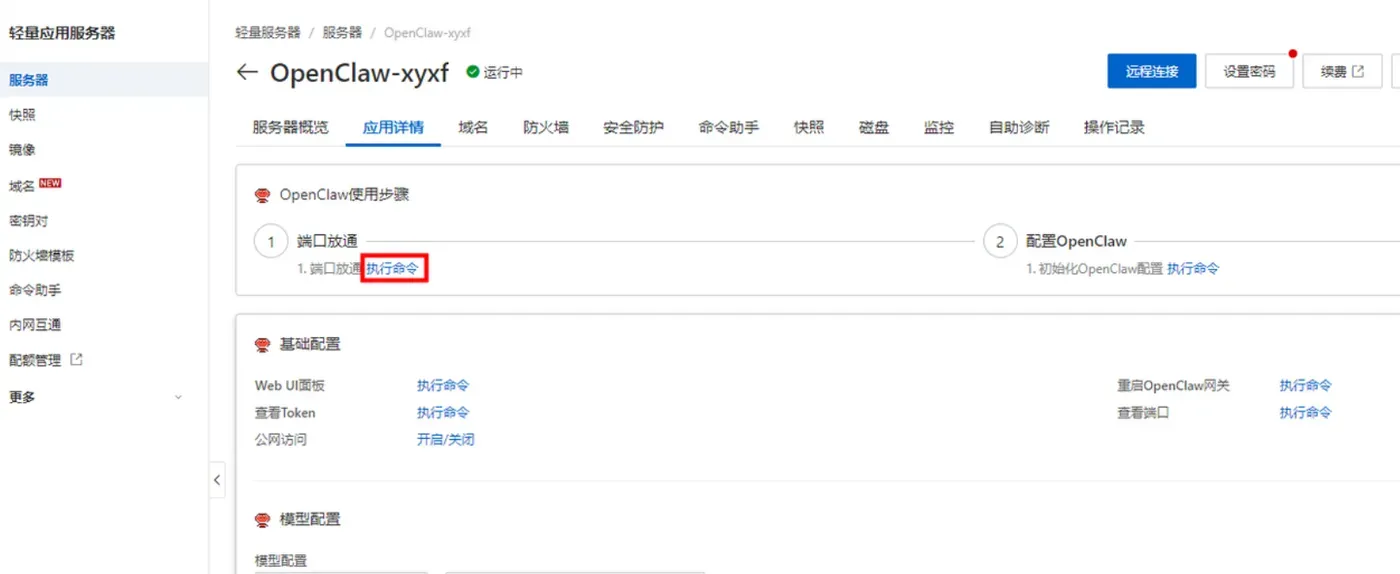
- 在服务器概览页面单击应用详情页签,进入服务器详情页面。

- 端口放通在OpenClaw使用步骤区域中,单击端口放通下的执行命令,可开放获取OpenClaw 服务运行端口的防火墙。
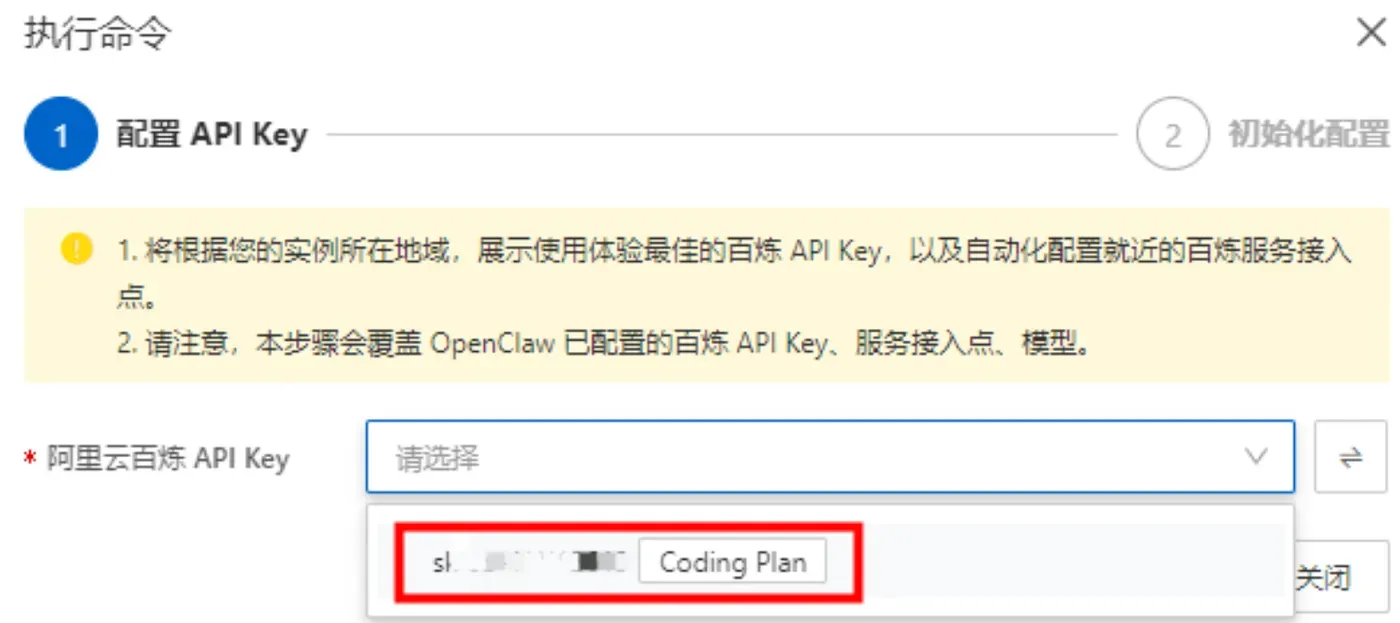
- 这里系统会列出我们第一步中创建的阿里云百炼 Coding Plan的API Key,直接选择就可以。
- 获取访问地址单击访问 Web UI 面板下的执行命令,获取 OpenClaw WebUI 的地址。
sudo yum update -y
sudo yum install -y curl git python3

# 安装Node.js 22.x
curl -fsSL https://nodejs.org/dist/v22.0.0/node-v22.0.0-linux-x64.tar.xz -o node.tar.xz
sudo tar -xf node.tar.xz -C /usr/local/
sudo ln -sf /usr/local/node-v22.0.0-linux-x64/bin/node /usr/bin/node
sudo ln -sf /usr/local/node-v22.0.0-linux-x64/bin/npm /usr/bin/npm

# 配置镜像
npm config set registry https://registry.npmmirror.com

# 安装OpenClaw
npm install -g openclaw

# 初始化工作区
openclaw onboard

# 配置公网访问
openclaw config set gateway.host 0.0.0.0
openclaw config set gateway.port 18789

# 启动服务
openclaw gateway start

# 设置开机自启
echo "openclaw gateway start &" | sudo tee -a /etc/rc.d/rc.local
sudo chmod +x /etc/rc.d/rc.local
访问控制台:http://公网IP:18789
(二)MacOS本地部署
/bin/bash -c "$(curl -fsSL https://raw.githubusercontent.com/Homebrew/install/HEAD/install.sh)"
brew install node python3
npm config set registry https://registry.npmmirror.com
npm install -g openclaw
openclaw onboard
openclaw gateway start
(三)Linux(Ubuntu/Debian)部署
sudo apt update
sudo apt install -y curl git nodejs npm python3 python3-pip
sudo npm install -g n
sudo n stable
npm config set registry https://registry.npmmirror.com
npm install -g openclaw
openclaw onboard
openclaw gateway start
(四)Windows11部署(管理员PowerShell)
Set-ExecutionPolicy RemoteSigned -Scope CurrentUser
winget install OpenJS.NodeJS --version 22.0.0
winget install Python.Python.3.11
npm config set registry https://registry.npmmirror.com
npm install -g openclaw
openclaw onboard
openclaw gateway start
四、阿里云百炼通义千问API配置
配置文件路径:
- Mac/Linux:~/.openclaw/config.json
- Windows:C:\Users\用户名.openclaw\config.json
重启生效:"model": { "type": "aliyun-bailian", "api_key": "你的APIKey", "secret": "你的AccessKeySecret", "model_name": "qwen-turbo", "max_tokens": 3000, "temperature": 0.65, "timeout": 60, "reasoning": false }openclaw gateway restart
免费大模型Coding Plan配置
"model": {

  "type": "openai",
  "api_key": "免费密钥",
  "base_url": "https://api.coding-plan.com/v1",
  "model_name": "general-v1",
  "max_tokens": 3000,
  "temperature": 0.6
}
五、创建工作区目录结构
cd ~/.openclaw/workspace
mkdir -p skills/wechat-xhs-automator/{
   topic-briefing,content-wechat-writer,content-xhs-writer,autopilot-wechat-xhs}
mkdir -p scripts drafts logs
六、四大核心Skill完整配置
Skill 1:选题素材池 topic-briefing/SKILL.md
---
name: topic-briefing
description: 生成每日公众号+小红书选题素材池
---
## 角色
内容策划,输出高质量选题列表。

## 任务
1. 从技术博客、行业动态、热点信息整理5-10个选题。
2. 每个选题包含:title、angle、reason、suitable_for。
3. 过滤无关与敏感内容。

## 输出格式(仅输出JSON)
[
  {

    "title": "标题",
    "angle": "教程/复盘/清单/观点/案例",
    "reason": "价值说明",
    "suitable_for": ["wechat","xhs"]
  }
]
Skill 2:公众号长文撰写 content-wechat-writer/SKILL.md
---
name: content-wechat-writer
description: 根据选题生成公众号可发布长文草稿
---
## 角色
3年公众号资深作者,结构清晰、步骤化、可直接复用。

## 写作规范
- 标题清晰有价值
- 开头痛点+场景
- 正文3-5部分,小标题+列表
- 结尾总结+行动引导

## 输入
接收JSON选题

## 输出
仅输出Markdown文章,无多余内容。
结构:
# 标题
## 一、痛点与场景
## 二、核心思路
## 三、实操步骤
## 四、注意事项
## 五、结语
Skill 3:小红书图文笔记 content-xhs-writer/SKILL.md
---
name: content-xhs-writer
description: 生成小红书干货图文笔记
---
## 角色
小红书爆款运营,输出抓人、易读、高互动笔记。

## 输出格式
【封面标题】(10-16字)
【正文】
第一段:痛点+结果(3行内)
1.xxx
2.xxx
3.xxx
【图片建议】
- 图1:xxx
- 图2:xxx
【标签】
#标签1 #标签2 #标签3
Skill 4:总控自动化流程 autopilot-wechat-xhs/SKILL.md
---
name: autopilot-wechat-xhs
description: 每日自动执行选题→撰稿→保存→日志
---
## 角色
运营总控,负责串联全流程。

## 执行流程
1. 调用 topic-briefing 获取选题
2. 选择1-2个优质主题,不重复、高相关
3. 对适合wechat的选题调用 content-wechat-writer
4. 对适合xhs的选题调用 content-xhs-writer
5. 使用脚本保存文件:echo '{json}' | python3 ~/.openclaw/workspace/scripts/save_drafts.py
6. 写入日志:日期、选题、路径、状态
7. 自检内容非空、无敏感信息

## 输出
今日执行总结:选题、文件路径、状态。
七、Python草稿保存脚本
新建文件:scripts/save_drafts.py
#!/usr/bin/env python3
import os
import sys
import json
from datetime import datetime
from pathlib import Path

BASE = Path("~/.openclaw/workspace").expanduser()
DRAFT = BASE / "drafts"
LOGF = BASE / "logs" / "wechat_xhs_automation.log"

def log(msg):
    now = datetime.now().strftime("%Y-%m-%d %H:%M:%S")
    with open(LOGF, "a", encoding="utf-8") as f:
        f.write(f"[{now}] {msg}\n")

def save(platform, topic, content):
    today = datetime.now().strftime("%Y-%m-%d")
    dirs = DRAFT / platform / today
    dirs.mkdir(parents=True, exist_ok=True)
    safe = "".join(c for c in topic if c.isalnum() or c in " -_")[:50]
    ext = "md" if platform == "wechat" else "txt"
    fn = f"{safe}.{ext}" if safe else "untitled.txt"
    fp = dirs / fn
    with open(fp, "w", encoding="utf-8") as f:
        f.write(content)
    return str(fp)

if __name__ == "__main__":
    try:
        data = json.load(sys.stdin)
        platform = data["platform"]
        topic = data["topic"]
        content = data["content"]
        path = save(platform, topic, content)
        log(f"OK {platform} {topic} -> {path}")
        print(path)
    except Exception as e:
        log(f"ERR {str(e)}")
        sys.exit(1)
添加执行权限:
chmod +x ~/.openclaw/workspace/scripts/save_drafts.py
八、手动测试全流程
在OpenClaw中发送指令:
执行一次 autopilot-wechat-xhs 全流程:选题、公众号文章、小红书笔记、保存草稿、记录日志,并把结果返回给我。
成功后会输出:
- 今日选中的选题
- 公众号草稿路径
- 小红书草稿路径
- 运行状态
九、设置每日定时任务(无人值守)
发送指令:
每天早上9:00自动执行一次 autopilot-wechat-xhs 社媒自动化流程,保存草稿并记录日志。
OpenClaw会自动创建Cron定时任务,每日无人值守运行。
十、常用运维命令
# 启动服务
openclaw gateway start

# 重启
openclaw gateway restart

# 查看日志
openclaw logs

# 查看定时任务
openclaw cron list

# 测试Skill
openclaw skill run topic-briefing

# 系统检查
openclaw doctor
十一、高频常见问题一站式解答
1. Skill不执行/不加载
openclaw gateway restart
确认目录结构正确,SKILL.md存在。
2. Python脚本无权限
chmod +x ~/.openclaw/workspace/scripts/save_drafts.py
3. 内容为空/生成失败
- 提高max_tokens至3000
- 降低temperature至0.6
- 重启服务
4. 定时任务不运行
openclaw cron reload
openclaw gateway restart
5. 模型回复乱码/格式错误
在config.json中开启:
"reasoning": false
6. Windows路径错误
使用绝对路径:
C:/Users/用户名/.openclaw/workspace/scripts/save_drafts.py
7. 阿里云无法公网访问
安全组放行18789端口,配置host: 0.0.0.0
8. 选题重复
在Skill中添加规则:近7天不重复选题
十二、扩展方向(稳定后升级)
- 添加发布前检查清单Skill
- 添加数据回写Skill,记录阅读、点赞、收藏
- 接入飞书多维表格自动同步
- 增加违禁词检测、合规校验
- 增加配图自动生成提示词
十三、总结
本文提供一套可直接落地、每日自动运行、零代码维护的社媒内容自动化流水线,基于OpenClaw+Skill体系实现:灵感抓取→选题生成→公众号撰稿→小红书笔记→自动归档→日志记录全流程无人值守。整套系统不依赖平台API,安全合规,人工仅需润色发布。同时完整覆盖2026年阿里云、本地三平台部署、通义千问与免费模型配置、四大Skill开发、Python脚本、定时任务、问题排查,所有代码可直接复制使用,帮助内容创作者从重复性劳动中解放,专注高价值创作与策略优化。