一:效果展示
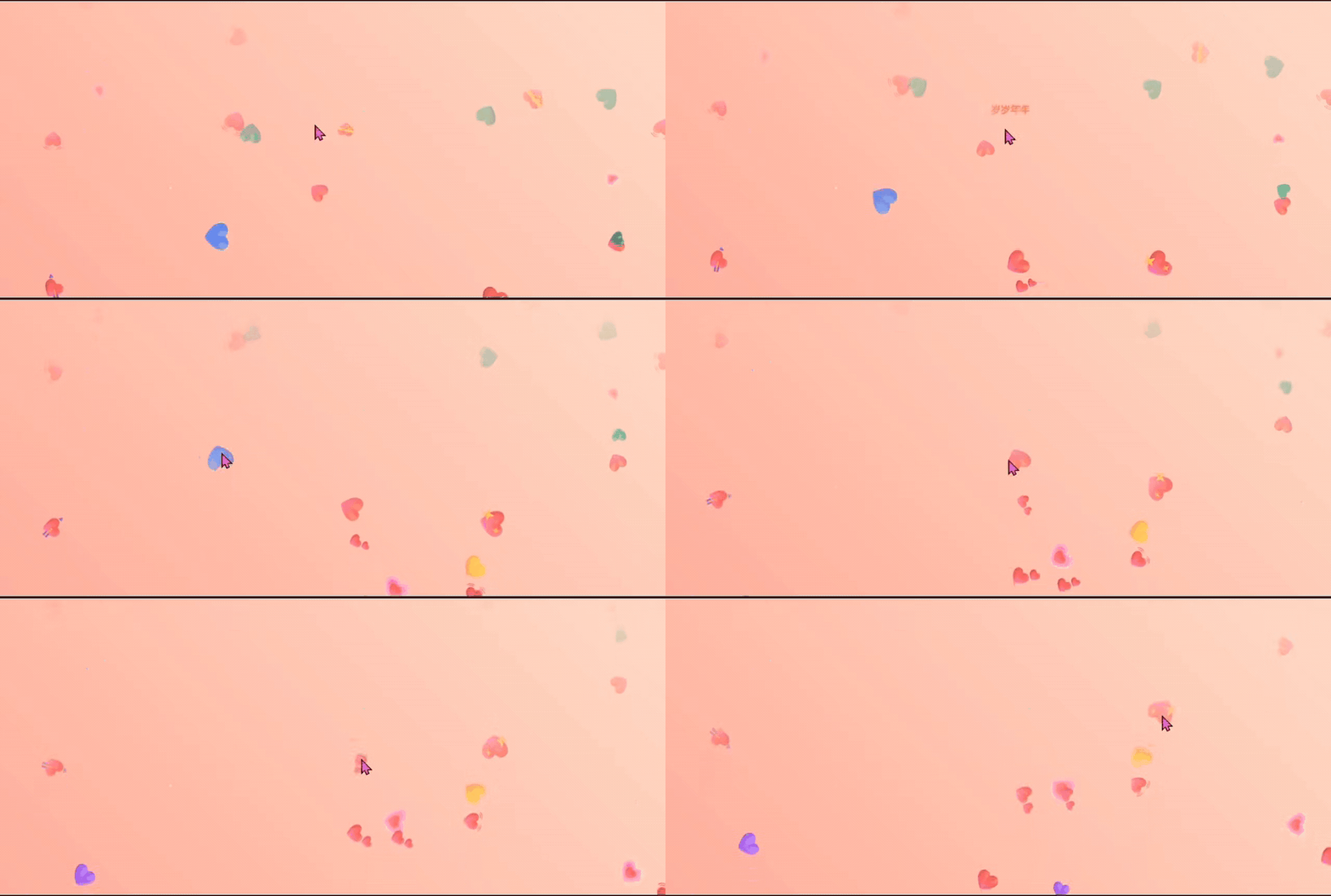
二:核心动画
(1)交互功能:
- 爱心被点击后触发爆炸并生成情话文字
(2)爱心气泡动画:
- 在随机位置生成多种颜色多种样式不同大小(32px~64px)的爱心
- 爱心从屏幕底部缓慢上升到顶部,同时旋转360度并逐渐透明
- 限制屏幕内最大爱心数量为30,避免卡顿
(3)随机情话文字:
- 点击爱心时在爆炸位置显示情话
- 从预设的文案中随机选择生成(如:我爱你;遇见你真好....等)
- 随机颜色和字体大小(16px~22px)增强视觉层次
(4)背景特效:
- 使用
linear-gradient创建粉色系渐变天空(#ff9a9e → #fad0c4) - 通过JavaScript动态生成30个随机位置、大小、颜色的圆形星星(
div.star) - 应用
twinkle动画让星星闪烁(缩放+透明度变化)
三:完整代码
<!DOCTYPE html>
<html lang="zh-CN">
<head>
    <meta charset="UTF-8">
    <meta name="viewport" content="width=device-width, initial-scale=1.0">
    <title>多彩爱心气泡上升动画</title>
    <style>
        body {

            margin: 0;
            padding: 0;
            overflow: hidden;
            height: 100vh;
            background: linear-gradient(45deg, #ff9a9e 0%, #fad0c4 99%, #fad0c4 100%);
        }

        .floating-heart {

            position: fixed;
            font-size: 24px;
            z-index: 1000;
            pointer-events: auto;
            cursor: default;
            transform: translateY(100vh) rotate(0deg);
            opacity: 0;
            animation: floatHeart linear forwards;
            will-change: transform, opacity;
            transition: transform 0.2s ease, opacity 0.2s ease;
        }

        @keyframes floatHeart {

            0% {

                transform: translateY(100vh) rotate(0deg);
                opacity: 1;
            }
            100% {

                transform: translateY(-100px) rotate(360deg);
                opacity: 0;
            }
        }

        @keyframes burstHeart {

            0% {

                transform: translate(-50%, -50%) scale(1) rotate(0deg);
                opacity: 1;
            }
            30% {

                transform: translate(-50%, -50%) scale(1.8) rotate(180deg);
                opacity: 0.9;
            }
            100% {

                transform: translate(-50%, -50%) scale(0) rotate(360deg);
                opacity: 0;
            }
        }

        .love-text {

            position: fixed;
            font-size: 18px;
            color: #fff;
            font-family: "Microsoft Yahei", sans-serif;
            text-shadow: 0 0 5px rgba(0,0,0,0.3);
            z-index: 1001;
            pointer-events: none;
            opacity: 0;
            animation: loveTextFade 1s ease forwards;
            transform: translate(-50%, -50%);
        }

        @keyframes loveTextFade {

            0% {

                transform: translate(-50%, -50%) scale(0);
                opacity: 1;
            }
            50% {

                transform: translate(-50%, -50%) scale(1.2);
                opacity: 1;
            }
            100% {

                transform: translate(-50%, -50%) scale(0);
                opacity: 0;
            }
        }
        .star {

            position: absolute;
            background-color: #fff;
            border-radius: 50%;
            z-index: 1;
            animation: twinkle infinite;
        }

        @keyframes twinkle {

            0%, 100% {
     opacity: 0.3; transform: scale(0.8); }
            50% {
     opacity: 1; transform: scale(1.2); }
        }
    </style>
</head>
<body>
    <div class="bg-animation" id="bgAnimation"></div>

    <script>
        const config = {

            bgStarCount: 30,
            maxHeartsOnScreen: 30,
            heartSizeRange: [32, 64],
            animationDurationRange: [8, 15],
            spawnInterval: 500,
            heartSymbols: ['❤️', '💖', '💘', '💝', '💓', '💗', '💕', '💙', '💛', '💜', '💚'],
            heartColors: [
                '#ff69b4', '#ff1493', '#ff4500', '#ffd700', '#ff8c00',
                '#ff6347', '#dc143c', '#c71585', '#ff00ff', '#9370db',
                '#00bfff', '#00fa9a', '#ff7f50', '#ff6eb4', '#ff91a4'
            ],
            loveTexts: [
    "我爱你", "喜欢你", "心动了", "遇见你真好", "满心欢喜",
    "余生都是你", "满眼都是你", "超喜欢你", "你最珍贵", "甜蜜暴击",
    "心有灵犀", "双向奔赴", "温柔以待", "人间理想", "甜度超标",
    "星河万顷都是你", "万物不及你", "为你心动", "浪漫不渝", "岁岁年年",
    "你是我的例外与偏爱", "想和你共度每一个晨昏", "你的笑容是我每日的阳光",
    "遇见你,是我这辈子最美的意外", "我的世界因你而完整", "你是我所有的少女心和英雄梦",
    "想牵你的手,从心动到古稀", "你是我平淡岁月里的心之所向", "我贪恋的人间烟火,不偏不倚全是你",
    "你是我疲惫生活中的温柔梦想", "想和你一起浪费时光,直到时光的尽头", "我的宇宙里,你是最亮的星",
    "你是我漫漫余生里斩钉截铁的梦想", "想和你一起看遍世间风景,然后只与你细水长流",
    "你是我疲惫生活中的唯一解药", "我的喜欢写在风里,从此整个世界都是你",
    "你是我所有温柔与浪漫的源头", "想和你一起虚度短的沉默,长的无意义,一起消磨精致而苍老的宇宙",
    "你是我灵魂的归宿,是我一生的守候", "我的爱意汹涌,看世间万物都浪漫心动",
    "你是我平淡岁月里的星辰大海", "想和你一起走过四季,看遍人间烟火",
    "你是我所有美好与幸运的起点", "我的世界很小,小到只能装下你一个人",
    "你是我疲惫生活中的不期而遇", "想和你一起慢慢变老,直到哪里也去不了"
]

        };

        let activeHearts = 0;
        let allHearts = [];

        function createBackgroundStars() {

            const bgAnimation = document.getElementById('bgAnimation');

            for (let i = 0; i < config.bgStarCount; i++) {

                const star = document.createElement('div');
                star.className = 'star';
                const size = Math.random() * 3 + 1;
                star.style.width = `${
      size}px`;
                star.style.height = `${
      size}px`;
                star.style.left = `${
      Math.random() * 100}%`;
                star.style.top = `${
      Math.random() * 100}%`;
                star.style.animationDuration = `${
      Math.random() * 3 + 2}s`;
                star.style.animationDelay = `${
      Math.random() * 5}s`;
                star.style.backgroundColor = `hsl(${
      Math.random() * 360}, 80%, 80%)`;

                bgAnimation.appendChild(star);
            }
        }

        function createLoveText(x, y) {

            const text = document.createElement('div');
            text.className = 'love-text';
            const randomText = config.loveTexts[Math.floor(Math.random() * config.loveTexts.length)];
            text.innerText = randomText;
            text.style.left = `${
      x}px`;
            text.style.top = `${
      y}px`;
            const randomColor = config.heartColors[Math.floor(Math.random() * config.heartColors.length)];
            text.style.color = randomColor;
            const fontSize = Math.random() * 6 + 16;
            text.style.fontSize = `${
      fontSize}px`;
            document.body.appendChild(text);

            setTimeout(() => {

                if (text.parentNode) {

                    text.parentNode.removeChild(text);
                }
            }, 1000);
        }

        function handleHeartClick(e) {

            const heart = e.target;
            const rect = heart.getBoundingClientRect();
            const centerX = rect.left + rect.width / 2;
            const centerY = rect.top + rect.height / 2;
            heart.style.animation = 'none';
            heart.style.transition = 'none';
            heart.style.left = `${
      centerX}px`;
            heart.style.top = `${
      centerY}px`;
            heart.style.transform = 'translate(-50%, -50%)';
            heart.style.animation = 'burstHeart 0.5s ease forwards';
            createLoveText(centerX, centerY);

            setTimeout(() => {

                if (heart.parentNode) {

                    heart.parentNode.removeChild(heart);
                }
                activeHearts = Math.max(0, activeHearts - 1);
                allHearts = allHearts.filter(h => h !== heart);
            }, 500);
        }

        function createHeart() {

            if (activeHearts >= config.maxHeartsOnScreen) return;
            activeHearts++;
            const heart = document.createElement('div');
            heart.className = 'floating-heart';
            const randomSymbol = config.heartSymbols[Math.floor(Math.random() * config.heartSymbols.length)];
            heart.innerHTML = randomSymbol;
            const randomColor = config.heartColors[Math.floor(Math.random() * config.heartColors.length)];
            heart.style.color = randomColor;
            const leftPos = Math.random() * (window.innerWidth - 60) + 30;
            heart.style.left = `${
      leftPos}px`;
            const size = Math.random() * (config.heartSizeRange[1] - config.heartSizeRange[0]) + config.heartSizeRange[0];
            heart.style.fontSize = `${
      size}px`;
            const duration = Math.random() * (config.animationDurationRange[1] - config.animationDurationRange[0]) + config.animationDurationRange[0];
            heart.style.animationDuration = `${
      duration}s`;
            const rotationDirection = Math.random() > 0.5 ? 1 : -1;
            heart.style.setProperty('--rotation', `${
      360 * rotationDirection}deg`);
            heart.addEventListener('click', handleHeartClick);
            document.body.appendChild(heart);
            allHearts.push(heart);

            heart.addEventListener('animationend', function(e) {

                if (e.animationName === 'floatHeart') {

                    if (heart.parentNode) {

                        heart.parentNode.removeChild(heart);
                    }
                    activeHearts = Math.max(0, activeHearts - 1);
                    allHearts = allHearts.filter(h => h !== heart);
                }
            });
        }

        function startHeartSpawner() {

            for (let i = 0; i < config.maxHeartsOnScreen / 2; i++) {

                setTimeout(createHeart, i * config.spawnInterval / 2);
            }

            setInterval(createHeart, config.spawnInterval);
        }

        window.addEventListener('resize', () => {

            allHearts.forEach(heart => {

                if (heart.parentNode) {

                    heart.parentNode.removeChild(heart);
                }
            });

            activeHearts = 0;
            allHearts = [];
            startHeartSpawner();
        });

        window.addEventListener('load', () => {

            createBackgroundStars();
            startHeartSpawner();
        });
    </script>
</body>
</html>
四:代码分析
(1)爱心动画模块
        /* 浮动爱心基础样式 */
        .floating-heart {

            position: fixed;
            font-size: 24px;
            z-index: 1000;
            pointer-events: auto; /* 允许点击事件 */
            cursor: default;
            transform: translateY(100vh) rotate(0deg); /* 初始位置在底部 */
            opacity: 0;
            animation: floatHeart linear forwards; /* 应用上升动画 */
            will-change: transform, opacity; /* 优化动画性能 */
            transition: transform 0.2s ease, opacity 0.2s ease; /* 平滑过渡效果 */
        }

        /* 爱心上升动画 */
        @keyframes floatHeart {

            0% {

                transform: translateY(100vh) rotate(0deg); /* 从底部开始 */
                opacity: 1;
            }
            100% {

                transform: translateY(-100px) rotate(360deg); /* 上升到顶部并旋转一圈 */
                opacity: 0; /* 逐渐消失 */
            }
        }

        /* 爱心点击爆炸动画 */
        @keyframes burstHeart {

            0% {

                transform: translate(-50%, -50%) scale(1) rotate(0deg);
                opacity: 1;
            }
            30% {

                transform: translate(-50%, -50%) scale(1.8) rotate(180deg); /* 放大并旋转 */
                opacity: 0.9;
            }
            100% {

                transform: translate(-50%, -50%) scale(0) rotate(360deg); /* 缩小消失 */
                opacity: 0;
            }
        }

        /* 爱心文字样式 */
        .love-text {

            position: fixed;
            font-size: 18px;
            color: #fff;
            font-family: "Microsoft Yahei", sans-serif;
            text-shadow: 0 0 5px rgba(0,0,0,0.3); /* 文字阴影 */
            z-index: 1001;
            pointer-events: none; /* 禁止点击事件 */
            opacity: 0;
            animation: loveTextFade 1s ease forwards; /* 淡入淡出动画 */
            transform: translate(-50%, -50%); /* 居中定位 */
        }

        /* 文字淡入淡出动画 */
        @keyframes loveTextFade {

            0% {

                transform: translate(-50%, -50%) scale(0); /* 从缩小开始 */
                opacity: 1;
            }
            50% {

                transform: translate(-50%, -50%) scale(1.2); /* 放大效果 */
                opacity: 1;
            }
            100% {

                transform: translate(-50%, -50%) scale(0); /* 缩小消失 */
                opacity: 0;
            }
        }
(2)配置对象
        // 配置对象,集中管理所有可配置参数
        const config = {

            bgStarCount: 30, // 背景星星数量
            maxHeartsOnScreen: 30, // 屏幕上最大爱心数量
            heartSizeRange: [32, 64], // 爱心大小范围(px)
            animationDurationRange: [8, 15], // 动画持续时间范围(s)
            spawnInterval: 500, // 爱心生成间隔(ms)
            heartSymbols: ['❤️', '💖', '💘', '💝', '💓', '💗', '💕', '💙', '💛', '💜', '💚'], // 爱心符号集合
            heartColors: [ // 爱心颜色集合
                '#ff69b4', '#ff1493', '#ff4500', '#ffd700', '#ff8c00',
                '#ff6347', '#dc143c', '#c71585', '#ff00ff', '#9370db',
                '#00bfff', '#00fa9a', '#ff7f50', '#ff6eb4', '#ff91a4'
            ],
            loveTexts: [ // 点击爱心后显示的文字集合
                "我爱你", "喜欢你", "心动了", "遇见你真好", "满心欢喜",
                "余生都是你", "满眼都是你", "超喜欢你", "你最珍贵", "甜蜜暴击",
                // 更多文字...
            ]
        };

        let activeHearts = 0; // 当前屏幕上活跃的爱心数量
        let allHearts = []; // 存储所有爱心元素的数组
(3)背景星星模块
        function createBackgroundStars() {

            const bgAnimation = document.getElementById('bgAnimation');
            for (let i = 0; i < config.bgStarCount; i++) {

                const star = document.createElement('div');
                star.className = 'star';
                const size = Math.random() * 3 + 1; // 随机大小(1-4px)
                star.style.width = `${
     size}px`;
                star.style.height = `${
     size}px`;
                star.style.left = `${
     Math.random() * 100}%`; // 随机水平位置
                star.style.top = `${
     Math.random() * 100}%`; // 随机垂直位置
                star.style.animationDuration = `${
     Math.random() * 3 + 2}s`; // 随机动画持续时间
                star.style.animationDelay = `${
     Math.random() * 5}s`; // 随机延迟
                star.style.backgroundColor = `hsl(${
     Math.random() * 360}, 80%, 80%)`; // 随机颜色
                bgAnimation.appendChild(star);
            }
        }
(4)爱心生成模块
        function createHeart() {

            if (activeHearts >= config.maxHeartsOnScreen) return; // 达到上限则不创建

            activeHearts++;
            const heart = document.createElement('div');
            heart.className = 'floating-heart';

            // 随机选择爱心符号和颜色
            const randomSymbol = config.heartSymbols[Math.floor(Math.random() * config.heartSymbols.length)];
            heart.innerHTML = randomSymbol;
            const randomColor = config.heartColors[Math.floor(Math.random() * config.heartColors.length)];
            heart.style.color = randomColor;

            // 随机位置和大小
            const leftPos = Math.random() * (window.innerWidth - 60) + 30;
            heart.style.left = `${
     leftPos}px`;
            const size = Math.random() * (config.heartSizeRange[1] - config.heartSizeRange[0]) + config.heartSizeRange[0];
            heart.style.fontSize = `${
     size}px`;

            // 随机动画持续时间
            const duration = Math.random() * (config.animationDurationRange[1] - config.animationDurationRange[0]) + config.animationDurationRange[0];
            heart.style.animationDuration = `${
     duration}s`;

            // 随机旋转方向
            const rotationDirection = Math.random() > 0.5 ? 1 : -1;
            heart.style.setProperty('--rotation', `${
     360 * rotationDirection}deg`);

            // 添加点击事件
            heart.addEventListener('click', handleHeartClick);
            document.body.appendChild(heart);
            allHearts.push(heart);

            // 动画结束后的处理
            heart.addEventListener('animationend', function(e) {

                if (e.animationName === 'floatHeart') {

                    if (heart.parentNode) {

                        heart.parentNode.removeChild(heart);
                    }
                    activeHearts = Math.max(0, activeHearts - 1);
                    allHearts = allHearts.filter(h => h !== heart);
                }
            });
        }
(5)文字显示模块
        function createLoveText(x, y) {

            const text = document.createElement('div');
            text.className = 'love-text';
            const randomText = config.loveTexts[Math.floor(Math.random() * config.loveTexts.length)];
            text.innerText = randomText;
            text.style.left = `${
     x}px`;
            text.style.top = `${
     y}px`;
            const randomColor = config.heartColors[Math.floor(Math.random() * config.heartColors.length)];
            text.style.color = randomColor;
            const fontSize = Math.random() * 6 + 16; // 随机字体大小(16-22px)
            text.style.fontSize = `${
     fontSize}px`;
            document.body.appendChild(text);

            // 1秒后自动移除文字元素
            setTimeout(() => {

                if (text.parentNode) {

                    text.parentNode.removeChild(text);
                }
            }, 1000);
        }
(6)点击交互模块
        function handleHeartClick(e) {

            const heart = e.target;
            const rect = heart.getBoundingClientRect();
            const centerX = rect.left + rect.width / 2;
            const centerY = rect.top + rect.height / 2;

            // 重置样式为爆炸动画做准备
            heart.style.animation = 'none';
            heart.style.transition = 'none';
            heart.style.left = `${
     centerX}px`;
            heart.style.top = `${
     centerY}px`;
            heart.style.transform = 'translate(-50%, -50%)';
            heart.style.animation = 'burstHeart 0.5s ease forwards'; // 应用爆炸动画

            // 在爱心位置创建文字
            createLoveText(centerX, centerY);

            // 动画结束后移除爱心元素
            setTimeout(() => {

                if (heart.parentNode) {

                    heart.parentNode.removeChild(heart);
                }
                activeHearts = Math.max(0, activeHearts - 1);
                allHearts = allHearts.filter(h => h !== heart);
            }, 500);
        }