阿里云百炼API调用教程:准备API-Key、配置环境变量和调用API流程,阿里云百炼API调用需完成账号开通、获取API Key、配置环境变量,并通过SDK或HTTP请求调用大模型。以下是核心步骤:
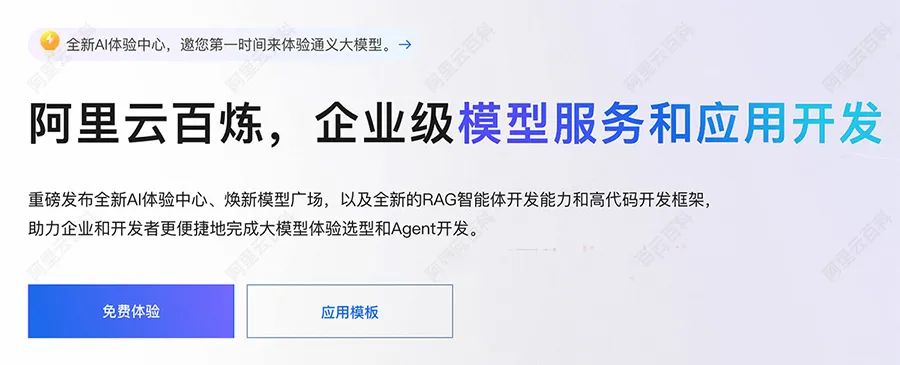
阿里云百炼官方页面:https://t.aliyun.com/U/GKHJv2 先打开百炼AI大模型平台,然后点击免费体验,开通百炼大模型平台,如下图:
1. 账号与API Key准备
- 注册并登录阿里云主账号,注册账号教程:https://t.aliyun.com/U/TIu5p5
- 开通百炼服务:访问百炼控制台(北京或新加坡区域),按提示开通(免费,仅调用超额度后计费)。
- 创建API Key:
- 进入 密钥管理 > API-Key 页签;
- 点击 创建API-KEY(系统不自动生成);
- 需主账号或具备
API-Key权限的子账号操作。
2. 配置API Key到环境变量
目的:避免硬编码,降低泄露风险。
macOS / Linux
永久生效(推荐):
# Zsh(macOS默认) echo "export DASHSCOPE_API_KEY='your-api-key'" >> ~/.zshrc && source ~/.zshrc # Bash echo "export DASHSCOPE_API_KEY='your-api-key'" >> ~/.bash_profile && source ~/.bash_profile- 临时生效:
export DASHSCOPE_API_KEY="your-api-key"
Windows
- PowerShell(永久):
```powershell
- **CMD(临时)**:
  ```cmd
  set DASHSCOPE_API_KEY=your-api-key
验证:终端执行 echo $DASHSCOPE_API_KEY(macOS/Linux)或 echo %DASHSCOPE_API_KEY%(CMD)。
3. 调用API(以Python为例)
方式一:OpenAI兼容接口
import os
from openai import OpenAI

client = OpenAI(
    api_key=os.getenv("DASHSCOPE_API_KEY"),
    base_url="https://dashscope.aliyuncs.com/compatible-mode/v1"
)

completion = client.chat.completions.create(
    model="qwen-plus",
    messages=[{
   "role": "user", "content": "你是谁?"}]
)
print(completion.choices[0].message.content)
方式二:DashScope SDK
import os
from dashscope import Generation

response = Generation.call(
    api_key=os.getenv("DASHSCOPE_API_KEY"),
    model="qwen-plus",
    messages=[{
   "role": "user", "content": "你是谁?"}],
    result_format="message"
)
if response.status_code == 200:
    print(response.output.choices[0].message.content)
依赖安装:
pip install -U openai dashscope
4. 其他语言支持
- Node.js:使用
openaiSDK,设置baseURL为https://dashscope.aliyuncs.com/compatible-mode/v1。 - Java:使用
dashscope-sdk-java(版本 ≥ 2.12.0)。
更多关于阿里云百炼AI大模型平台的使用教程,请参考官方文档:https://help.aliyun.com/zh/model-studio/what-is-model-studio