问题描述
在Azure App Service for Windows的环境中,部署.NET应用,其中使用了 SAP NetWeaver RFC函数 (需要加载 sapnwrfc.dll)。详细的错误为:
“System.DllNotFoundException: Unable to load DLL 'sapnwrfc' or one of its dependencies: The specified module could not be found. (0x8007007E)”
那么在App Service中如何来解决这个问题呢?
问题解答
在App Service的日志中,除了可见”System.DllNotFoundException: Unable to load DLL 'sapnwrfc' or one of its dependencies: The specified module could not be found“外,也显示 Could not open the ICU common library。如下图:
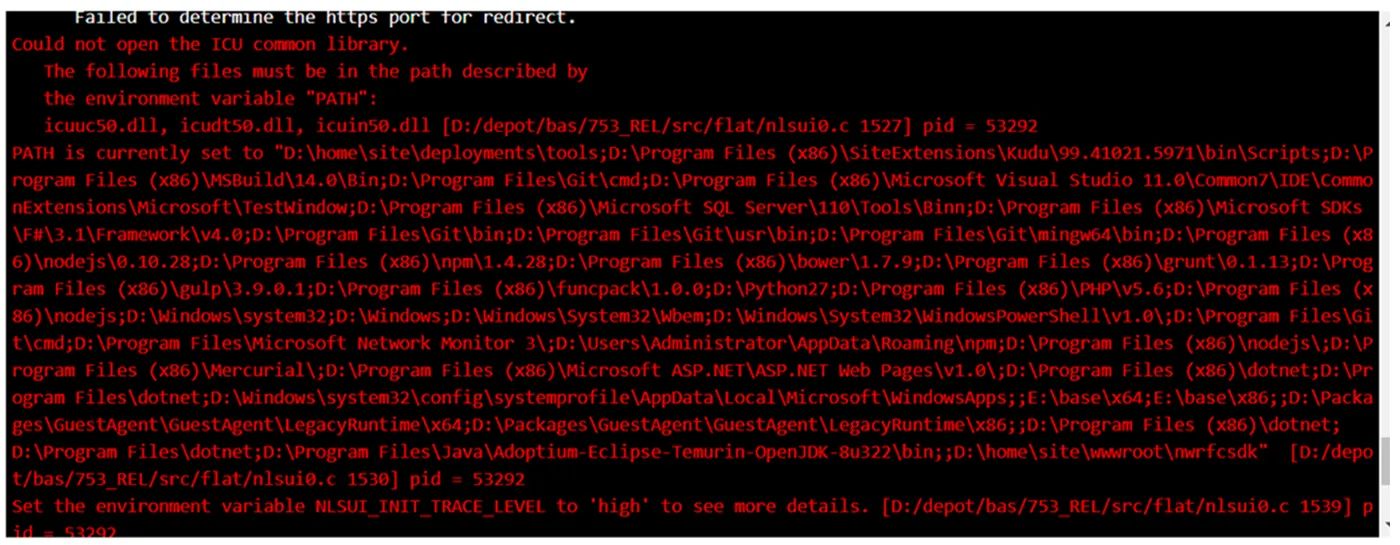
在App Service不能加载ICU通用库的提示下,就需要在代码中显示的加载ICU库。所以在代码中添加 NativeLibrary.Load(path.Combinee(rootDir, "nwrfcsdk", "icuin50")) 即可缓解问题。
代码示例为:
using System.Reflection;
using System.Runtime.InteropServices;
using NwRfcNet;
namespace CallSAPonAppService
{
    public class Program
    {
        public static void Main(string[] args)
        {
            var builder = WebApplication.CreateBuilder(args);
            // Add services to the container.
            builder.Services.AddControllers();
            // Learn more about configuring Swagger/OpenAPI at https://aka.ms/aspnetcore/swashbuckle
            builder.Services.AddEndpointsApiExplorer();
            builder.Services.AddSwaggerGen();
            var app = builder.Build();
            // Configure the HTTP request pipeline.
            if (app.Environment.IsDevelopment())
            {
                app.UseSwagger();
                app.UseSwaggerUI();
            }
            app.UseHttpsRedirection();
            app.UseAuthorization();
            app.MapControllers();
            NativeLibrary.SetDllImportResolver(
                assembly: typeof(RfcConnection).Assembly,
                resolver: (string libraryName, Assembly assembly, DllImportSearchPath? searchPath) =>
                {
                    if (libraryName == "sapnwrfc")
                    {
                        var rootDir = System.IO.Path.GetDirectoryName(Assembly.GetExecutingAssembly().Location);
                        string path = Path.Combine(rootDir, "nwrfcsdk", libraryName);
                        //手动加载ICU库
                        NativeLibrary.Load(path.Combinee(rootDir, "nwrfcsdk", "icuuc50"));
                        NativeLibrary.Load(path.Combinee(rootDir, "nwrfcsdk", "icudt50"));
                        NativeLibrary.Load(path.Combinee(rootDir, "nwrfcsdk", "icuin50"));
                        NativeLibrary.TryLoad(
                            libraryPath: path,
                            handle: out IntPtr handle);
                        return handle;
                    }
                    return IntPtr.Zero;
                });
            app.Run();
        }
    }
}
附录一:在App Service Kudu(高级管理工具页面)如何来查看某个依赖是否存在?
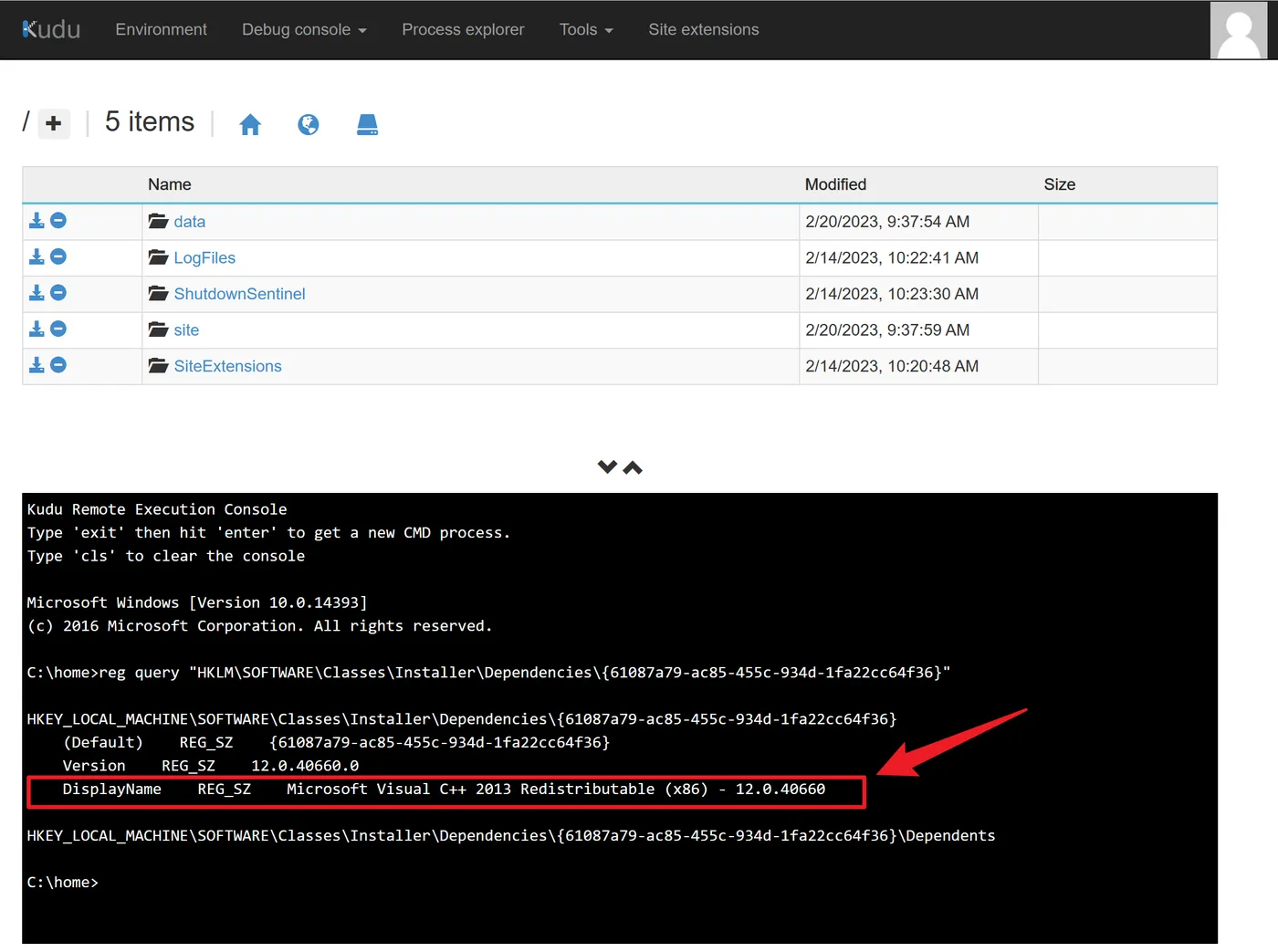
如查看是否安装Visual C++ 2013 Redistributable依赖,可以使用如下命令:
reg query "HKLM\SOFTWARE\Classes\Installer\Dependencies\{61087a79-ac85-455c-934d-1fa22cc64f36}"
查看结果如图
参考资料
SapConnection connect issues #5 : https://github.com/huysentruitw/SapNwRfc/issues/5
SAP NetWeaver RFC library : https://github.com/huysentruitw/SapNwRfc#prerequisites
This cross-platform library allows you to call SAP NetWeaver RFC functions from .NET 5, .NET Core and the .NET Framework.
The library is fully tested and production ready. Supported operating systems are Windows, Linux and macOS.