
2.10 Real Time Analysis
你也可以运行deepface实时视频。流功能将访问您的网络摄像头,并应用面部识别和面部属性分析。如果能连续聚焦5帧,该函数就开始分析一帧。然后,它会在5秒后显示结果。
DeepFace.stream(db_path = "C:/User/Sefik/Desktop/database")
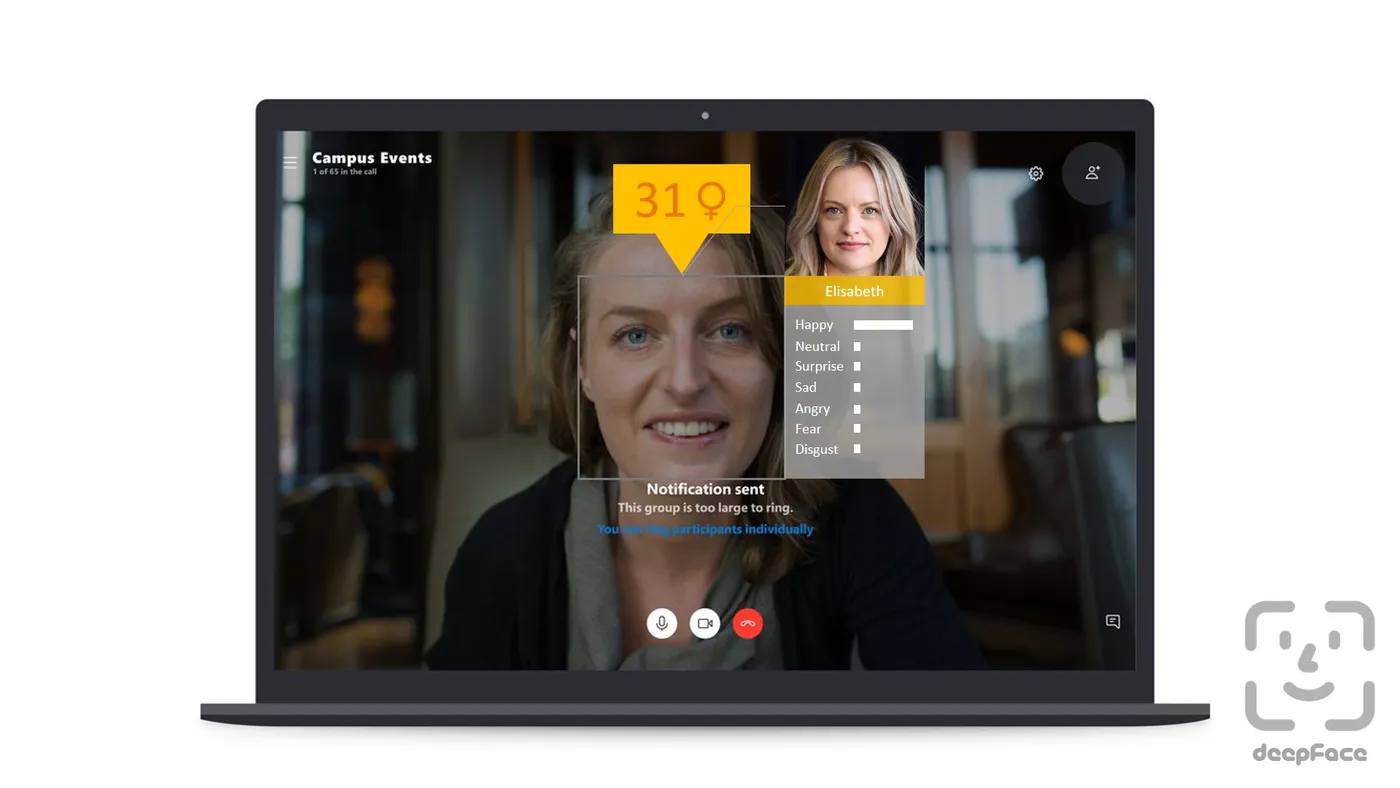
尽管人脸识别是基于一次性学习,但你也可以使用一个人的多张人脸照片。您应该重新安排目录结构,如下所示。
user
├── database
│   ├── Alice
│   │   ├── Alice1.jpg
│   │   ├── Alice2.jpg
│   ├── Bob
│   │   ├── Bob.jpg
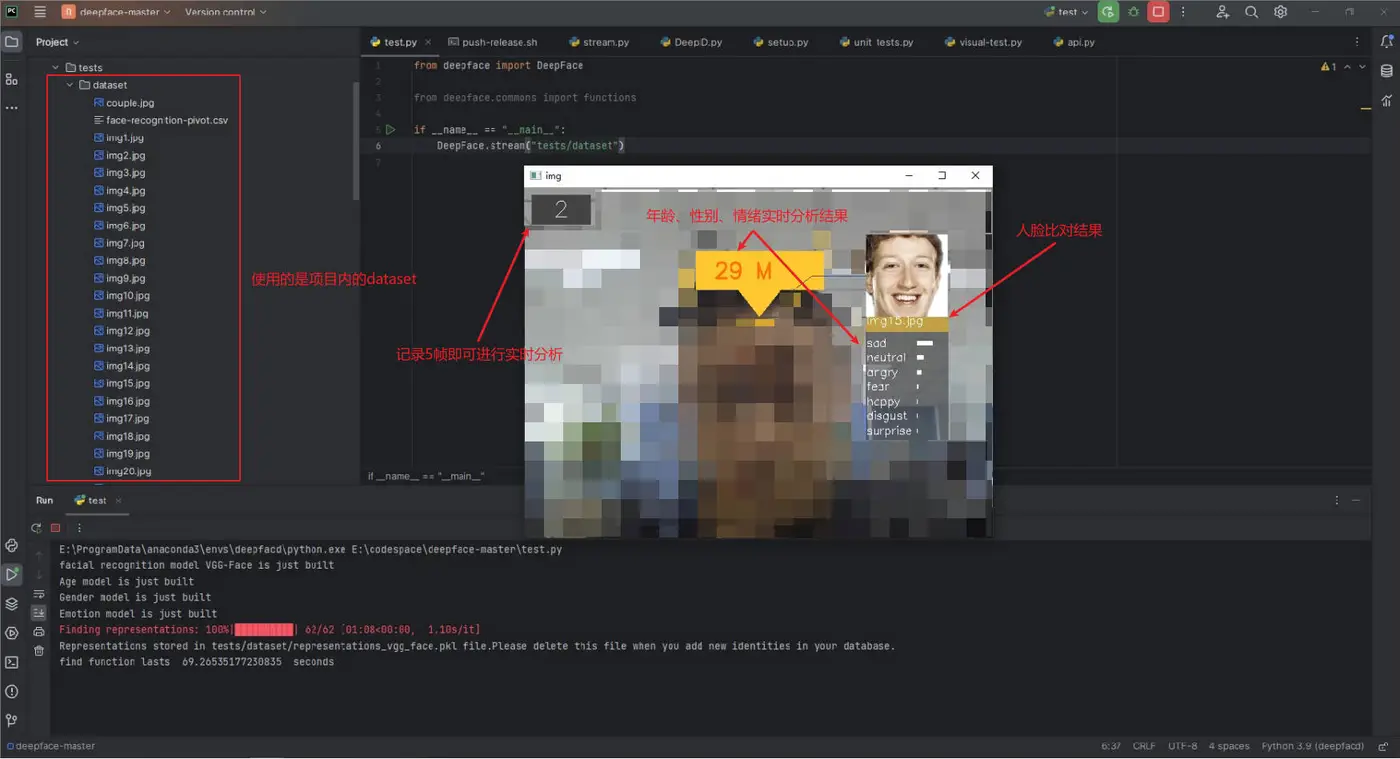
这个功能是通过比对db_path下的人脸来进行识别的。实际测试代码如下:
from deepface import DeepFace
if __name__ == "__main__":
    DeepFace.stream("tests/dataset")
测试截图如下,由于使用的是项目内的图片数据集,图片比对结果看看就好:
2.11 API
DeepFace serves an API as well. You can clone [/api](https://github.com/serengil/deepface/tree/master/api) folder and run the api via gunicorn server. This will get a rest service up. In this way, you can call deepface from an external system such as mobile app or web.
cd scripts
./service.sh
Linux系统使用这个命令是前台启动,实际的启动用的是shell脚本,内容如下:
#!/bin/bash
nohup python -u ./api/api.py > ./deepfacelog.out 2>&1 &
Face recognition, facial attribute analysis and vector representation functions are covered in the API. You are expected to call these functions as http post methods. Default service endpoints will be http://localhost:5000/verify for face recognition, http://localhost:detector_backend for facial attribute analysis, and http://localhost:5000/represent for vector representation. You can pass input images as exact image paths on your environment, base64 encoded strings or images on web. Here, you can find a postman project to find out how these methods should be called.
这里仅贴出如何传递base64进行接口调用:
{
    "img_path": "data:image/,image_base64_str"
}
仅看一下base64相关源码:
def load_image(img):
    # The image is a base64 string
    if img.startswith("data:image/"):
        return loadBase64Img(img)
def loadBase64Img(uri):
    encoded_data = uri.split(",")[1]
    nparr = np.fromstring(base64.b64decode(encoded_data), np.uint8)
    img = cv2.imdecode(nparr, cv2.IMREAD_COLOR)
    return img
2.12 Dockerized Service
You can deploy the deepface api on a kubernetes cluster with docker. The following shell script will serve deepface on localhost:5000. You need to re-configure the Dockerfile if you want to change the port. Then, even if you do not have a development environment, you will be able to consume deepface services such as verify and analyze. You can also access the inside of the docker image to run deepface related commands. Please follow the instructions in the shell script.
cd scripts
./dockerize.sh
报错:
unable to prepare context: unable to evaluate symlinks in Dockerfile path: lstat /home/deepface/scripts/Dockerfile: no such file or directory
Unable to find image 'deepface:latest' locally
docker: Error response from daemon: pull access denied for deepface, repository does not exist or may require 'docker login': denied: requested access to the resource is denied.
See 'docker run --help'.
解决【不要 cd scripts】:
./scripts/dockerize.sh
# 这个过程取决于网速【时间会比较久】
2.13 Command Line Interface
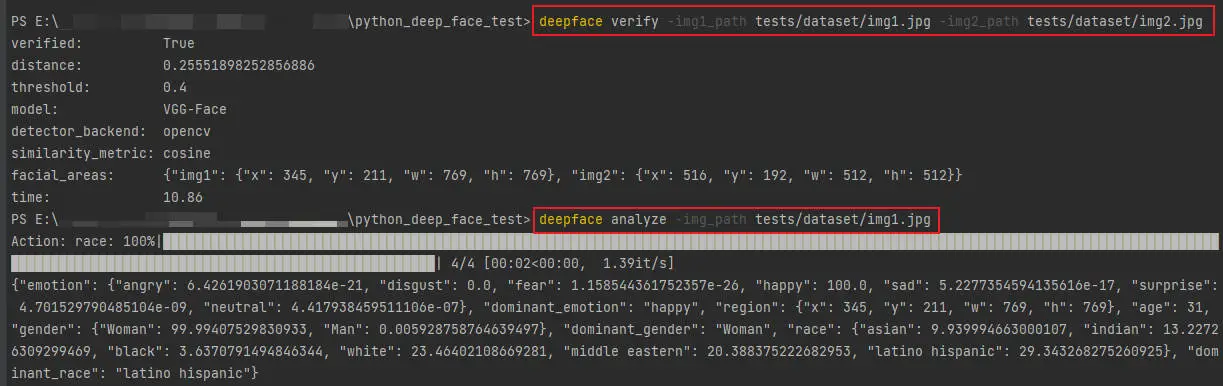
DeepFace comes with a command line interface as well. You are able to access its functions in command line as shown below. The command deepface expects the function name as 1st argument and function arguments thereafter.
#face verification
$ deepface verify -img1_path tests/dataset/img1.jpg -img2_path tests/dataset/img2.jpg
#facial analysis
$ deepface analyze -img_path tests/dataset/img1.jpg
实际的测试环境为Conda 的 deepface虚拟环境下:
You can also run these commands if you are running deepface with docker. Please follow the instructions in the shell script.