git add也能出错?

简介: git add也能出错?

环境

Windows10企业版、git version 2.6.3.windows.1

错误

今天在提交文件的时候,遇到一个奇葩的问题,那便是执行如下命令时遇到问题:

  1. git add .

报错信息为:

error: open("文件"): Permission denied
error: unable to index file '文件'
fatal: adding files failed

解决办法

其实这个错误超蠢,只需要进行如下操作即可:

1.打开提示的文件。

2.按 ctrl+s保存

3.然后再次重新执行命令 git add.

原因竟然是没有保存文件!!!

相关文章
|
Unix Linux 开发工具
Git add. 控制台警告
Git add. 控制台警告
342 0
|
2月前
|
安全 开发工具 git
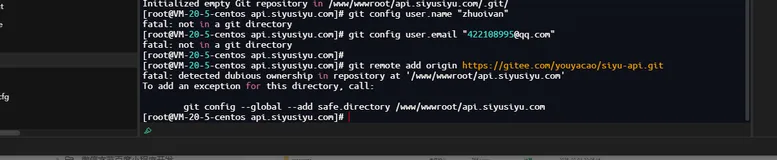
git添加远程仓库报错To add an exception for this directory解决方案-优雅草卓伊凡
283 5
git添加远程仓库报错To add an exception for this directory解决方案-优雅草卓伊凡
|
缓存 开发工具 git
报错:Git上传代码报错 will not add file alias already exists in index
637 0
|
9月前
|
开发工具 git 索引
warning: You ran ‘git add’ with neither ‘-A (—all)’ or ‘—ignore-removal’,报错如何解决 git报错 ‘git add —ignore-removal <pathspec>优雅草卓伊凡
186 21
warning: You ran ‘git add’ with neither ‘-A (—all)’ or ‘—ignore-removal’,报错如何解决 git报错 ‘git add —ignore-removal <pathspec>优雅草卓伊凡
|
开发工具 对象存储 git
|
存储 开发工具 git
蓝易云 - git中,add到暂存区,commit且push之后,暂存区域里还有内容吗
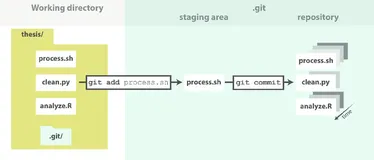
所以,当你执行 `git add`,然后是 `git commit`,最后是 `git push`之后,暂存区是空的,除非你又执行了新的 `git add`命令来添加更多的更改。
196 1
|
开发工具 git
|
开发工具 git
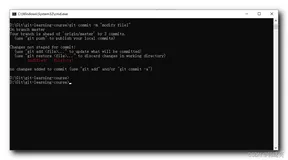
【错误记录】Git 使用报错 ( no changes added to commit (use “git add“ and/or “git commit -a“) )
1949 0
【错误记录】Git 使用报错 ( no changes added to commit (use “git add“ and/or “git commit -a“) )
|
算法 开发工具 git
【git 实用指南】git 增加 本地代码 git add 相关命令和复杂情况需求
2027 0
|
存储 缓存 Java
【Java】Java核心 80:Git 教程(3)初始化工作区 & add与commit
在Git中,初始化工作区并使用add和commit命令是进行版本控制的基本操作。 下面是对这些操作的简要解释: 初始化工作区:在使用Git之前,需要先将项目目录初始化为Git仓库。在项目所在的目录下打开终端或命令行窗口,执行以下命令: