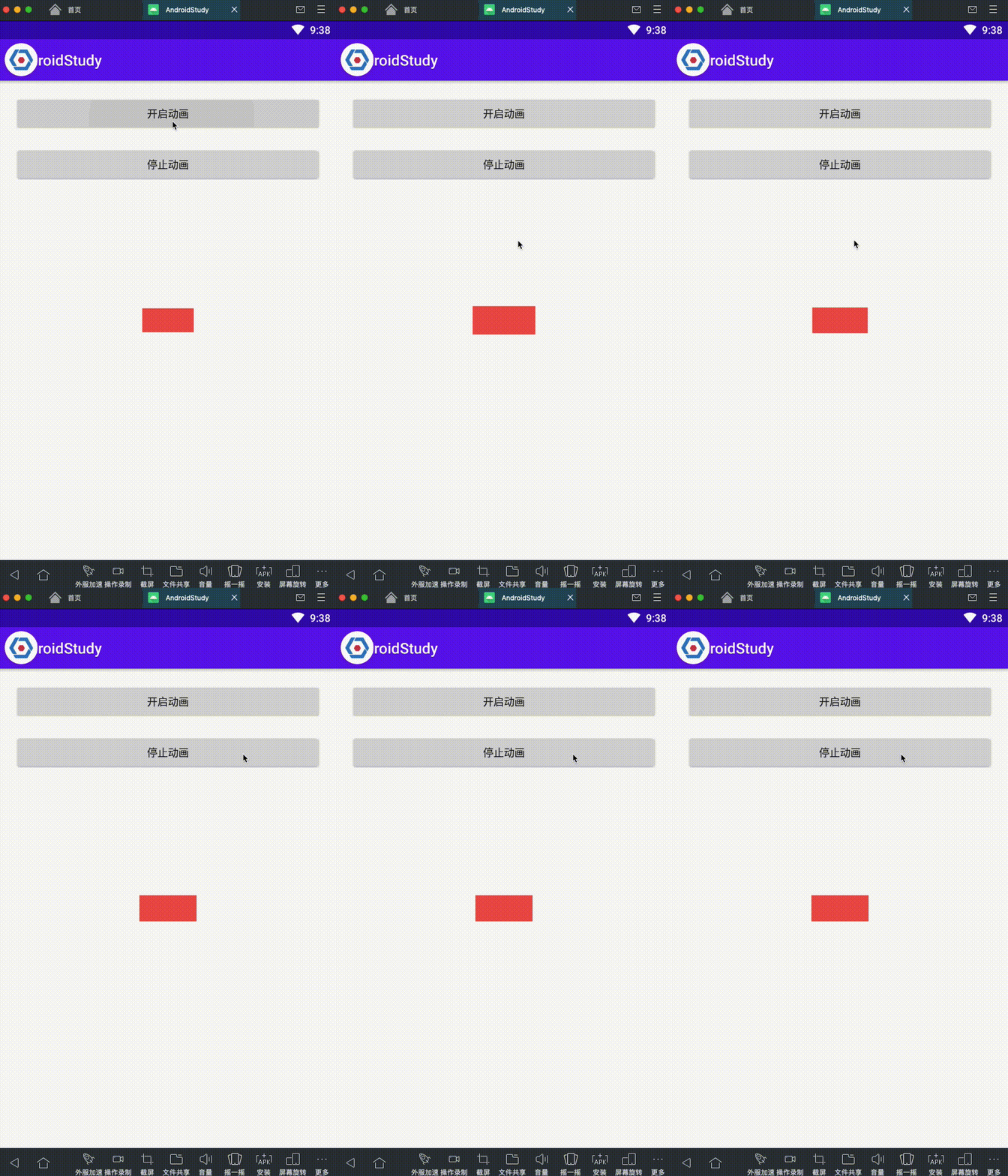
先上效果图:
Animation组合动画踩坑-实现循环播放动画,可控制次数
比如说期望如下:
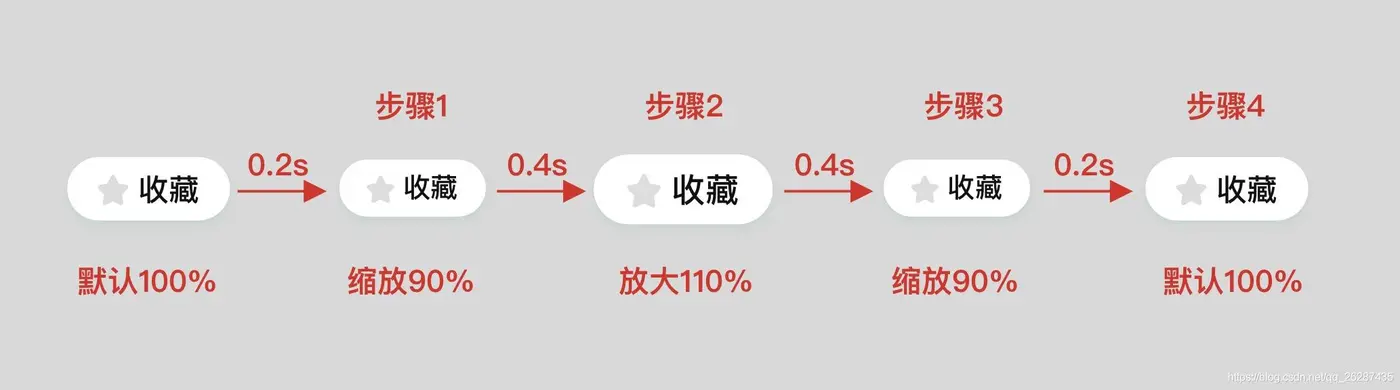
如果使用View动画,那么很自然的就想到了通过res/anim下的xml文件来实现,组合动画的话使用set标签即可。
直接这样做真的能生效么?且让我们一步一步实践。先提前剧透下,官网的demo也是有问题的。
赶时间只想看解决方式的同学,可以直接移步到最后一步的demo。
1、使用res/anim下的xml文件,实现组合动画顺序执行的坑。
动画的顺序执行是依靠的startOffset属性,它的值等于前面所有动画的duration之和。我们的最直观的实现代码如下:
<?xml version="1.0" encoding="utf-8"?>
<set xmlns:android="http://schemas.android.com/apk/res/android"
    android:shareInterpolator="false">

    <scale
        android:duration="200"
        android:fromXScale="1.0"
        android:fromYScale="1.0"
        android:pivotX="50%"
        android:pivotY="50%"
        android:repeatCount="@integer/breath_anim_repeat_count"
        android:toXScale="0.9"
        android:toYScale="0.9" />

    <scale
        android:duration="400"
        android:fromXScale="0.9"
        android:fromYScale="0.9"
        android:pivotX="50%"
        android:pivotY="50%"
        android:repeatCount="@integer/breath_anim_repeat_count"
        android:startOffset="200"
        android:toXScale="1.1"
        android:toYScale="1.1" />

    <scale
        android:duration="400"
        android:fromXScale="1.1"
        android:fromYScale="1.1"
        android:pivotX="50%"
        android:pivotY="50%"
        android:repeatCount="@integer/breath_anim_repeat_count"
        android:startOffset="600"
        android:toXScale="0.9"
        android:toYScale="0.9" />

    <scale
        android:duration="200"
        android:fromXScale="0.9"
        android:fromYScale="0.9"
        android:pivotX="50%"
        android:pivotY="50%"
        android:repeatCount="@integer/breath_anim_repeat_count"
        android:startOffset="1000"
        android:toXScale="1.0"
        android:toYScale="1.0" />

</set>
但是这段动画实际执行起来是有问题的,第二段scale代码的fromXScale和fromYScale会在set动画一开始就同时作用于View上,而不是按照我们的期望,在startOffset时间到了之后再生效。
虽然startOffset属性会延时动画的执行,但是fromXScale和fromYScale的值不会延时生效,会从动画开始就影响set系列动画的初始状态。
官网demo也有同样的问题:https://developer.android.com/guide/topics/graphics/view-animation?hl=zh-cn#java
解决方式:
将后续动画的fromXScale和fromYScale修改为1.0,不然会影响动画的初始状态。
然后动态转换下对应动画的toXScale和toYScale的比例。
转换的结果如下表:
| 顺序 | duration | fromXScale | toXScale | fromYScale | toYScale | 转换后的fromXScale | 转换后的toXScale | 转换后的fromYScale | 转换后的toYScale |
|---|---|---|---|---|---|---|---|---|---|
| 1 | 200 | 1.0 | 0.9 | 1.0 | 0.9 | 1.0 | 1.0 | 0.9 | 0.9 |
| 2 | 400 | 0.9 | 1.1 | 0.9 | 1.1 | 1.0 | 1.0 | 1.2222222222222223 | 1.2222222222222223 |
| 3 | 400 | 1.1 | 0.9 | 1.1 | 0.9 | 1.0 | 1.0 | 0.8181818181818181 | 0.8181818181818181 |
| 4 | 200 | 0.9 | 1.0 | 0.9 | 1.0 | 1.0 | 1.0 | 1.1111111111111112 | 1.1111111111111112 |
2、重复次数-repeatCount的坑:
①给set设置repeatCount无效。
②给set中的各个元素设置repeatCount的话,各个动画独立执行自己的repeatCount,不会按照我们的期望,等到动画顺序执行完第一遍以后,再执行下一遍动画;而是每个scale元素立即执行自身的下一次动画,这样动画看起来就会很卡顿,不符合预期。
解决方式:
将每个单独元素scale的repeatCount设置为0,具体的repeatCount逻辑依赖代码动态实现。
3、取消、停止动画的坑。
取消动画的方式有三种:Animation#cancel())、View#clearAnimation())和View#setAnimation(null)),它们各有优缺点。
①Animation#cancel())会触发Animation.AnimationListener#onAnimationEnd)回调,不适合在Animation.AnimationListener#onAnimationEnd)回调中调用。
②View#clearAnimation())也会触发Animation.AnimationListener#onAnimationEnd)回调,同样不适合在Animation.AnimationListener#onAnimationEnd)回调中调用。
③View#setAnimation(null))不会触发Animation.AnimationListener#onAnimationEnd)回调,但是它可能会导致下次调用Animation#start)失败。
4、Animation.AnimationListener监听动画结束的回调不靠谱。
Animation.AnimationListener#onAnimationEnd)方法不靠谱,主要是调用时机不符合预期。
①Animation#cancel())和View#clearAnimation())都会触发Animation.AnimationListener#onAnimationEnd)回调,并且在Animation.AnimationListener#onAnimationEnd)方法中,Animation#hasEnded())方法返回的是false,跟期望的true不一致。
②在Animation.AnimationListener#onAnimationEnd)中调用Animation#start)方法开启下一次动画时,会立即调用Animation.AnimationListener#onAnimationStart)和Animation.AnimationListener#onAnimationEnd)回调,中间间隔只有1ms,这就会导致少执行一次动画,跟期望不符。
解决方式:
不建议使用Animation.AnimationListener来监听动画结束,建议使用Handler#postDelay)方法 + View#clearAnimation)方法来实现RepeatCount功能。
最终解决方式:
①res/anim中的xml文件中的set动画,顺序执行时除了使用startOffset保证执行顺序,还需要对fromXScale、fromYScale、toXScale和toYScale进行相应的转换,保证fromXScale、fromYScale始终为1.0。
②使用Handler#postDelay)方法来实现repeatCount功能。
③使用View#clearAnimation)方法来清除动画。
④再次启动动画时,先使用Animation#reset())方法重置状态,再使用Animation#start())方法启动动画。
最终解决方式:自定义BreathAnimHelper。
具体实现参考BreathAnimHelper。