开发者学堂课程【Docker 快速入门:Docker 安装 Redis 】学习笔记,与课程紧密联系,让用户快速学习知识。
课程地址:https://developer.aliyun.com/learning/course/850/detail/14054
Docker 安装 Redis
内容介绍:
一. 从 docker hub 上(阿里云加速器)拉取 redis 镜像到本地标签为3.2
二. 使用 redis3.2镜像创建容器(也叫运行镜像)
一. 从 docker hub上(阿里云加速器)拉取 redis 镜像到本地标签为3.2
Docker 上安装完mysql 后,安装redis 。
# docker pull redis: 3.2 ( redis不限版本)
然后把3.2拉下,
如图
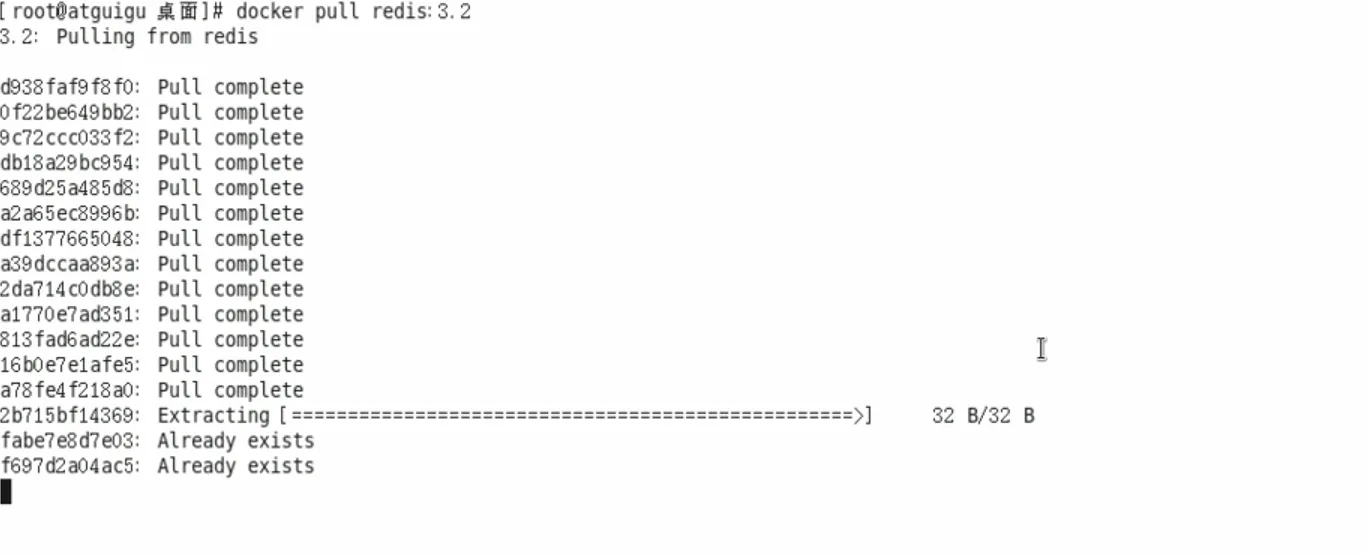
这里 redis 应该小一点,此时 redis 是75.99MB 。
# docker images

此时这个数据库已经作为镜像拉到了本地。
二. 使用 redis3.2 镜像创建容器(也叫运行镜像)
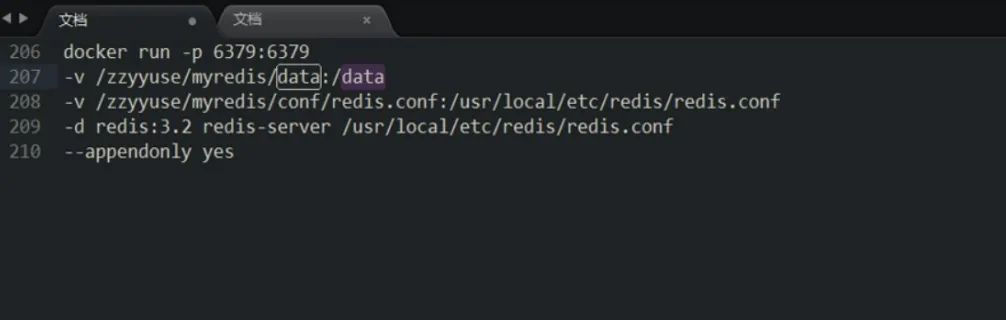
1.使用镜像
6379:6379
-v /zzyyuse/myredis/data:/data
-v /zzyyuse/myredis/conf/redis.conf:/usr/local/etc/redis/redis.conf
-d redis:3.2 redis-server /usr/localetc/redis/redis.conf
--appendonly yes
此时主机和docker 内部都是6379。
#docker run -p
只要带端口的也可以映射别的底数。
两个 -v 需要注意 radis 里有redis.conf ,
/zzyyuse/myredis/conf/redis.conf是一个路径,文件夹redis.conf 对应的是 /usr/local/etc/redis/redis.conf 。
-d 后台运行redis:3.2 redis-server ,
即把 /usr/local/etc/redis/redis.conf 弄起来
#appendonly yes 开启 lf ( lf比较重要),然后开始运行。
2. 在主机 /zzyyuse/myredis/conf/redis.conf 目录下新建 redis.conf 文件
vim /zzyyuse/myredis/conf/redis.conf/redis.conf
这里需要注意分清目录和 redis.conf 文件
举例:现在数值是6379,如果想让 dockeer 上面的redis不用6379,并把docker里面的redis改成6381,应该怎么改?
首先需要在主机上给出一个 conf的配置文件,映射到容器里面。
然后改主机的容器作用后,再重新修改数据。
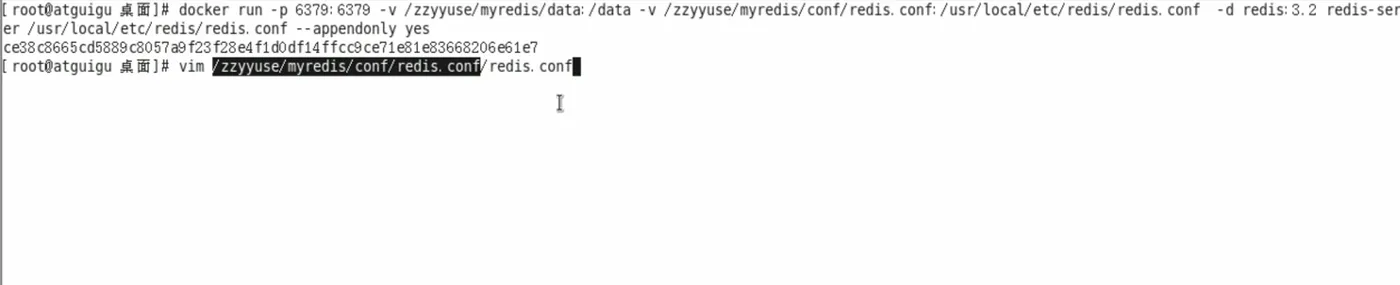 /zzyyuse/myredis/conf/redis.conf 这3个是文件夹
后面的 /redis.conf 是配置文件
Redis 最基本的配置文件:
## Both the hard or the soft limit can be disabled by setting them to zero.
client-output-buffer-limit normal 0 0 0
client-output-buffer-limit slave 256mb 64mb 60
client-output-buffer-limit pubsub 32mb 8mb 60# Redis calls an internal function to perform many background tasks, like# closing connections of clients in timeout, purging expired keys that are
# never requested, and so forth.
## Not all tasks are performed with the same frequency, but Redis checks for
# tasks to perform according to the specified "hz" value.
## By default "hz" is set to 10. Raising the value will use more CPU when# Redis is idle, but at the same time will make Redis more responsive when# there are many keys expiring at the same time, and timeouts may be
#handled with more precision.
##The range is between 1 and 500, however a value over 100 is usually not#a good idea. Most users should use the default of 10 and raisethis up to
# 100 only in environments where very low latency is required.
hz 10# When a child rewrites the AOF file, if the following option is enabled
# the file will be fsync-ed every 32 MB of data generated. This is useful# in order to commit the file to the disk more incrementally and avoid
# big latency spikes.
aof-rewrite-incremental-fsync yes
:wq!
然后保存退出
# cd /zzyyuse/myredis/conf/
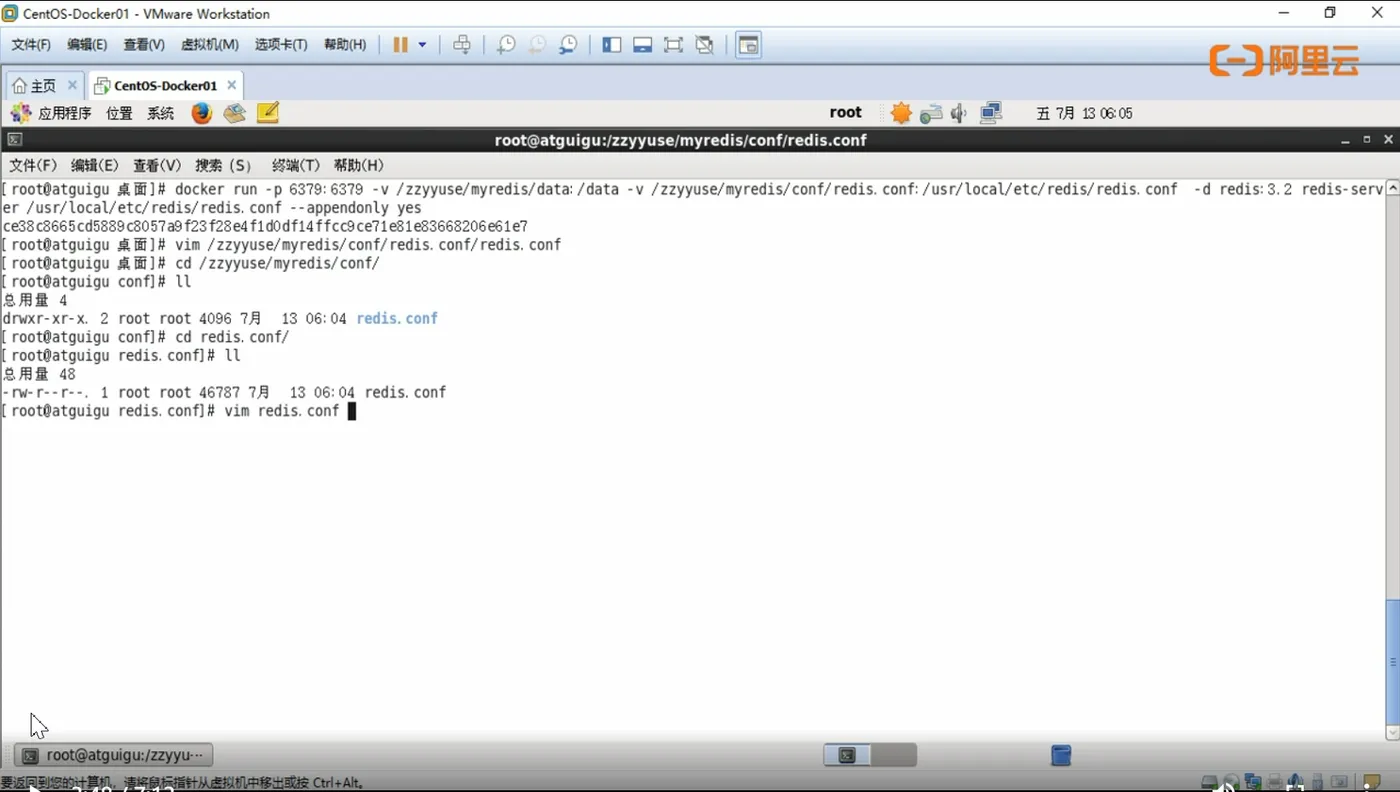
注意 conf下面的 drwxr-xr-x(在总用量4下面)是一个文件夹,而后面的 redis 下面才有我们需要的 redis.conf
(在总用量48下面)
接下来 #vimredis.conf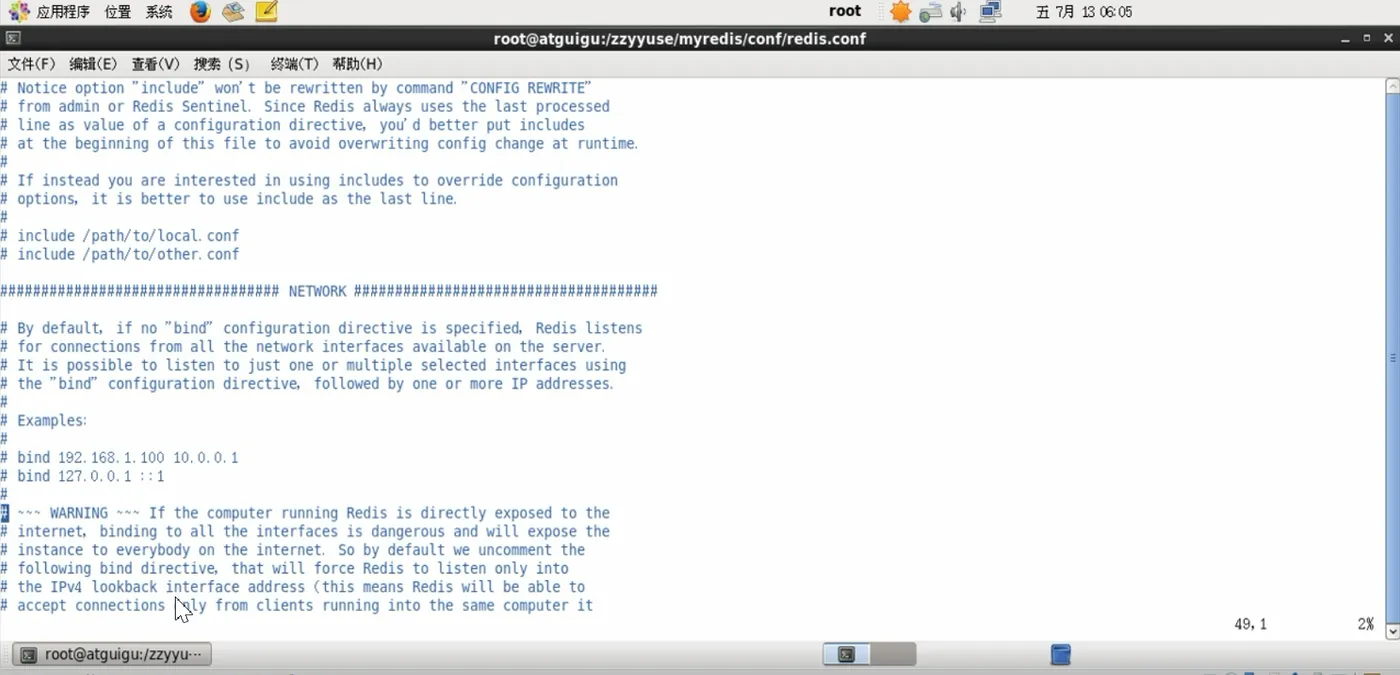
(这个在 redis 基础课里面讲过)
但是注意要把
# bind 192.168.1.100 10.0.0.1
# bind 127.0.0.1::1
这里注掉,不需要绑定本机,并且应该开的地方开,改端口,然后退出。
#dockerps
此时 redis:3.2 且 mysql : 5.6
STATUS 的两个 up 都启动着
此时 mysql连接库,且外面也已经连接, redis 也要连上。
注意在启动的命令里面,已经把redis-server 连接起来了,
否则 up 就不会有一个radis:3.2 服务,然后利用redis-cli把redis连接起来。
3.测试redis-cli 连接上来
#[ root@atguigu redis. conf]# docker exec -it ce38c8665cd5
redis-cli
127.0.0.1:6379> set k1 v1
OK
127.0.0.1:6379> set k2 v2
ОК
127.0.0.1:6379> set k3 c3
OK
0. 0. 1: 6379> SHUTDOWN
[ root@atguigu redis. conf]#
4.测试持久化文件生成
在当前路径下面,要测试一下持久化文件是否生产,
此时需要 appendonly.aof ,这时退回主机输入
#root@atguigu redis. conf]# cd ..
[ root@atguigu conf]# 11
总用量4
drwxr-xr-x.2 root root 4096 7月 13 06:05 redis.conf
[ root@atguigu conf]# cd ..
[ root@atguigu myredis]# 11
总用量8
drwxr-xr-x.3 root root 4096 7月 13 06:03 conf
drwxr-xr-x.2 999 root 4096 7月 13 06:03 data
[ root@atguigu myredis]#
注意这里有个 data 对应之前那个 data
然后 root@atguigu myredis]# cd data/
[ root@atguigu data]# 11
总用量4
-rw-r--r--. 1 999 999 110 7月 13 06:06 appendonly.aof
root@atguigu data]# vim appendonly. Aof