正文
1 Jenkins+Docker+SpringCloud微服务持续集成(上)
1.1 Jenkins+Docker+SpringCloud持续集成流程说明
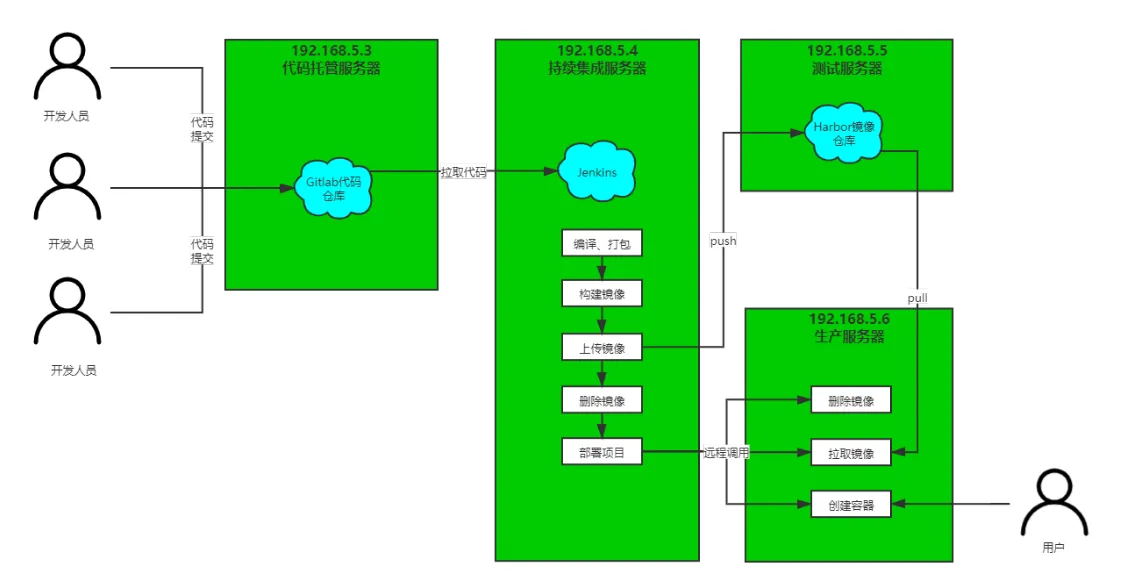
大致流程说明:
1)开发人员每天把代码提交到Gitlab代码仓库
2)Jenkins从Gitlab中拉取项目源码,编译并打成jar包,然后构建成Docker镜像,将镜像上传到Harbor私有仓库。
3)Jenkins发送SSH远程命令,让生产部署服务器到Harbor私有仓库拉取镜像到本地,然后创建容器。
4)最后,用户可以访问到容器
服务列表
| 名称 | IP地址 | 安装软件 |
| 持续基础服务器 | 192.168.5.3 |
jenkins,JDK,Maven,Git,SonarQube,Docker,MySQL |
| 代码托管服务器 | 192.168.5.4 | gitlab-ce |
| Docker仓库服务器 | 192.168.5.5 | Docker,Harbor |
| 生产部署服务器 | 192.168.5.6 | Docker |
1.2 SpringCloud微服务源码概述
# 测试代码下载地址
wget https://cunqi0105-1300757323.cos.ap-shanghai.myqcloud.com/configuration-file/tensquareAdmin.zip
wget https://cunqi0105-1300757323.cos.ap-shanghai.myqcloud.com/configuration-file/tensquare_parent.zip
# 数据库文件下载
wget https://cunqi0105-1300757323.cos.ap-shanghai.myqcloud.com/configuration-file/mysql-sql.zip
项目架构:前后端分离
后端技术栈:SpringBoot+SpringCloud+SpringDataJpa(Spring全家桶)
微服务项目结构:
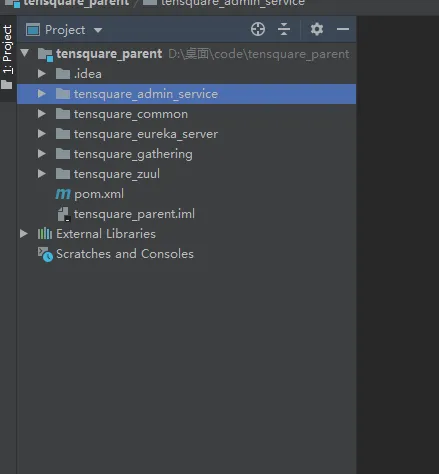
tensquare_parent:父工程,存放基础配置
tensquare_common:通用工程,存放工具类
tensquare_eureka_server:SpringCloud的Eureka注册中心
tensquare_zuul:SpringCloud的网关服务
tensquare_admin_service:基础权限认证中心,负责用户认证(使用JWT认证)
tensquare_gathering:一个简单的业务模块,活动微服务相关逻辑
数据库结构:
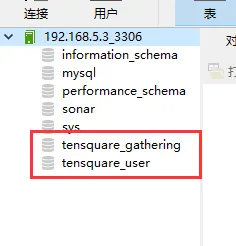
tensquare_user:用户认证数据库,存放用户账户数据。对应tensquare_admin_service微服务
tensquare_gathering:活动微服务数据库。对应tensquare_gathering微服务
微服务配置分析:
tensquare_eureka
tensquare_zuul
tensquare_admin_service
tensquare_gathering
1.3 环境准备(1)-Docker安装
详细请参考文档:Linux-Docker安装
1.4 环境准备(2)-Harbor镜像仓库安装及使用
详细请参考文档:企业级镜像仓库Harbor
1.5 微服务持续集成(1)-项目代码上传到Gitlab
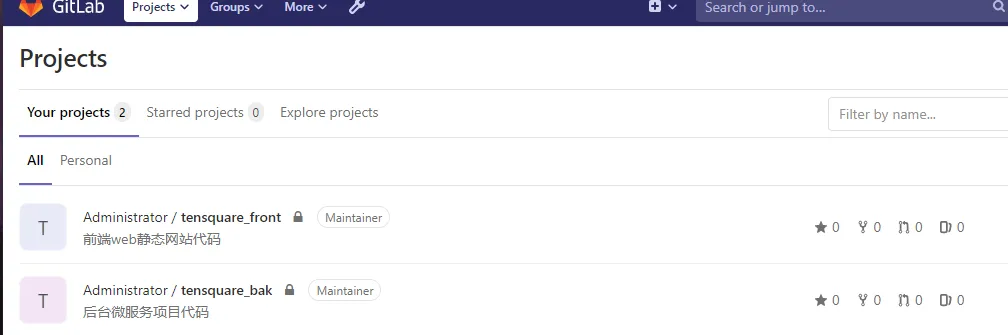
在IDEA操作即可,参考之前的步骤。包括后台微服务和前端web网站代码
1.6 微服务持续集成(2)-从Gitlab拉取项目源码
1)Jenkins上创建 tenquare_back任务
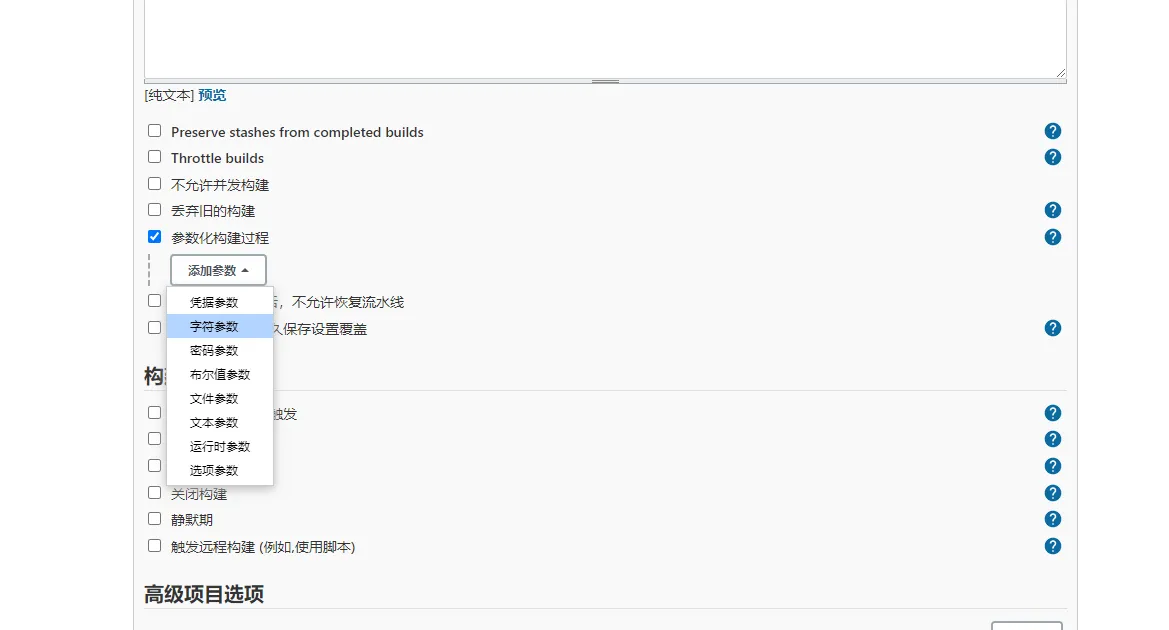
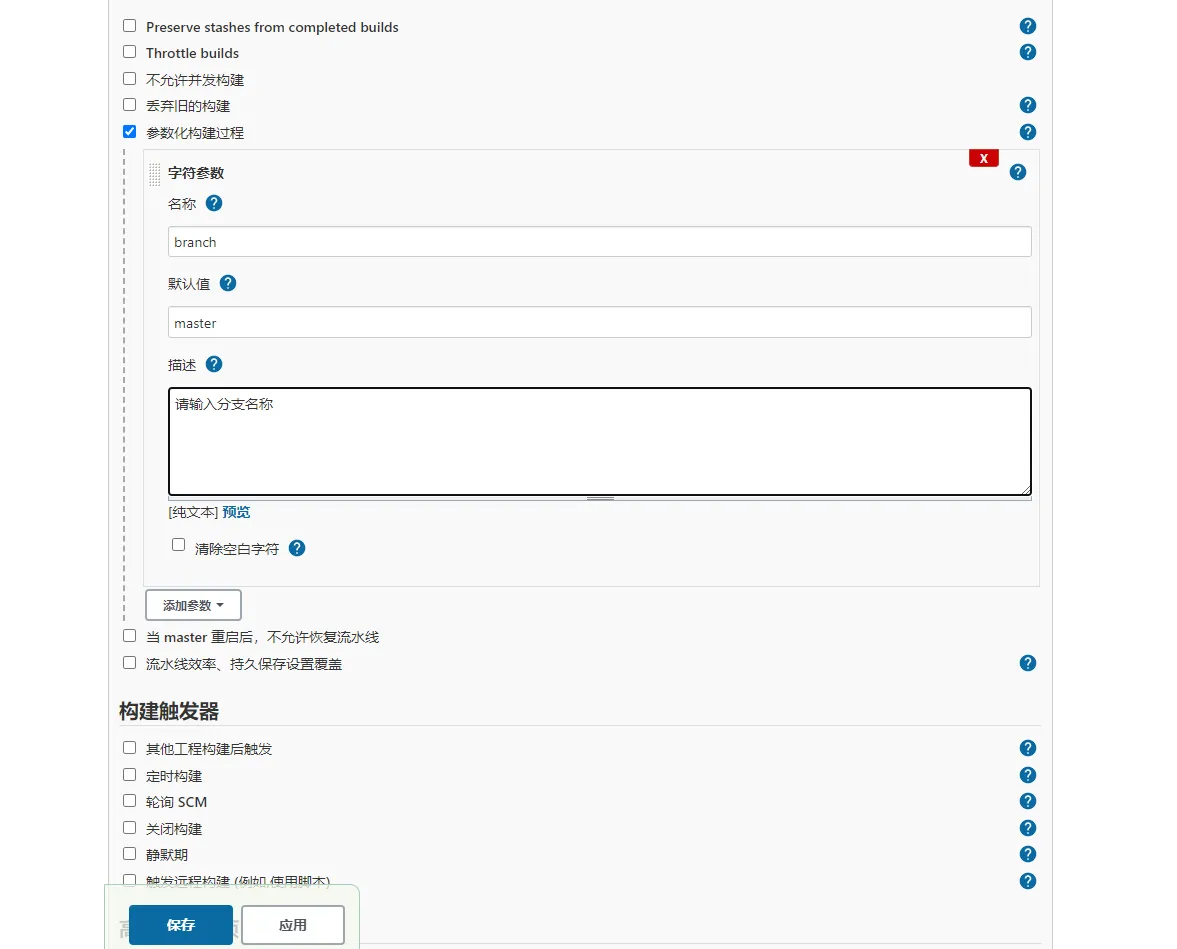
2) 创建参数化构建函数
3)生成流水线脚本
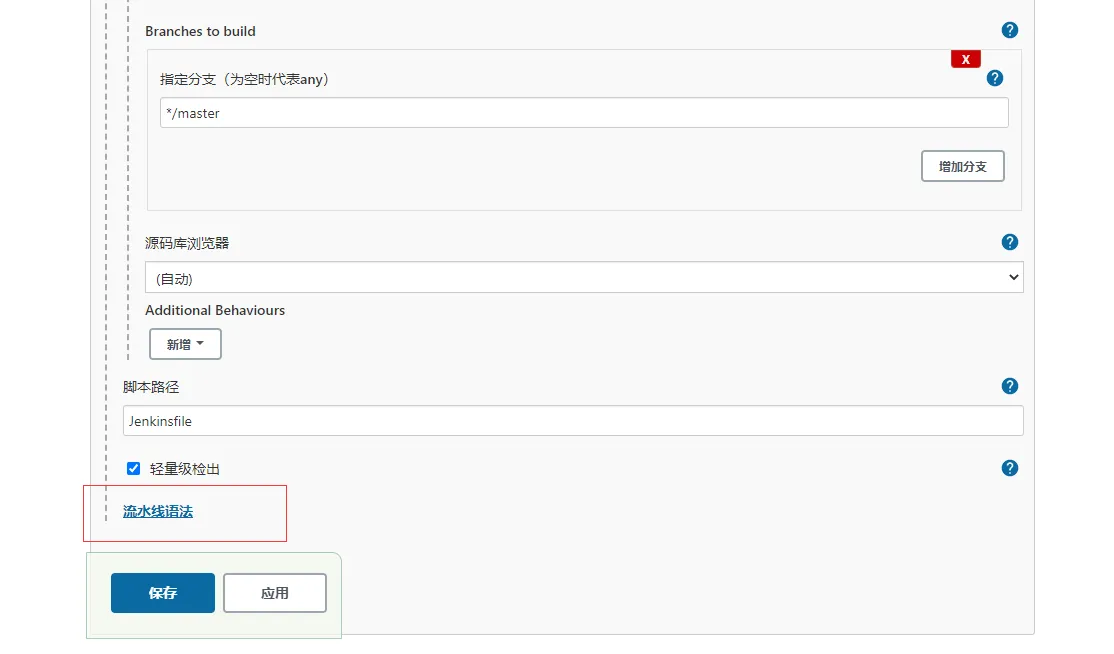
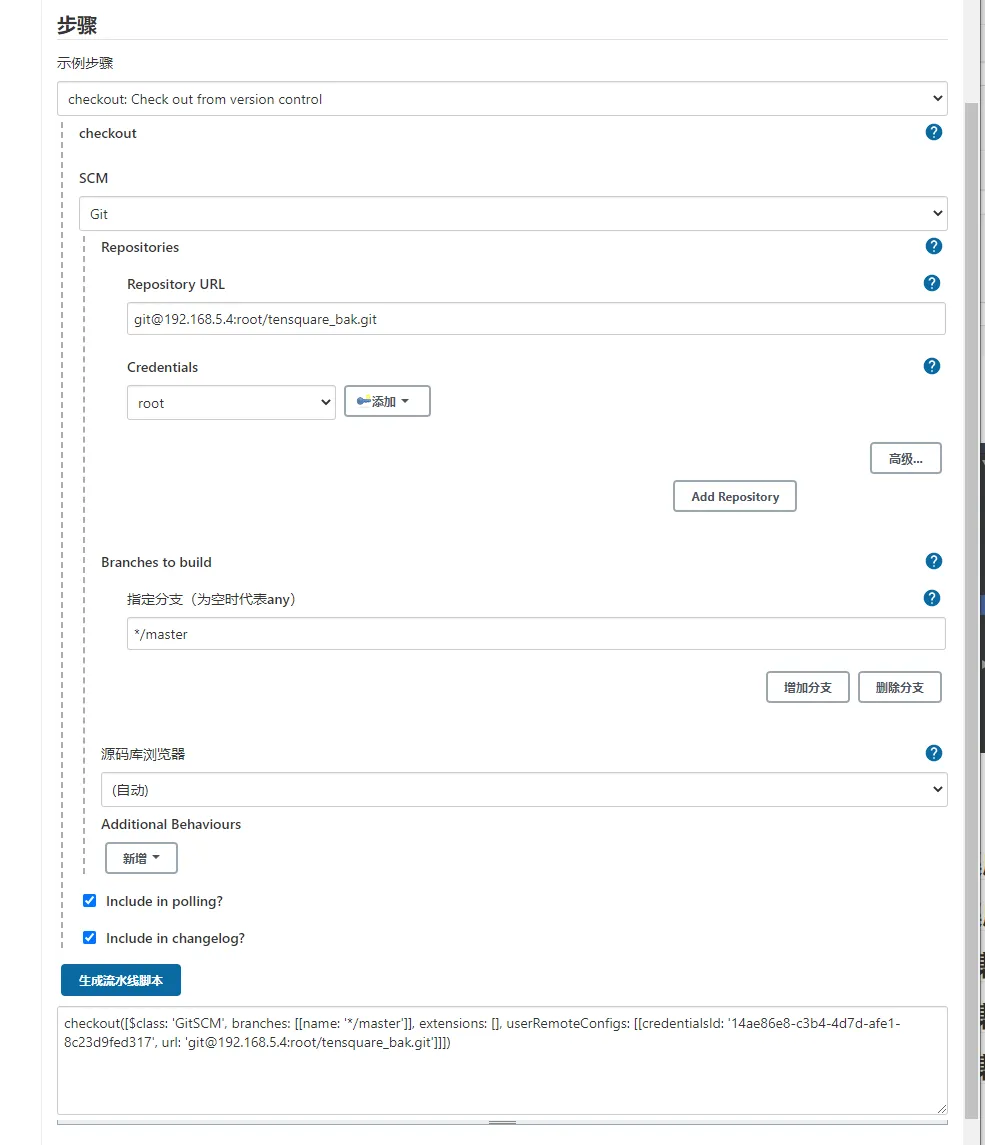
4)创建Jenkinsfile文件
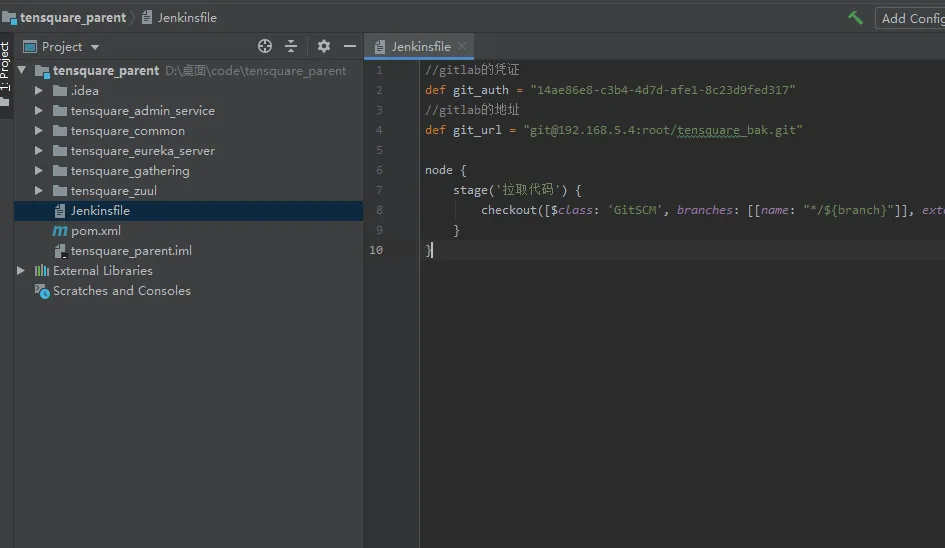
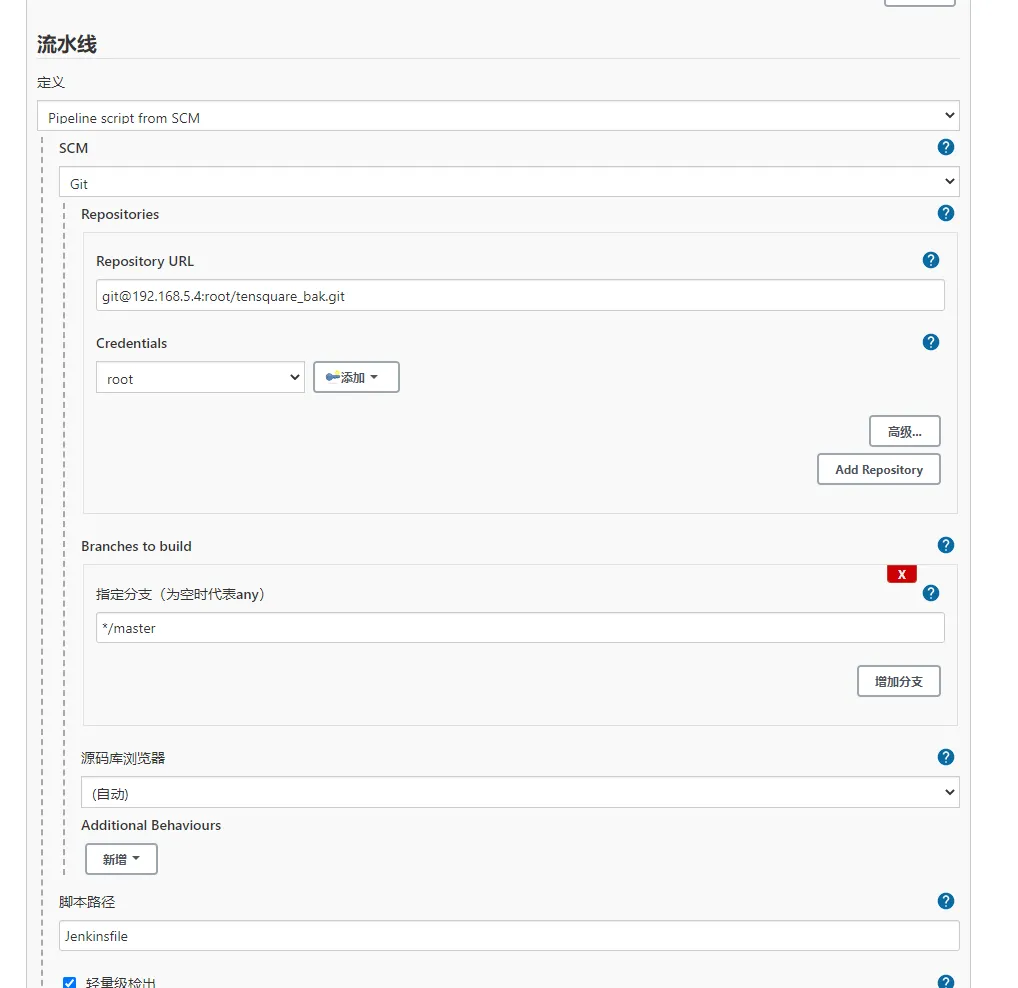
//gitlab的凭证 def git_auth = "14ae86e8-c3b4-4d7d-afe1-8c23d9fed317" //gitlab的地址 def git_url = "git@192.168.5.4:root/tensquare_bak.git" node { stage('拉取代码') { checkout([$class: 'GitSCM', branches: [[name: "*/${branch}"]], extensions: [], userRemoteConfigs: [[credentialsId: "${git_auth}", url: "${git_url}"]]]) } }
5)上传代码
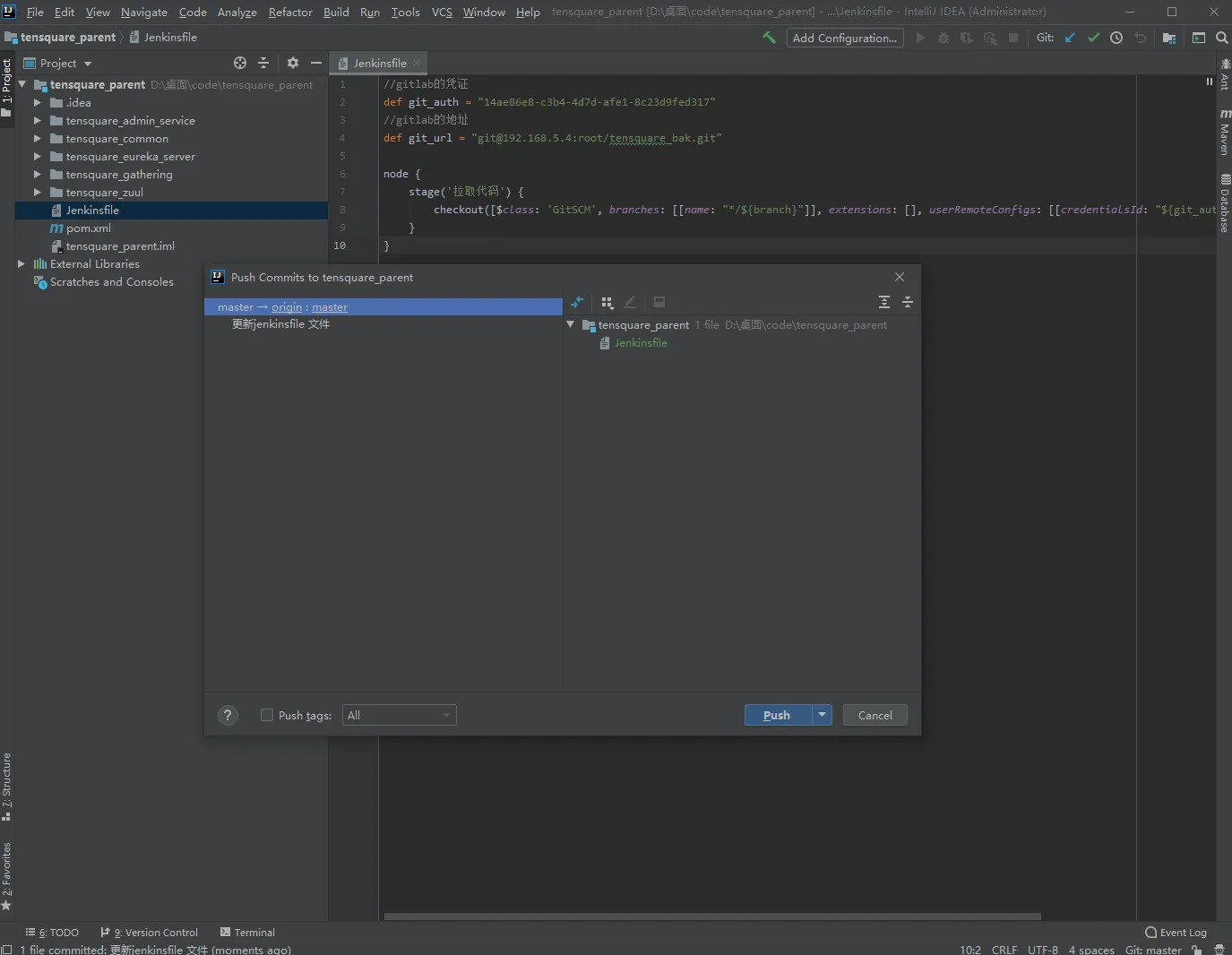
6)项目测试
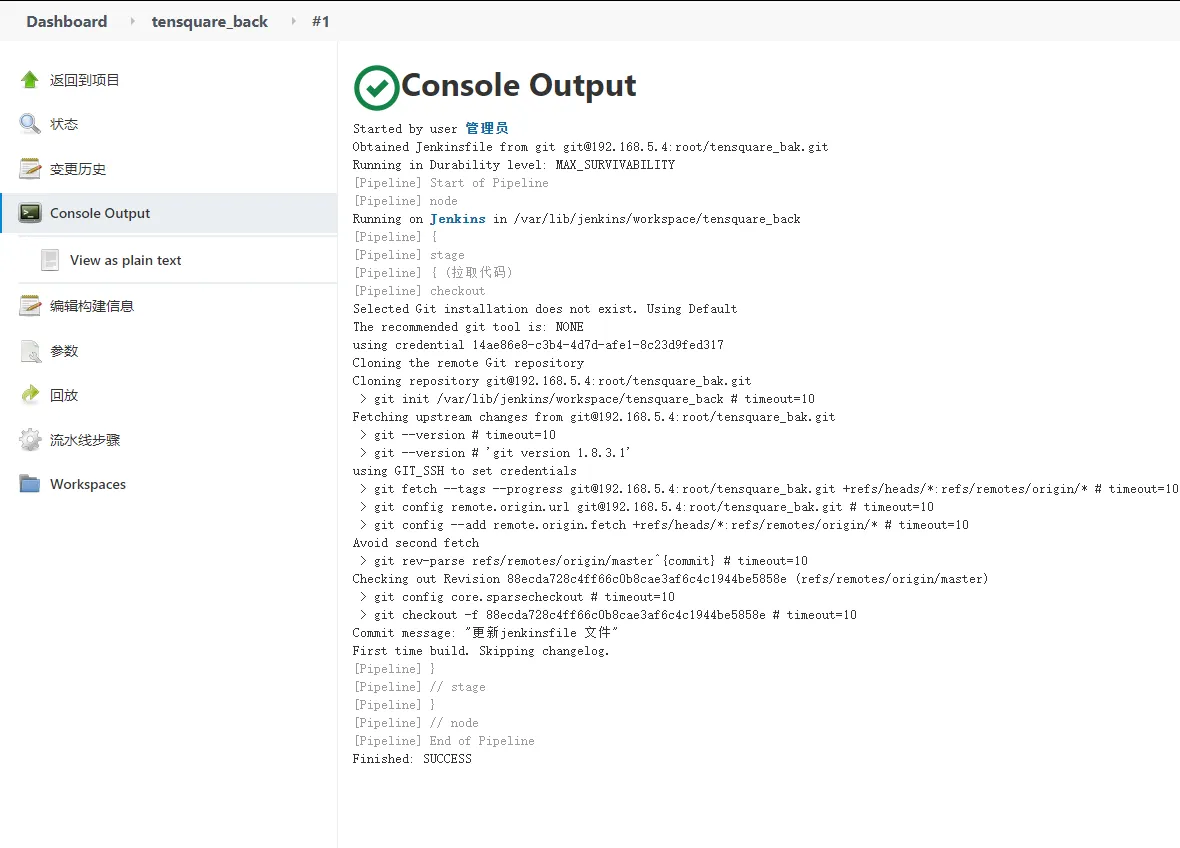
1.7 微服务持续集成(3)-提交到SonarQube代码审查
1) 创建参数化构建函数
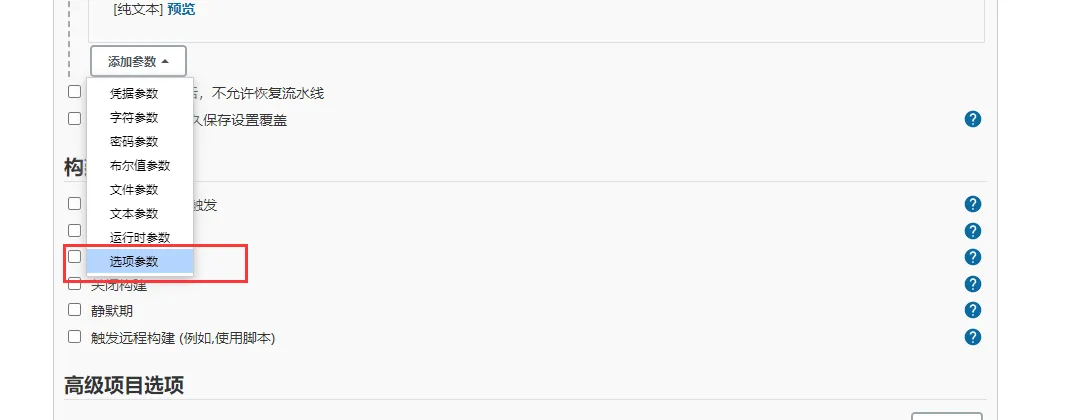
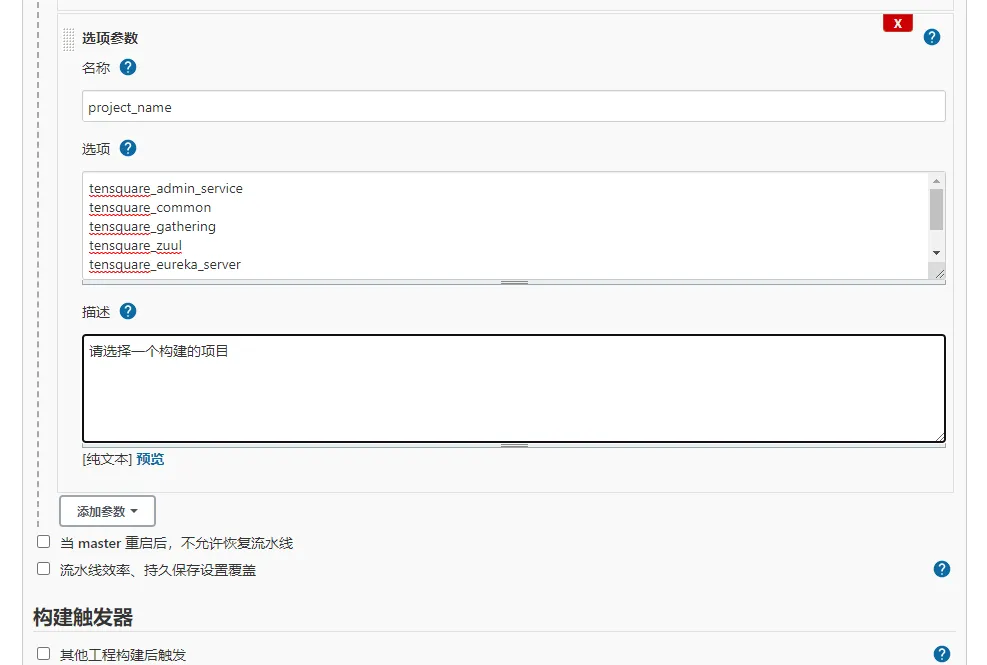
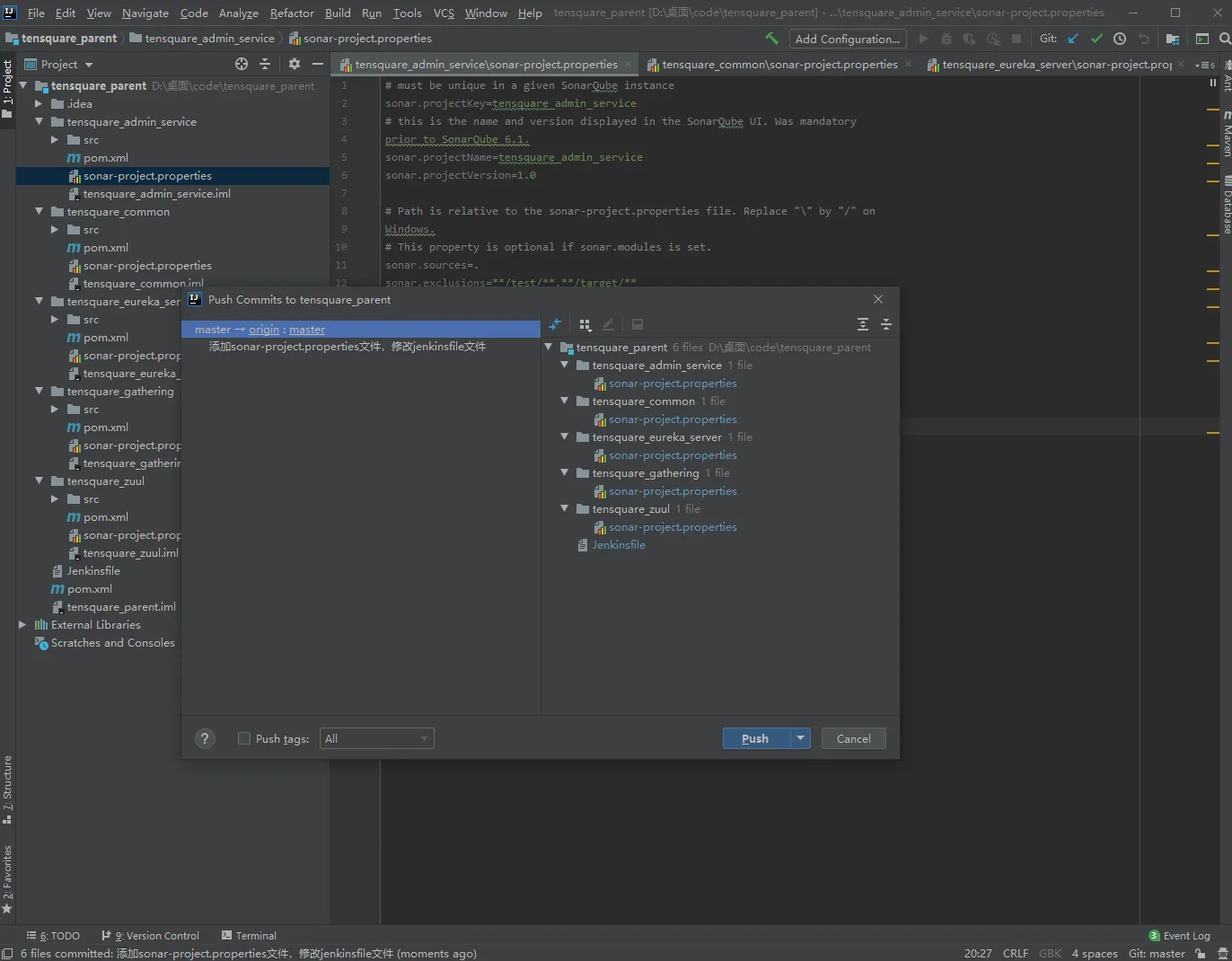
2)在每个微服务项目的根目录下添加sonar-project.properties
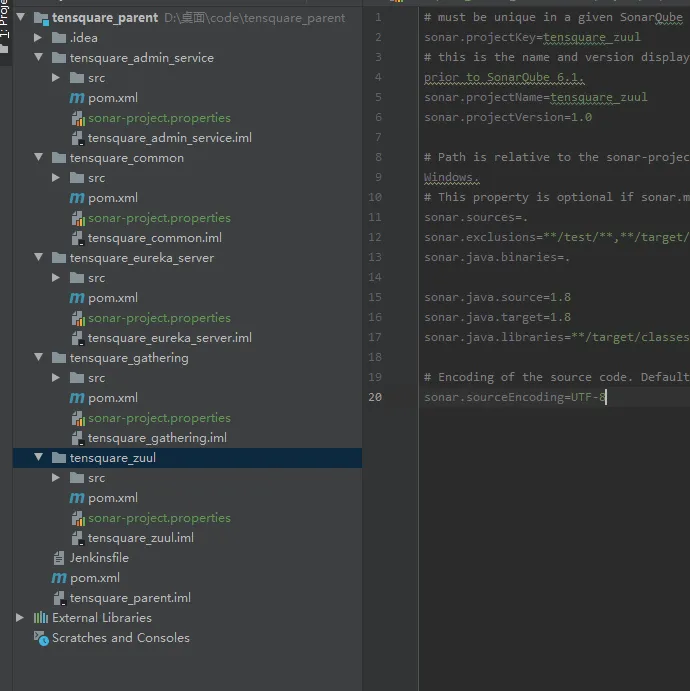
# must be unique in a given SonarQube instance sonar.projectKey=项目名称 # this is the name and version displayed in the SonarQube UI. Was mandatory prior to SonarQube 6.1. sonar.projectName=项目名称 sonar.projectVersion=1.0 # Path is relative to the sonar-project.properties file. Replace "\" by "/" on Windows. # This property is optional if sonar.modules is set. sonar.sources=. sonar.exclusions=**/test/**,**/target/** sonar.java.binaries=. sonar.java.source=1.8 sonar.java.target=1.8 # sonar.java.libraries=**/target/classes/** # Encoding of the source code. Default is default system encoding sonar.sourceEncoding=UTF-8 3)修改Jenkinsfile构建脚本 //gitlab的凭证 def git_auth = "14ae86e8-c3b4-4d7d-afe1-8c23d9fed317" //gitlab的地址 def git_url = "git@192.168.5.4:root/tensquare_bak.git" // 构建版本的名称 def tag = "latest" node { stage('拉取代码') { checkout([$class: 'GitSCM', branches: [[name: "*/${branch}"]], extensions: [], userRemoteConfigs: [[credentialsId: "${git_auth}", url: "${git_url}"]]]) } stage('代码审查') { //定义当前Jenkins的SonarQubeScanner工具 def scannerHome = tool 'sonarqube-scanner' //引用当前Jenkins SonarQube环境 withSonarQubeEnv('sonarqube') { sh """ cd ${project_name} ${scannerHome}/bin/sonar-scanner """ } } }
3)修改Jenkinsfile构建脚本
//gitlab的凭证 def git_auth = "14ae86e8-c3b4-4d7d-afe1-8c23d9fed317" //gitlab的地址 def git_url = "git@192.168.5.4:root/tensquare_bak.git" // 构建版本的名称 def tag = "latest" node { stage('拉取代码') { checkout([$class: 'GitSCM', branches: [[name: "*/${branch}"]], extensions: [], userRemoteConfigs: [[credentialsId: "${git_auth}", url: "${git_url}"]]]) } stage('代码审查') { //定义当前Jenkins的SonarQubeScanner工具 def scannerHome = tool 'sonarqube-scanner' //引用当前Jenkins SonarQube环境 withSonarQubeEnv('sonarqube') { sh """ cd ${project_name} ${scannerHome}/bin/sonar-scanner """ } } }
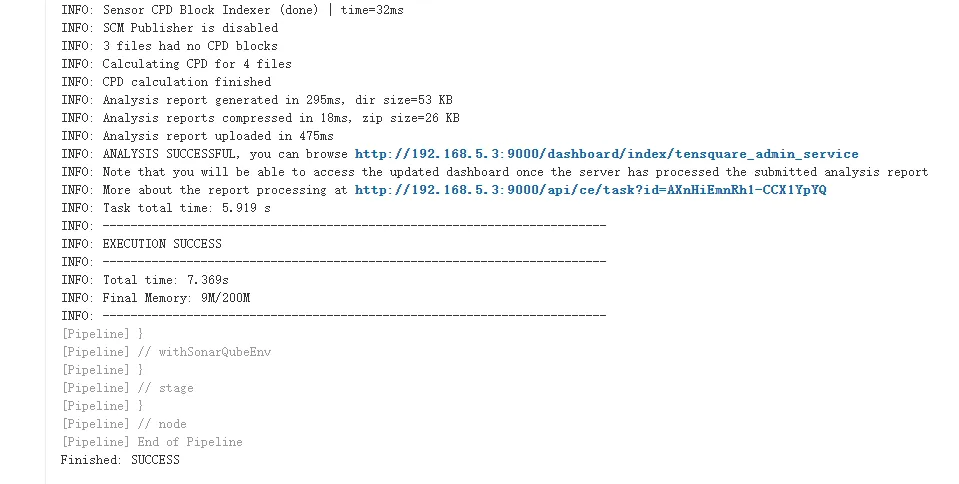
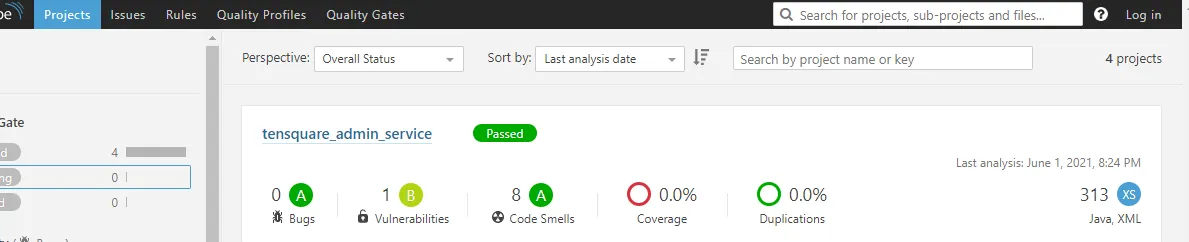
4)项目测试
1.8 微服务持续集成(4)-使用Dockerfile编译、生成镜像
利用dockerfile-maven-plugin插件构建Docker镜像 1)在每个微服务项目的pom.xml加入dockerfile-maven-plugin插件(依赖父工程tensquare_common,不需要添加)
<plugin>
    <groupId>com.spotify</groupId>
    <artifactId>dockerfile-maven-plugin</artifactId>
    <version>1.3.6</version>
    <configuration>
        <repository>${project.artifactId}</repository>
        <buildArgs>
            <JAR_FILE>target/${project.build.finalName}.jar</JAR_FILE>
        </buildArgs>
    </configuration>
</plugin>
2)在每个微服务项目根目录下建立Dockerfile文件(依赖父工程tensquare_common,不需要添加)
#FROM java:8
FROM openjdk:8-jdk-alpine
ARG JAR_FILE
COPY ${JAR_FILE} app.jar
EXPOSE 10086
ENTRYPOINT ["java","-jar","/app.jar"]
3)修改Jenkinsfile构建脚本
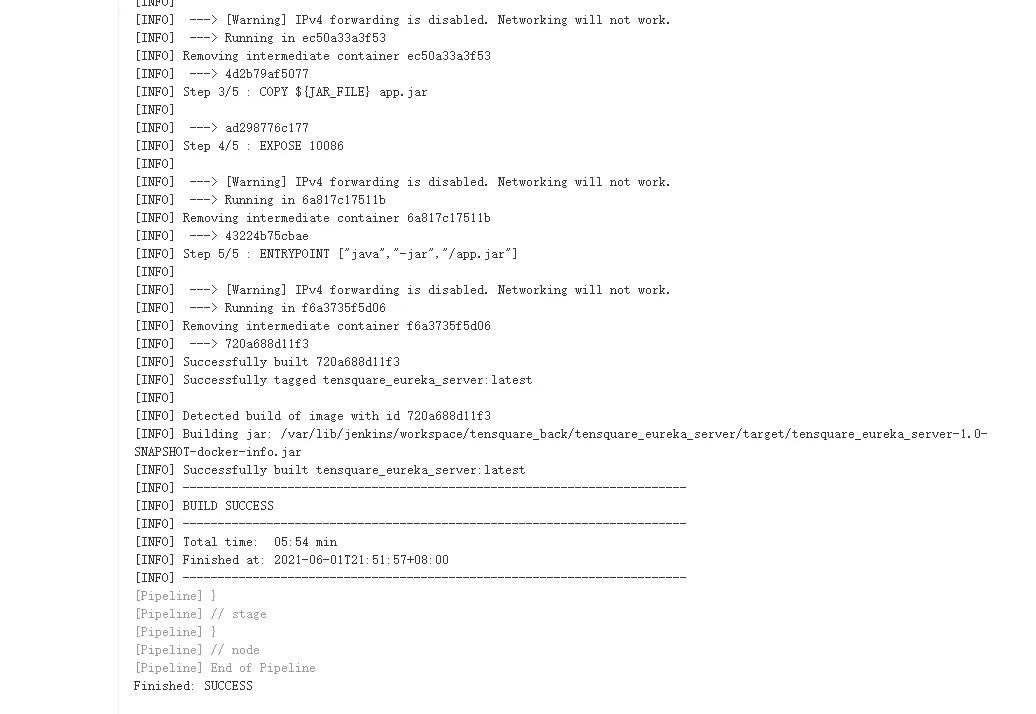
//gitlab的凭证 def git_auth = "14ae86e8-c3b4-4d7d-afe1-8c23d9fed317" //gitlab的地址 def git_url = "git@192.168.5.4:root/tensquare_bak.git" // 构建版本的名称 def tag = "latest" node { stage('拉取代码') { checkout([$class: 'GitSCM', branches: [[name: "*/${branch}"]], extensions: [], userRemoteConfigs: [[credentialsId: "${git_auth}", url: "${git_url}"]]]) } stage('代码审查') { //定义当前Jenkins的SonarQubeScanner工具 def scannerHome = tool 'sonarqube-scanner' //引用当前Jenkins SonarQube环境 withSonarQubeEnv('sonarqube') { sh """ cd ${project_name} ${scannerHome}/bin/sonar-scanner """ } } stage('编译,构建镜像') { //定义镜像名称 def imageName = "${project_name}:${tag}" //编译,安装公共工程 sh "mvn -f tensquare_common clean install" //编译,构建本地镜像 sh "mvn -f ${project_name} clean package dockerfile:build" } }
4)项目测试
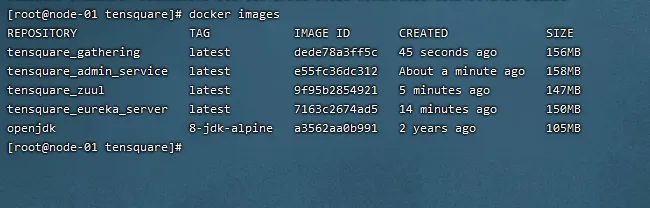
5)编译失败
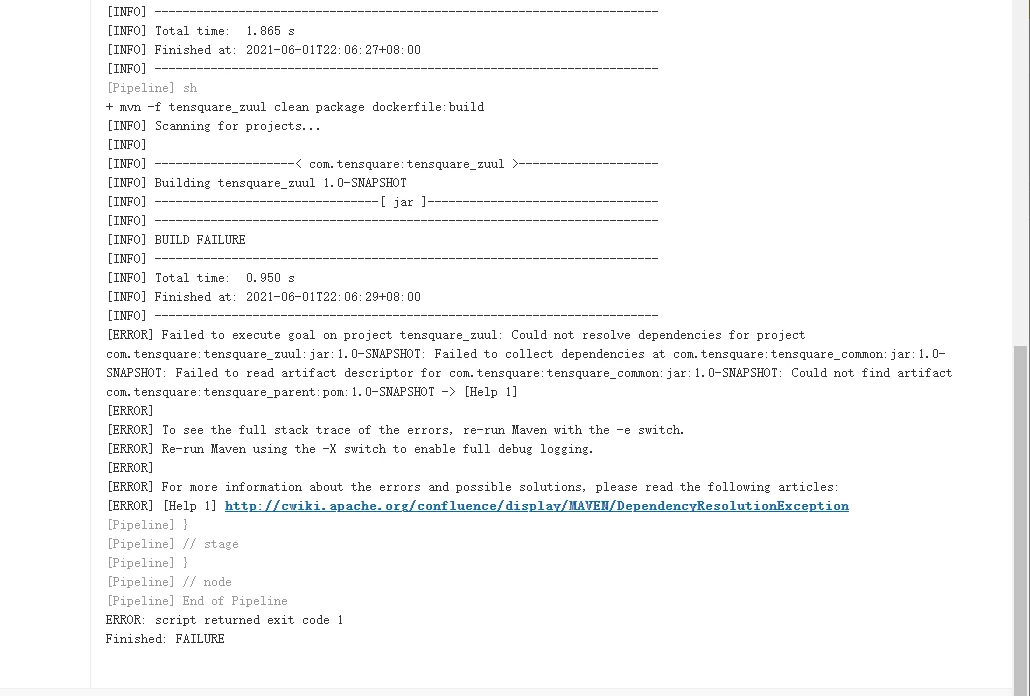
出现这种问题,是因为微服务具有相关的依赖,需要将tensquare_parent项目手动上传到maven本地仓库中

1.9 微服务持续集成(5)-上传到Harbor镜像仓库
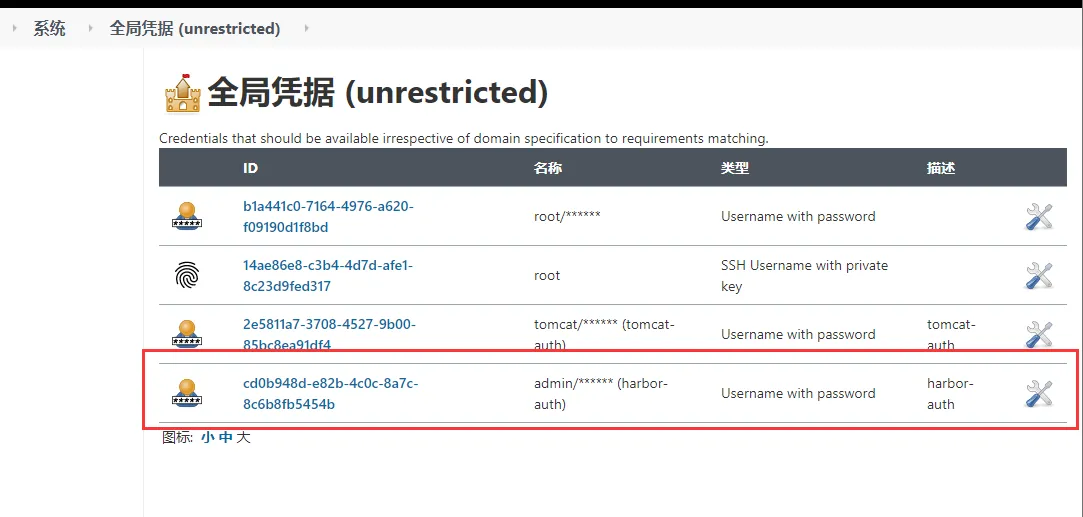
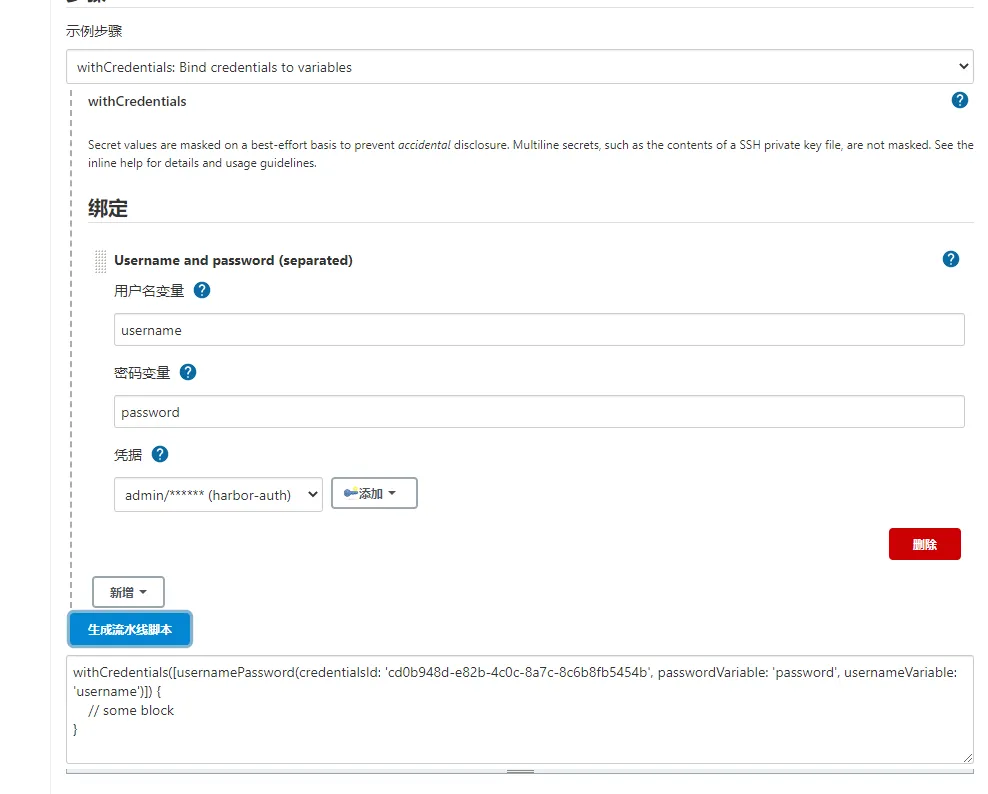
1)使用凭证管理Harbor私服账户和密码
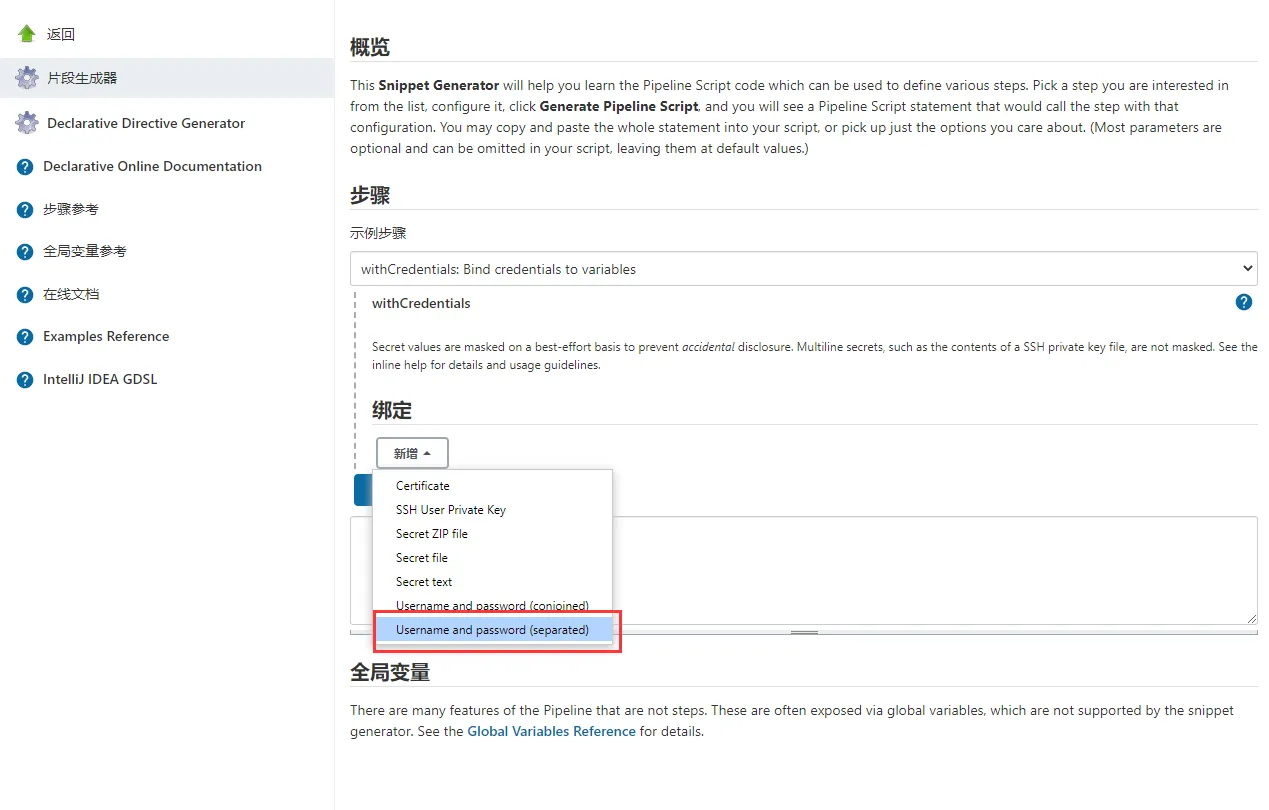
2)生成凭证脚本代码
3)修改Jenkinsfile构建脚本
//gitlab的凭证 def git_auth = "14ae86e8-c3b4-4d7d-afe1-8c23d9fed317" //gitlab的地址 def git_url = "git@192.168.5.4:root/tensquare_bak.git" // 构建版本的名称 def tag = "latest" //Harbor私服地址 def harbor_url = "192.168.5.5:8080" //Harbor的项目名称 def harbor_project_name = "tensquare" //Harbor的凭证 def harbor_auth = "cd0b948d-e82b-4c0c-8a7c-8c6b8fb5454b" node { stage('拉取代码') { checkout([$class: 'GitSCM', branches: [[name: "*/${branch}"]], extensions: [], userRemoteConfigs: [[credentialsId: "${git_auth}", url: "${git_url}"]]]) } stage('代码审查') { //定义当前Jenkins的SonarQubeScanner工具 def scannerHome = tool 'sonarqube-scanner' //引用当前Jenkins SonarQube环境 withSonarQubeEnv('sonarqube') { sh """ cd ${project_name} ${scannerHome}/bin/sonar-scanner """ } } stage('编译,构建镜像') { //定义镜像名称 def imageName = "${project_name}:${tag}" //编译,安装公共工程 sh "mvn -f tensquare_common clean install" //编译,构建本地镜像 sh "mvn -f ${project_name} clean package dockerfile:build" //给镜像打标签 sh "docker tag ${imageName} ${harbor_url}/${harbor_project_name}/${imageName}" //登录Harbor,并上传镜像 withCredentials([usernamePassword(credentialsId: "${harbor_auth}",passwordVariable: 'password', usernameVariable: 'username')]) { //登录 sh "docker login -u ${username} -p ${password} ${harbor_url}" //上传镜像 sh "docker push ${harbor_url}/${harbor_project_name}/${imageName}" } //删除本地镜像 sh "docker rmi -f ${imageName}" sh "docker rmi -f ${harbor_url}/${harbor_project_name}/${imageName}" } }
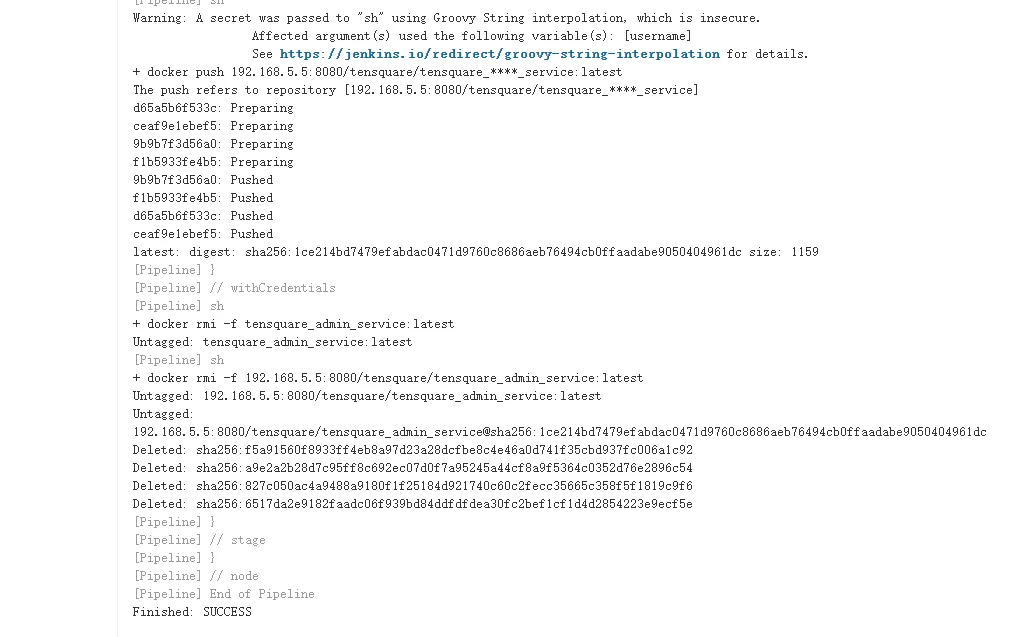
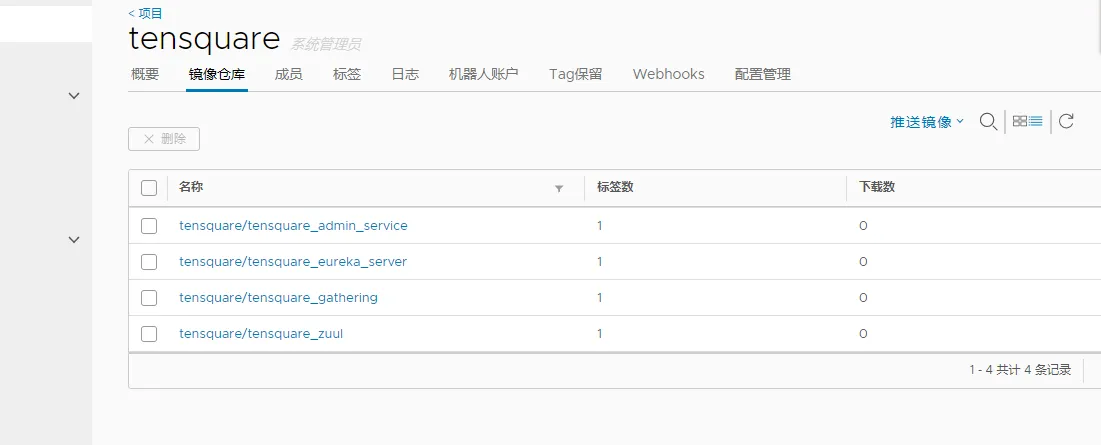
3)项目测试
1.10 微服务持续集成(6)-拉取镜像和发布应用
1)安装 Publish Over SSH 插件
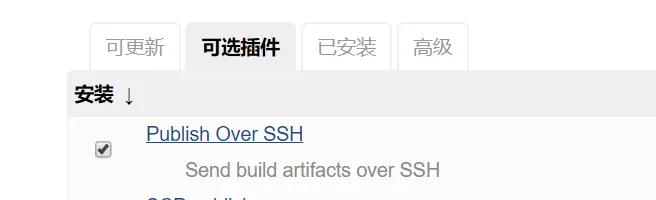
Publish Over SSH
2)拷贝jenkins公钥到生产服务器
ssh-copy-id 192.168.5.6
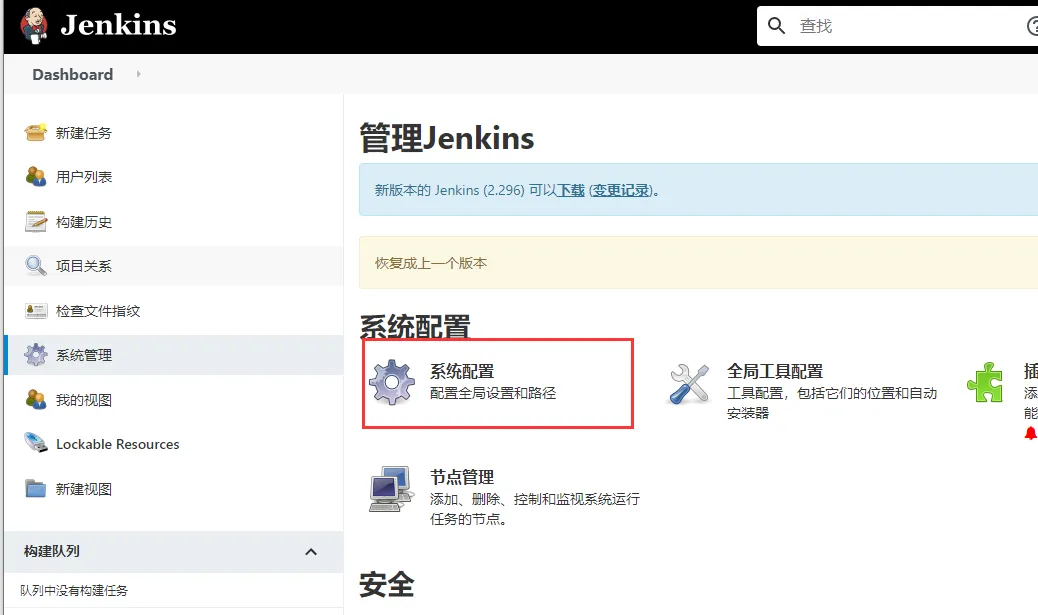
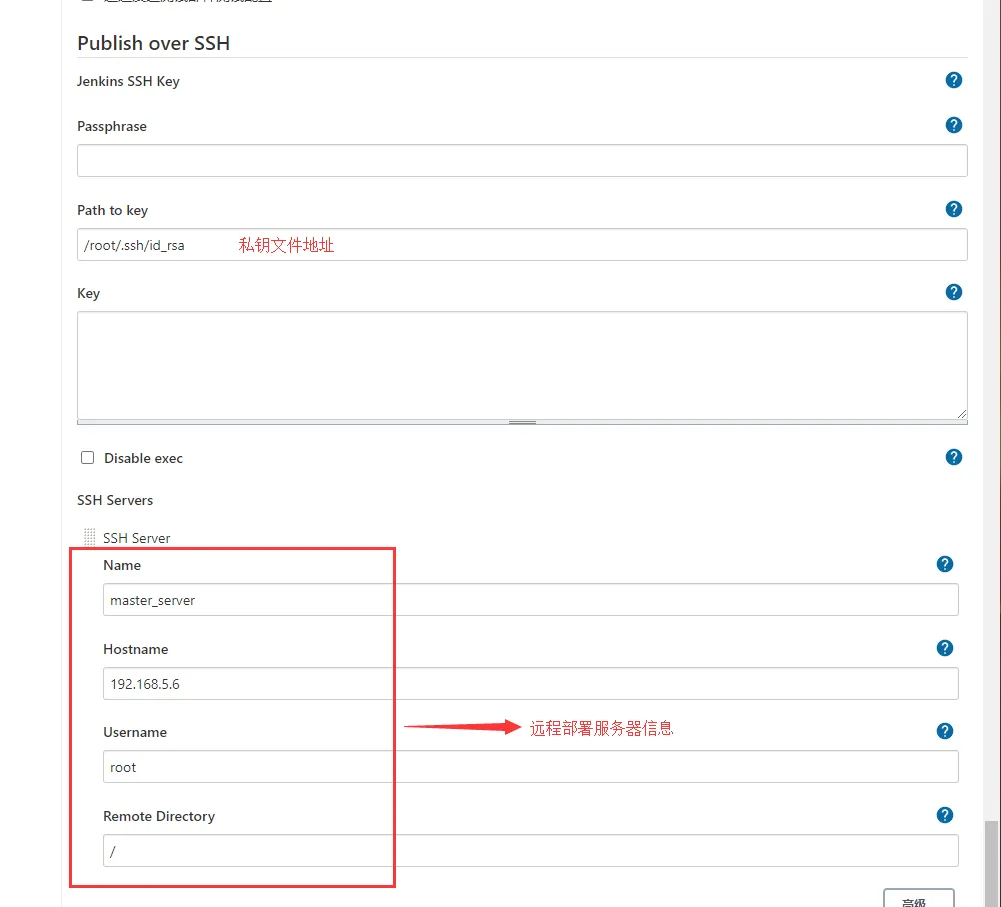
3)添加远程服务器
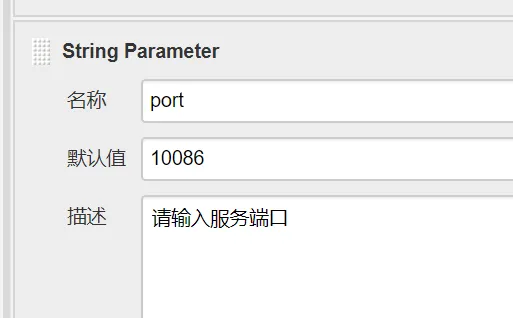
4)添加一个port参数
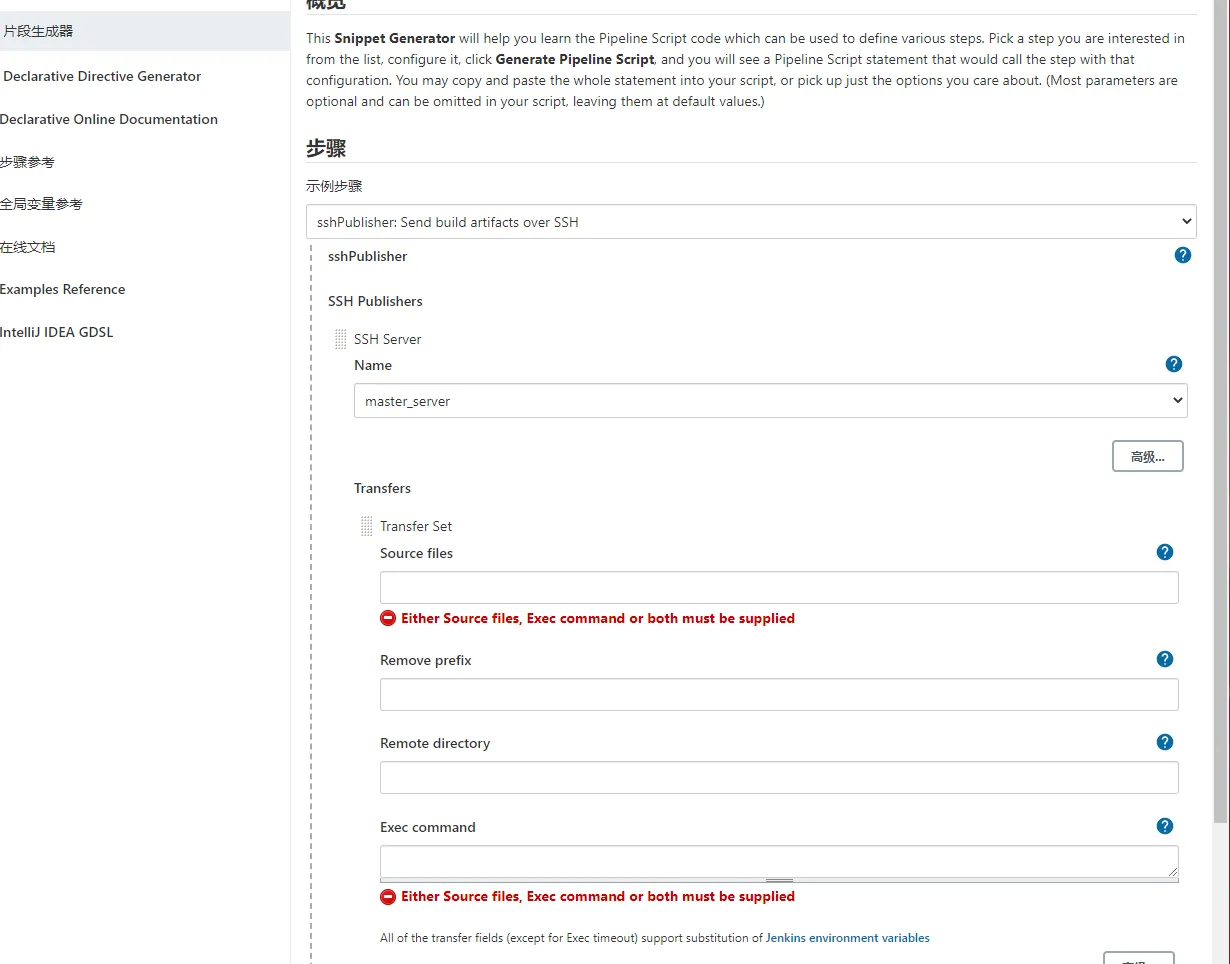
5)生成远程调用模板代码
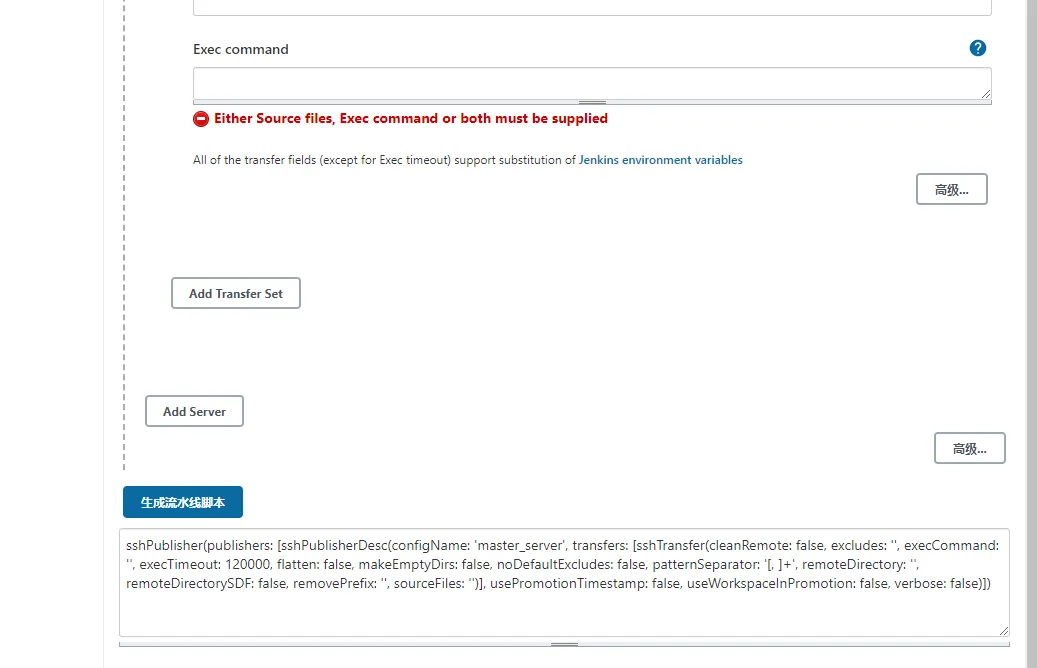
6)修改Jenkinsfile构建脚本
//gitlab的凭证
def git_auth = "14ae86e8-c3b4-4d7d-afe1-8c23d9fed317"
//gitlab的地址
def git_url = "git@192.168.5.4:root/tensquare_bak.git"
// 构建版本的名称
def tag = "latest"
//Harbor私服地址
def harbor_url = "192.168.5.5:8080"
//Harbor的项目名称
def harbor_project_name = "tensquare"
//Harbor的凭证
def harbor_auth = "cd0b948d-e82b-4c0c-8a7c-8c6b8fb5454b"
node {
    stage('拉取代码') {
        checkout([$class: 'GitSCM', branches: [[name: "*/${branch}"]], extensions: [], userRemoteConfigs: [[credentialsId: "${git_auth}", url: "${git_url}"]]])
    }
  stage('代码审查') {
    //定义当前Jenkins的SonarQubeScanner工具
    def scannerHome = tool 'sonarqube-scanner'
    //引用当前Jenkins SonarQube环境
    withSonarQubeEnv('sonarqube') {
      sh """
        cd ${project_name}
        ${scannerHome}/bin/sonar-scanner
      """
    }
  }
  stage('编译,构建镜像') {
    //定义镜像名称
    def imageName = "${project_name}:${tag}"
    //编译,安装公共工程
    sh "mvn -f tensquare_common clean install"
    //编译,构建本地镜像
    sh "mvn -f ${project_name} clean package dockerfile:build"
    //给镜像打标签
    sh "docker tag ${imageName} ${harbor_url}/${harbor_project_name}/${imageName}"
    //登录Harbor,并上传镜像
    withCredentials([usernamePassword(credentialsId: "${harbor_auth}",passwordVariable: 'password', usernameVariable: 'username')]) {
      //登录
      sh "docker login -u ${username} -p ${password} ${harbor_url}"
      //上传镜像
      sh "docker push ${harbor_url}/${harbor_project_name}/${imageName}"
    }
    //删除本地镜像
    sh "docker rmi -f ${imageName}"
    sh "docker rmi -f ${harbor_url}/${harbor_project_name}/${imageName}"
    //=====以下为远程调用进行项目部署========
    sshPublisher(publishers: [sshPublisherDesc(configName: 'master_server', transfers: [sshTransfer(cleanRemote: false, excludes: '', execCommand: "/opt/jenkins_shell/deploy.sh $harbor_url $harbor_project_name $project_name $tag $port", execTimeout: 120000, flatten: false, makeEmptyDirs: false, noDefaultExcludes: false, patternSeparator: '[, ]+', remoteDirectory: '', remoteDirectorySDF: false, removePrefix: '', sourceFiles: '')], usePromotionTimestamp: false, useWorkspaceInPromotion: false, verbose: false)])
  }
}
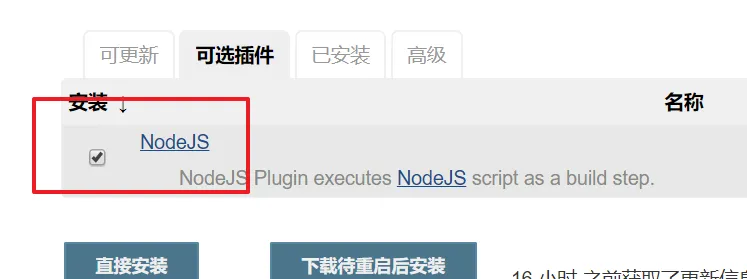
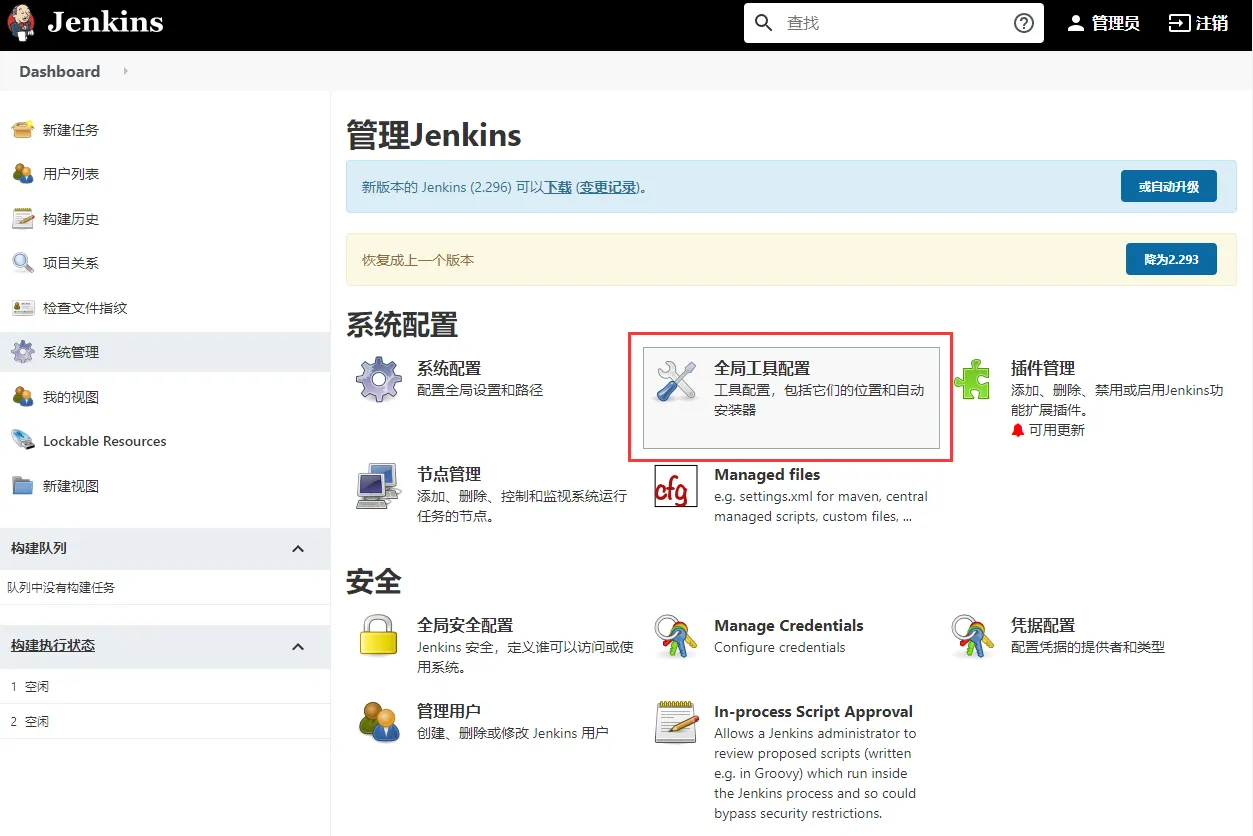
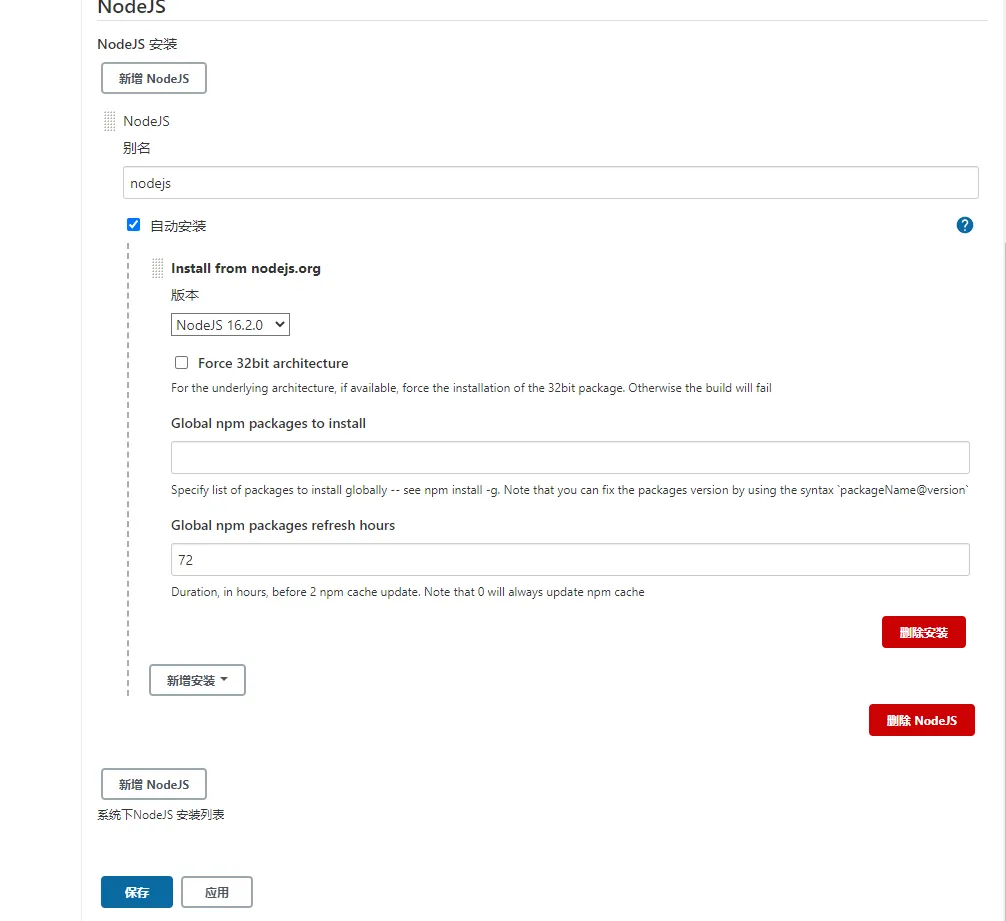
2)配置NodeJS环境
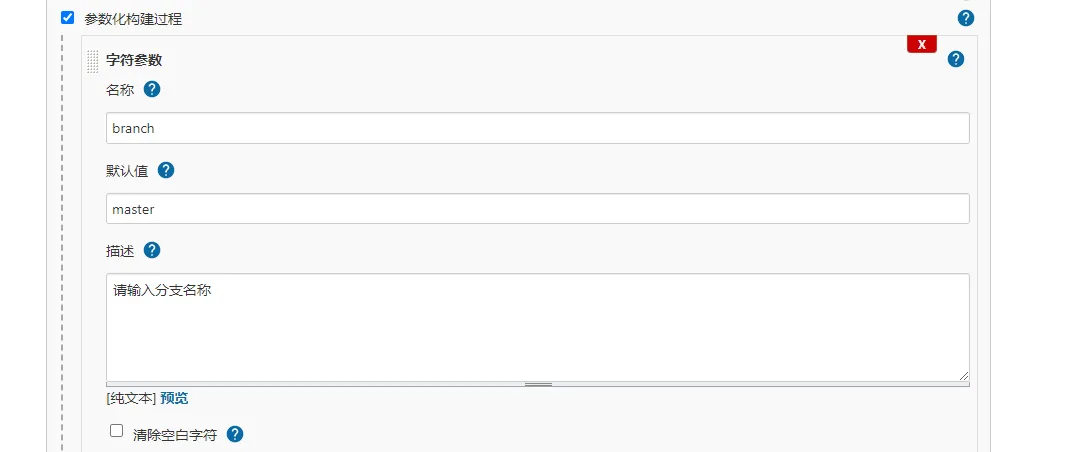
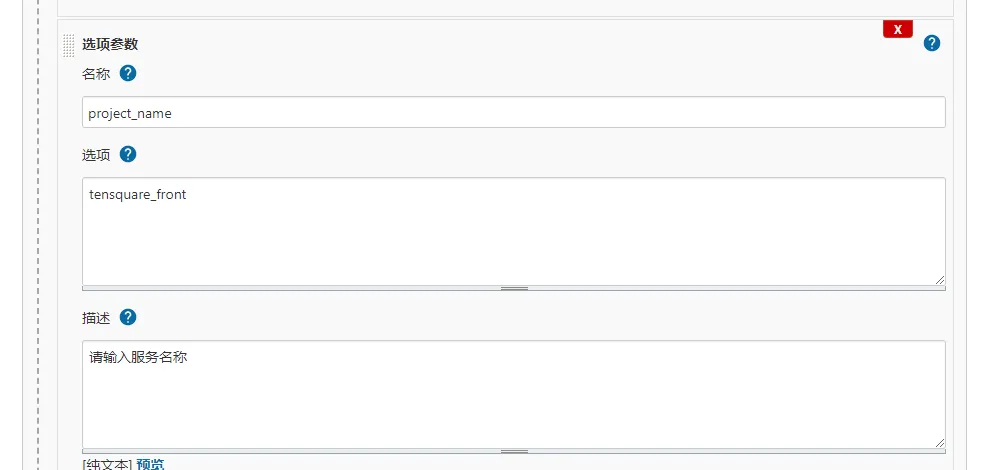
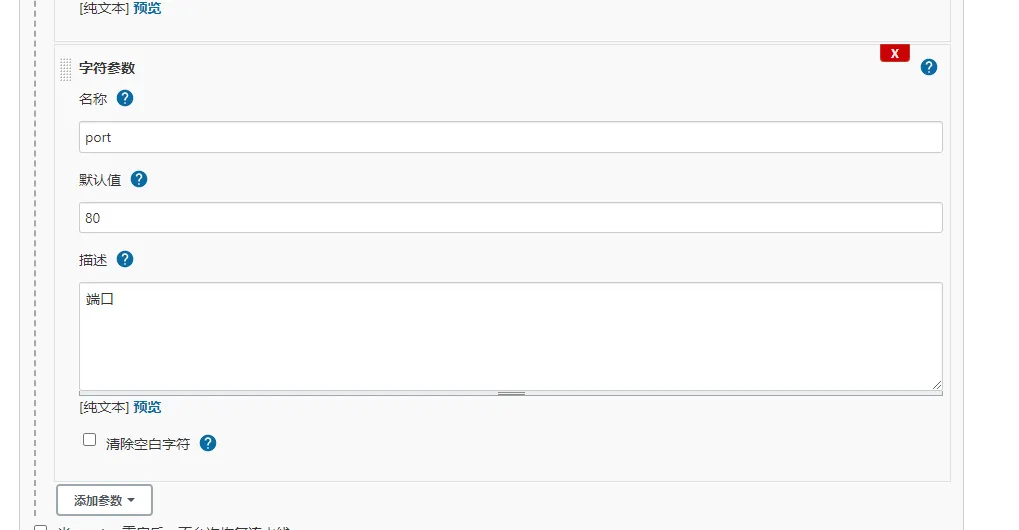
3)添加branch,project_name,port参数
4)编写dockerfile脚本
FROM nginx
COPY ./dist /usr/share/nginx/html
EXPOSE 80
5)编写Jenkinsfile构建脚本
//gitlab的凭证
def git_auth = "14ae86e8-c3b4-4d7d-afe1-8c23d9fed317"
//gitlab的地址
def git_url = "git@192.168.5.4:root/tensquare_front.git"
// 构建版本的名称
def tag = "latest"
//Harbor私服地址
def harbor_url = "192.168.5.5:8080"
//Harbor的项目名称
def harbor_project_name = "tensquare"
//Harbor的凭证
def harbor_auth = "cd0b948d-e82b-4c0c-8a7c-8c6b8fb5454b"
node {
    stage('拉取代码') {
        checkout([$class: 'GitSCM', branches: [[name: "*/${branch}"]], extensions: [], userRemoteConfigs: [[credentialsId: "${git_auth}", url: "${git_url}"]]])
    }
  stage('编译,构建镜像') {
    //定义镜像名称
    def imageName = "${project_name}:${tag}"
    //使用NodeJS 进行打包
      nodejs('nodejs'){
           sh'''
              npm install
              npm run build
             '''
      }
    //生成镜像
    sh "docker build -t ${project_name}:${tag} ."
    //给镜像打标签
    sh "docker tag ${imageName} ${harbor_url}/${harbor_project_name}/${imageName}"
    //登录Harbor,并上传镜像
    withCredentials([usernamePassword(credentialsId: "${harbor_auth}",passwordVariable: 'password', usernameVariable: 'username')]) {
      //登录
      sh "docker login -u ${username} -p ${password} ${harbor_url}"
      //上传镜像
      sh "docker push ${harbor_url}/${harbor_project_name}/${imageName}"
    }
    //删除本地镜像
    sh "docker rmi -f ${imageName}"
    sh "docker rmi -f ${harbor_url}/${harbor_project_name}/${imageName}"
    //=====以下为远程调用进行项目部署========
    sshPublisher(publishers: [sshPublisherDesc(configName: 'master_server', transfers: [sshTransfer(cleanRemote: false, excludes: '', execCommand: "/opt/jenkins_shell/deploy.sh $harbor_url $harbor_project_name $project_name $tag $port", execTimeout: 120000, flatten: false, makeEmptyDirs: false, noDefaultExcludes: false, patternSeparator: '[, ]+', remoteDirectory: '', remoteDirectorySDF: false, removePrefix: '', sourceFiles: '')], usePromotionTimestamp: false, useWorkspaceInPromotion: false, verbose: false)])
  }
}
6)编写deploy.sh部署脚本(之前编写过后,不用再次编写)
#! /bin/sh
#接收外部参数
harbor_url=$1
harbor_project_name=$2
project_name=$3
tag=$4
port=$5
imageName=$harbor_url/$harbor_project_name/$project_name:$tag
echo "$imageName"
#查询容器是否存在,存在则删除
containerId=`docker ps -a | grep -w ${project_name}:${tag} | awk '{print $1}'`
if [ "$containerId" != "" ] ; then
  #停掉容器
  docker stop $containerId
  #删除容器
  docker rm $containerId
  echo "成功删除容器"
fi
#查询镜像是否存在,存在则删除
imageId=`docker images | grep -w $project_name | awk '{print $3}'`
if [ "$imageId" != "" ] ; then
  #删除镜像
  docker rmi -f $imageId
  echo "成功删除镜像"
fi
# 登录Harbor私服
docker login -u admin -p Harbor12345 $harbor_url
# 下载镜像
docker pull $imageName
# 启动容器
docker run -di -p $port:$port $imageName
echo "容器启动成功"
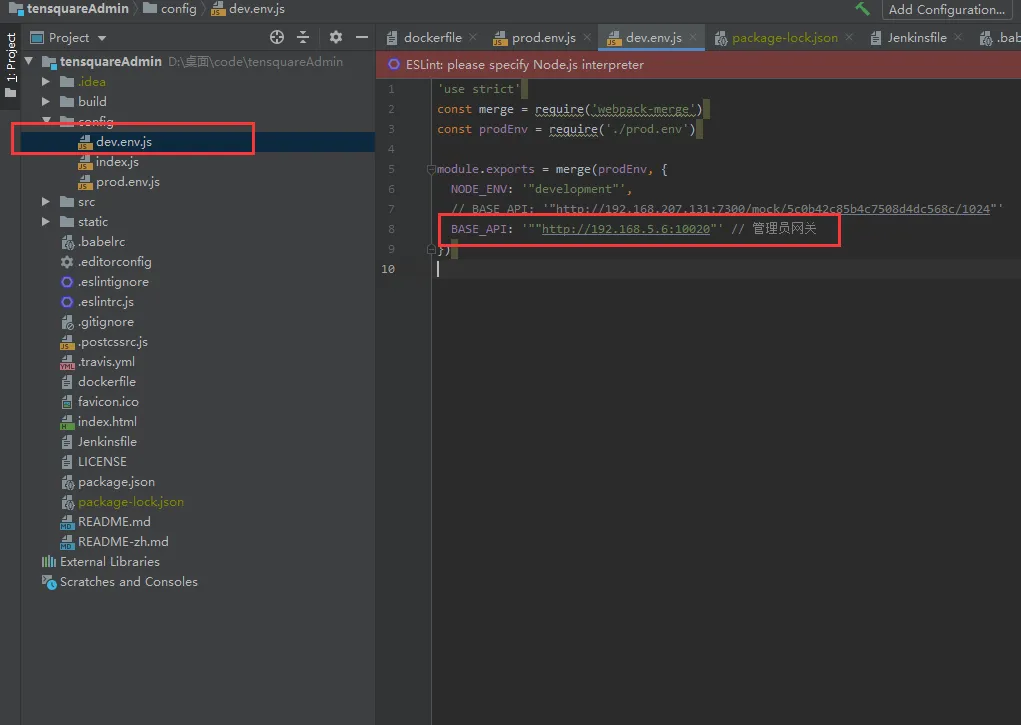
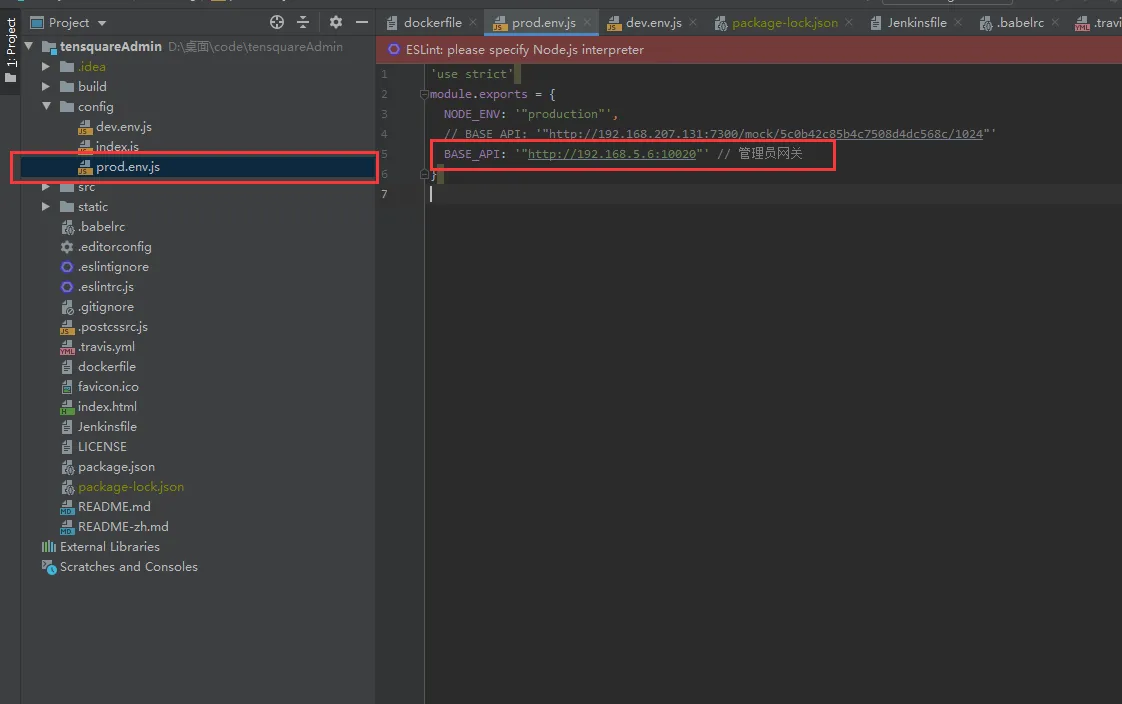
7)修改代码连接后端微服务服务
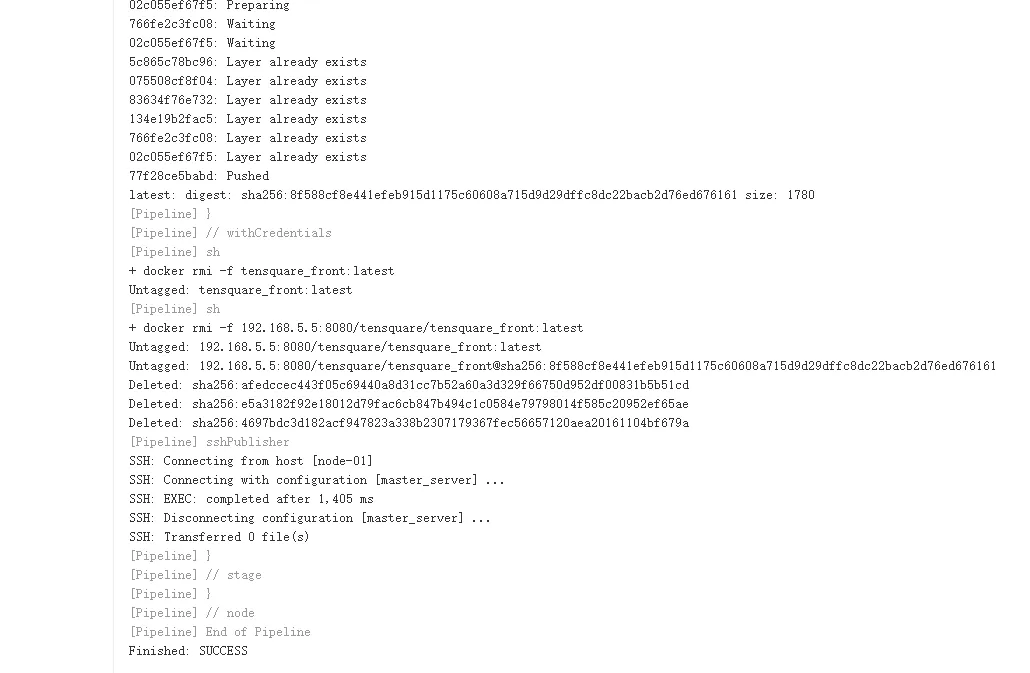
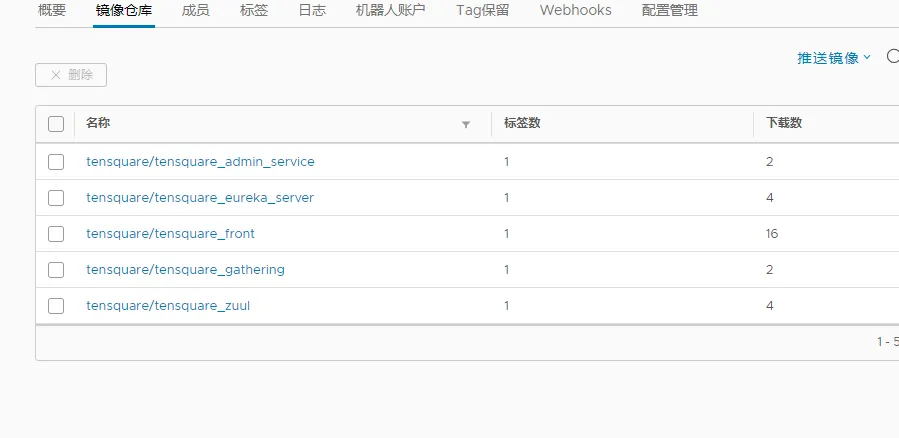
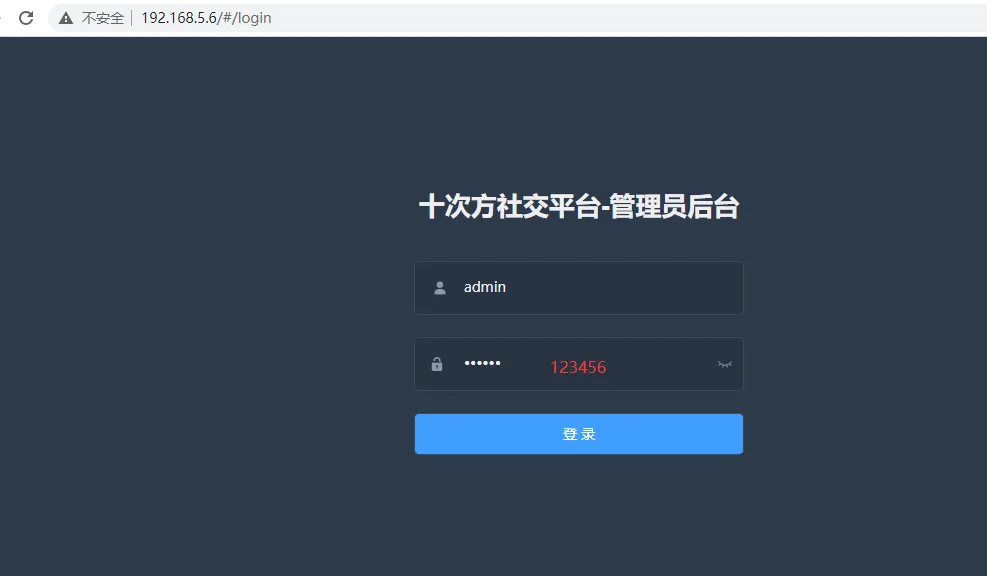
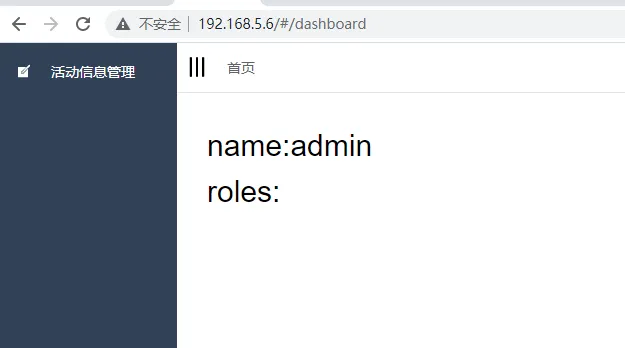
8)项目测试